Have any questions? +1 646.844.5712 (US)

  • Facebook
  • LinkedIn
  • Twitter
HiTech ServiceHiTech Service
  • Home
  • About
  • Services
    • Software Development
    • Customer Support
    • Quality Assurance
    • Managed Services
    • Compliance Audit
    • GDPR Compliance
    • Competency Center
    • Emergency IT Support
    • Software as medical device
    • Local AI Agent Development
  • Projects
  • GDPR
  • Articles
  • Case Studies
  • Contact
Menu
  • Home
  • About
  • Services
    • Software Development
    • Customer Support
    • Quality Assurance
    • Managed Services
    • Compliance Audit
    • GDPR Compliance
    • Competency Center
    • Emergency IT Support
    • Software as medical device
    • Local AI Agent Development
  • Projects
  • GDPR
  • Articles
  • Case Studies
  • Contact
Category: how to" style="background-color:#ffffff;">
How to speed up your PC Part 2

How to speed up your PC Part 2

Some time ago we started to share some tips on how to make your PC work faster. So here is another set of tips to help you optimize your computer. As you remember from our previous article, one of the reasons for a PC running slow is a bunch of unneeded services and programs running in […]
  • On October 5, 2015
  • 0 Comment
  • Read More
Windows 7 — Colors look wrong in Windows photo viewer

Windows 7 — Colors look wrong in Windows photo viewer

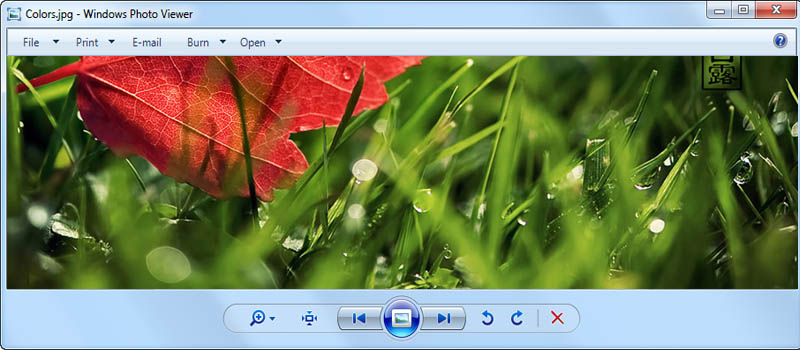
There is an issue with the way Windows Photo Viewer and the list of the other software start displaying colours in the wrong way. It looks like some filter applied to it. In real, usually it caused by updating current drivers for display adapters or upgrading to the new hardware (so brand new drivers getting […]
  • On October 1, 2015
  • 0 Comment
  • Read More
How to disable videos auto-play in Facebook

How to disable videos auto-play in Facebook

2 days ago Facebook introduced videos auto-play function in a News Feed. First it was neat but now a lot of people a getting irritated by constant video play-back. I am here to tell you that, yes, you can turn it off. Not only it might irritate you but it also drains you laptop’s or mobile phone’s […]
  • On September 30, 2015
  • 0 Comment
  • Read More
Windows 7: How to add recipients to Send to menu

Windows 7: How to add recipients to Send to menu

In case you have some folder where you need to send files all the time or when you are performing some task, you can add this folder to the “Send to” menu.   To do it create shortcut to the required recipients folder and place it to: C:\Users\j<User Name>\AppData\Roaming\Microsoft\Windows\SendTo Where <User Name> is the user […]
  • On September 29, 2015
  • 0 Comment
  • Read More
How to speed up your PC Part 1

How to speed up your PC Part 1

I’m sure everyone who has a computer running on Windows OS has experienced it getting slow with time. The reasons for performance slowdown are actually numerous and need to be dealt with in different ways, so we decided to share some tips on most frequent cases that we will divide into several articles. One of […]
  • On September 28, 2015
  • 0 Comment
  • Read More
How to create your custom budget tracker?

How to create your custom budget tracker?

Doing your home budget accounting is a really good idea. It allows to track the flow of your funds and do some budget planning. There are tons of mobile applications on app stores. Part of them are paid applications; others are free but full of advertisements. The most uncomfortable in these apps is that you […]
  • On September 24, 2015
  • 0 Comment
  • Read More
Windows 7: How to convert values to a different format?

Windows 7: How to convert values to a different format?

Built in WIndows calculator has been with us a for long time. Everybody knows how to run it and probably uses it time to time. Windows 7 hides several cool features in standard calculator application. Just hit on View menu on calculator’s screen and you will see more than ten different modes. Sometime you need […]
  • On September 23, 2015
  • 0 Comment
  • Read More
Internet Browser – Default page issues

Internet Browser – Default page issues

Internet browsing usually is much fun, but sometimes it may bring unexpected results. One the popular issues is that your default page in browser gets set to some website (online store, news portal, some strange search engine or even something adult). This can be easily considered as a virus, but antiviruses never pay attention to […]
  • On September 22, 2015
  • 0 Comment
  • Read More
Windows 10: Turning off Windows Defender in Windows 10

Windows 10: Turning off Windows Defender in Windows 10

Howdy! If you want to go all-ninja, swift, and risky and unleash the full power of your computer’s CPU on that bulky video project that you are about to render, you might want to consider turning off Windows Defender. Yes, you will be unprotected, but there is a plus in that sometimes. In windows 7 […]
  • On September 20, 2015
  • 0 Comment
  • Read More
Changing default search engine in EDGE

Changing default search engine in EDGE

Hey guys! This quick article covers a small aspect of a new internet browser presented in Windows 10: changing default search engine. Despite the triviality of topic, in fact it turns out to be not an easy task with Edge browser on a brand new Windows 10 by Microsoft. Just like with all other browsers you will have to go […]
  • On September 10, 2015
  • 0 Comment
  • Read More
Page 23 of 24«‹21222324›
Recent Posts
  • As Is: How Software Became the Only Product You Could Legally Sell Broken
  • The Production Incident Class Your Postmortem Template Doesn’t Have
  • Why Load Test Numbers Lie
  • When Config Became Executable: The Twenty-Year Pattern Behind Supply Chain Attacks
  • How Software Became a Medical Device
Categories
  • ai (8)
  • android (18)
  • apple (36)
  • chart (18)
  • cloud (1)
  • fix (42)
  • games (11)
  • google (31)
  • hardware (73)
  • healthcare (3)
  • how to (231)
  • internet (92)
  • ios (23)
  • macos (3)
  • microsoft (82)
  • mobile (36)
  • news (74)
  • optimization (17)
  • osx (4)
  • outsourcing (8)
  • qa (3)
  • regulation (7)
  • review (120)
  • security (39)
  • software (160)
  • windows (150)
Archives
  • August 2026
  • July 2026
  • June 2026
  • May 2026
  • August 2025
  • March 2025
  • February 2025
  • April 2023
  • March 2023
  • February 2023
  • January 2023
  • March 2022
  • January 2022
  • December 2021
  • November 2021
  • October 2021
  • September 2021
  • August 2021
  • July 2021
  • June 2021
  • May 2021
  • April 2021
  • March 2021
  • February 2021
  • January 2021
  • December 2020
  • November 2020
  • October 2020
  • September 2020
  • August 2020
  • July 2020
  • June 2020
  • May 2020
  • April 2020
  • March 2020
  • February 2020
  • January 2020
  • December 2019
  • November 2019
  • October 2019
  • September 2019
  • August 2019
  • April 2019
  • March 2019
  • February 2019
  • January 2019
  • December 2018
  • November 2018
  • October 2018
  • September 2018
  • June 2018
  • May 2018
  • April 2018
  • February 2018
  • January 2018
  • December 2017
  • November 2017
  • October 2017
  • June 2017
  • May 2017
  • April 2017
  • March 2017
  • February 2017
  • January 2017
  • December 2016
  • November 2016
  • October 2016
  • September 2016
  • August 2016
  • July 2016
  • June 2016
  • May 2016
  • April 2016
  • March 2016
  • February 2016
  • January 2016
  • December 2015
  • November 2015
  • October 2015
  • September 2015
  • July 2015
  • January 2015
Archives
  • August 2026
  • July 2026
  • June 2026
  • May 2026
  • August 2025
  • March 2025
  • February 2025
  • April 2023
  • March 2023
  • February 2023
  • January 2023
  • March 2022
  • January 2022
  • December 2021
  • November 2021
  • October 2021
  • September 2021
  • August 2021
  • July 2021
  • June 2021
  • May 2021
  • April 2021
  • March 2021
  • February 2021
  • January 2021
  • December 2020
  • November 2020
  • October 2020
  • September 2020
  • August 2020
  • July 2020
  • June 2020
  • May 2020
  • April 2020
  • March 2020
  • February 2020
  • January 2020
  • December 2019
  • November 2019
  • October 2019
  • September 2019
  • August 2019
  • April 2019
  • March 2019
  • February 2019
  • January 2019
  • December 2018
  • November 2018
  • October 2018
  • September 2018
  • June 2018
  • May 2018
  • April 2018
  • February 2018
  • January 2018
  • December 2017
  • November 2017
  • October 2017
  • June 2017
  • May 2017
  • April 2017
  • March 2017
  • February 2017
  • January 2017
  • December 2016
  • November 2016
  • October 2016
  • September 2016
  • August 2016
  • July 2016
  • June 2016
  • May 2016
  • April 2016
  • March 2016
  • February 2016
  • January 2016
  • December 2015
  • November 2015
  • October 2015
  • September 2015
  • July 2015
  • January 2015
Scroll

Services

  • Software Development
  • Quality Assurance
  • Customer Support
  • Managed Services
  • 24/7 Emergency IT Support
  • Competency Center
  • Local AI Agent Development
  • Software as a Medical Device

Compliance

  • Compliance Audit
  • GDPR Compliance
  • What is GDPR
  • ISO 9001:2015 Certification

Company

  • About Us
  • All Services
  • Projects
  • Case Studies
  • Articles
  • Contact
About HiTech Service

With 10 year experience of working together, we have reached tangible synergetic effect in performance and productivity, which results in highest quality services and satisfied clients.

Privacy Policy   Cookie Policy


  • Facebook
  • X
  • LinkedIn
CONTACT INFO
  • 900 Foulk Rd, Suite 201, Wilmington, DE, USA, 19803
  • Kudryavs’kyi descent 5b, Kyiv, Ukraine, 04053
  • +1 646.844.5712 (US)
ISO 9001:2015 certificate issued to HiTech Service LLC by Veritas
RIPE Atlas logo, the network measurement community HiTech Service takes part in
BrainBasket Foundation logo, IT education initiative HiTech Service supports
HiTech Service LLC membership badge of the Hi-Tech Office Ukraine association Dun & Bradstreet verified business badge for HiTech Service LLC
YouTeam partner badge for HiTech Service LLC
Hitech Service LLC

Copyright 2026