Windows 7: How to add recipients to Send to menu

In case you have some folder where you need to send files all the time or when you are performing some task, you can add this folder to the “Send to” menu.
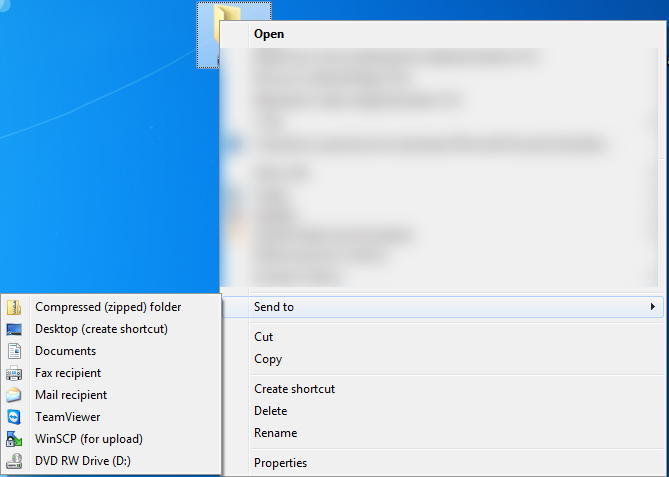


Windows7 How to add destinations to Send to menu — Windows 7: How to add recipients to Send to menu

To do it create shortcut to the required recipients folder and place it to:

C:\Users\j<User Name>\AppData\Roaming\Microsoft\Windows\SendTo

Where <User Name> is the user name on your computer.
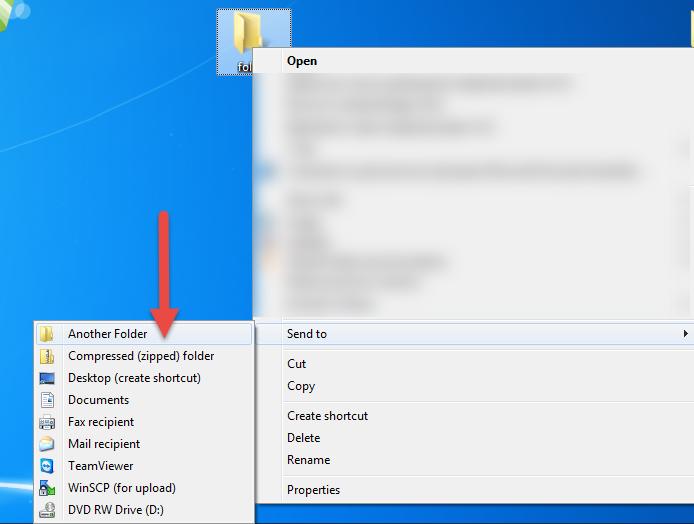
Windows7 How to add destinations to Send to menu2 — Windows 7: How to add recipients to Send to menu

You just skipped those ”smart” screenshots and bunch of scary text while reading the article.


Keep reading

Related articles

fix · how to · windows
Jan 27, 2022
Read article
how to · outsourcing
Dec 21, 2021
Read article
how to · microsoft · news · windows
Dec 3, 2021
Read article
Work with HiTech

Need a team that can do this for you?

Software development, quality assurance, managed services and compliance work, delivered by the HiTech Service team.