Have any questions? +1 646.844.5712 (US)

  • Facebook
  • LinkedIn
  • Twitter
HiTech ServiceHiTech Service
  • Home
  • About
  • Services
    • Software Development
    • Customer Support
    • Quality Assurance
    • Managed Services
    • Compliance Audit
    • GDPR Compliance
    • Competency Center
    • Emergency IT Support
    • Software as medical device
    • Local AI Agent Development
  • Projects
  • GDPR
  • Articles
  • Case Studies
  • Contact
Menu
  • Home
  • About
  • Services
    • Software Development
    • Customer Support
    • Quality Assurance
    • Managed Services
    • Compliance Audit
    • GDPR Compliance
    • Competency Center
    • Emergency IT Support
    • Software as medical device
    • Local AI Agent Development
  • Projects
  • GDPR
  • Articles
  • Case Studies
  • Contact
Category: how to" style="background-color:#ffffff;">
Windows Remote Assistance

Windows Remote Assistance

There are multiple tools that can be found on internet that allow to have someone connect to your computer remotely. But Windows has it own built in service for remote assistance. You might think we are talking about RDP, but no. Windows Remote Assistance (that is how microsoft called it) app is a separate service that is […]
  • On November 20, 2015
  • 0 Comment
  • Read More
How to add more options to “Send To” context menu

How to add more options to “Send To” context menu

Many of you use “Send to” options to export files from your PC to different destinations like USB drive, Dropbox, Google Drive etc. But what if the desired destination is not in the list? Today we will share with you how to add custom destination option to your “Send To” menu options. First thing press combination of […]
  • On November 12, 2015
  • 0 Comment
  • Read More
TOP 10 Windows hot keys

TOP 10 Windows hot keys

If you are experienced Microsoft Windows user, you are for sure already aware of most common Windows shortcuts and key combinations. But you still may be not aware of some useful Windows  shortcuts that may make you a happier operating on PC. We will share with you some useful Windows shortcuts that may become handy. 1. Alt […]
  • On November 11, 2015
  • 0 Comment
  • Read More
Windows Power plans

Windows Power plans

Windows has great power management features. Not many people are using it, though it can be very helpful for those who utilize portable devices like laptops and tablets. Using power plans can provide you with longer battery life or better performance when it is needed. Configuring your own plan will make power management on your […]
  • On November 5, 2015
  • 0 Comment
  • Read More
Inserting Photo or Video to email on iOS devices

Inserting Photo or Video to email on iOS devices

Sometimes it is really necessary to paste a photo to an email you have already started composing on you iOS device (iPad, iPhone) To do this simply press your finger in the text body and hold, you will see a popup menu. Just find an option insert photo or video and choose a photo. In the […]
  • On November 3, 2015
  • 0 Comment
  • Read More
Touchscreen stopped working after upgrading to Windows 10?

Touchscreen stopped working after upgrading to Windows 10?

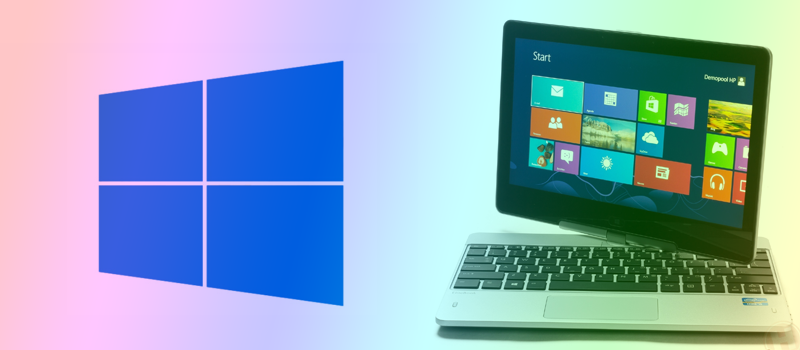
We already had people calling us with this issue on their laptops. The last interesting case was with HP EliteBook Revolve 810 G1. The problem was that laptop uses driver from manufacturer to work with touchscreen, and this driver does not work with Windows 10 yet. Hopefully Windows 10 already has its own touchscreen drivers so the trick was […]
  • On November 2, 2015
  • 0 Comment
  • Read More
How to google as proxy?

How to google as proxy?

If you happen to be an office worker and your office network has your favorite websites blocked by the IT team you still can try to work around and use proxy server to access them. To do that, you need to know these servers and make some changes in your network configurations on your PC. […]
  • On October 30, 2015
  • 0 Comment
  • Read More
How to turn your Windows laptop into Wi-Fi hotspot

How to turn your Windows laptop into Wi-Fi hotspot

You have only one Ethernet cable and want to share internet via Wi-Fi, but there is no router around? Not a problem, you just need a laptop or a PC with Wi-Fi chip available. Some may use third party software for this purpose, but it is not always free and not always works. We will share with you […]
  • On October 29, 2015
  • 0 Comment
  • Read More
Drivers stopped working after upgrading to Windows 10?

Drivers stopped working after upgrading to Windows 10?

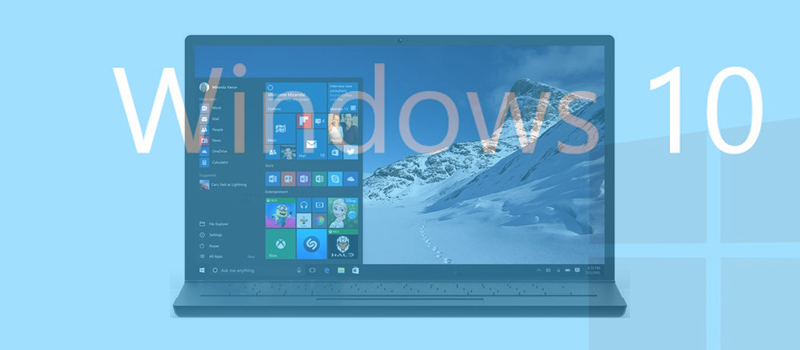
Many people who upgraded to Windows 10 from earlier versions of Windows may have experienced driver problem with this or that piece of hardware installed on PC or laptop. Windows 10 is a comparatively fresh operating system and does have some issues that Microsoft it rapidly fixing now. Actually, they plan to release their first major fix […]
  • On October 28, 2015
  • 0 Comment
  • Read More
What to remove first when your phone storage is full

What to remove first when your phone storage is full

We have all been in situation when new OS update is out but we are not able to install it due to a lack of available space left on our phones. Here is a list of things you might want to remove first when storage is full. First, find out what’s draining your storage space. […]
  • On October 27, 2015
  • 0 Comment
  • Read More
Page 21 of 24«‹1920212223›»
Recent Posts
  • As Is: How Software Became the Only Product You Could Legally Sell Broken
  • The Production Incident Class Your Postmortem Template Doesn’t Have
  • Why Load Test Numbers Lie
  • When Config Became Executable: The Twenty-Year Pattern Behind Supply Chain Attacks
  • How Software Became a Medical Device
Categories
  • ai (8)
  • android (18)
  • apple (36)
  • chart (18)
  • cloud (1)
  • fix (42)
  • games (11)
  • google (31)
  • hardware (73)
  • healthcare (3)
  • how to (231)
  • internet (92)
  • ios (23)
  • macos (3)
  • microsoft (82)
  • mobile (36)
  • news (74)
  • optimization (17)
  • osx (4)
  • outsourcing (8)
  • qa (3)
  • regulation (7)
  • review (120)
  • security (39)
  • software (160)
  • windows (150)
Archives
  • August 2026
  • July 2026
  • June 2026
  • May 2026
  • August 2025
  • March 2025
  • February 2025
  • April 2023
  • March 2023
  • February 2023
  • January 2023
  • March 2022
  • January 2022
  • December 2021
  • November 2021
  • October 2021
  • September 2021
  • August 2021
  • July 2021
  • June 2021
  • May 2021
  • April 2021
  • March 2021
  • February 2021
  • January 2021
  • December 2020
  • November 2020
  • October 2020
  • September 2020
  • August 2020
  • July 2020
  • June 2020
  • May 2020
  • April 2020
  • March 2020
  • February 2020
  • January 2020
  • December 2019
  • November 2019
  • October 2019
  • September 2019
  • August 2019
  • April 2019
  • March 2019
  • February 2019
  • January 2019
  • December 2018
  • November 2018
  • October 2018
  • September 2018
  • June 2018
  • May 2018
  • April 2018
  • February 2018
  • January 2018
  • December 2017
  • November 2017
  • October 2017
  • June 2017
  • May 2017
  • April 2017
  • March 2017
  • February 2017
  • January 2017
  • December 2016
  • November 2016
  • October 2016
  • September 2016
  • August 2016
  • July 2016
  • June 2016
  • May 2016
  • April 2016
  • March 2016
  • February 2016
  • January 2016
  • December 2015
  • November 2015
  • October 2015
  • September 2015
  • July 2015
  • January 2015
Archives
  • August 2026
  • July 2026
  • June 2026
  • May 2026
  • August 2025
  • March 2025
  • February 2025
  • April 2023
  • March 2023
  • February 2023
  • January 2023
  • March 2022
  • January 2022
  • December 2021
  • November 2021
  • October 2021
  • September 2021
  • August 2021
  • July 2021
  • June 2021
  • May 2021
  • April 2021
  • March 2021
  • February 2021
  • January 2021
  • December 2020
  • November 2020
  • October 2020
  • September 2020
  • August 2020
  • July 2020
  • June 2020
  • May 2020
  • April 2020
  • March 2020
  • February 2020
  • January 2020
  • December 2019
  • November 2019
  • October 2019
  • September 2019
  • August 2019
  • April 2019
  • March 2019
  • February 2019
  • January 2019
  • December 2018
  • November 2018
  • October 2018
  • September 2018
  • June 2018
  • May 2018
  • April 2018
  • February 2018
  • January 2018
  • December 2017
  • November 2017
  • October 2017
  • June 2017
  • May 2017
  • April 2017
  • March 2017
  • February 2017
  • January 2017
  • December 2016
  • November 2016
  • October 2016
  • September 2016
  • August 2016
  • July 2016
  • June 2016
  • May 2016
  • April 2016
  • March 2016
  • February 2016
  • January 2016
  • December 2015
  • November 2015
  • October 2015
  • September 2015
  • July 2015
  • January 2015
Scroll

Services

  • Software Development
  • Quality Assurance
  • Customer Support
  • Managed Services
  • 24/7 Emergency IT Support
  • Competency Center
  • Local AI Agent Development
  • Software as a Medical Device

Compliance

  • Compliance Audit
  • GDPR Compliance
  • What is GDPR
  • ISO 9001:2015 Certification

Company

  • About Us
  • All Services
  • Projects
  • Case Studies
  • Articles
  • Contact
About HiTech Service

With 10 year experience of working together, we have reached tangible synergetic effect in performance and productivity, which results in highest quality services and satisfied clients.

Privacy Policy   Cookie Policy


  • Facebook
  • X
  • LinkedIn
CONTACT INFO
  • 900 Foulk Rd, Suite 201, Wilmington, DE, USA, 19803
  • Kudryavs’kyi descent 5b, Kyiv, Ukraine, 04053
  • +1 646.844.5712 (US)
ISO 9001:2015 certificate issued to HiTech Service LLC by Veritas
RIPE Atlas logo, the network measurement community HiTech Service takes part in
BrainBasket Foundation logo, IT education initiative HiTech Service supports
HiTech Service LLC membership badge of the Hi-Tech Office Ukraine association Dun & Bradstreet verified business badge for HiTech Service LLC
YouTeam partner badge for HiTech Service LLC
Hitech Service LLC

Copyright 2026