Blog Medium Image">
What to remove first when your phone storage is full

What to remove first when your phone storage is full

We have all been in situation when new OS update is out but we are not able to install it due to a lack of available space left on our phones. Here is a list of things you might want to remove first when storage is full. First, find out what’s draining your storage space. […]
How to show hidden files, folders and extensions in Windows

How to show hidden files, folders and extensions in Windows

Windows does not show all files and folders for the user by default. This actually makes sense if we are talking about preventing unskilled users from interfering the system and program files, but what if you need to see these hidden items? It’s rather simple and we will share with you how to do this. […]
Windows 7: System restore

Windows 7: System restore

System backup is a standard and mandatory procedure on an enterprise level. This guarantees system and data safety and gives a possibility of an immediate recovery in case of any incident. At the same time, small business and regular home users consider system and data backup to be not necessary. However, system backup on a […]
Understanding NTFS allocation unit size difference

Understanding NTFS allocation unit size difference

Don’t know about you, but I have always wondered what is the difference between different allocation unit sizes, when formatting drives in Windows. The answer is pretty straightforward. Basically, the allocation unit size is the block size on your hard drive when it formats NTFS. If you have lots of small files, then it’s a good […]
Home Servers

Home Servers

How many smart devices do you have at home? PC, laptop, tablets, phones, tv… How to do you store all the data – music, pictures, videos, documents? Most likes they all are scattered on your devices. What about concentrating everything in one place? All your files can be stored in one place and accessible from […]
Microsoft asks to give Edge a shot

Microsoft asks to give Edge a shot

If you are Windows 10 user, you probably know that Microsoft has given up on Internet Explorer and the new OS has a brand new browser called Edge. According to the statistics, IE was a tool, mostly used to download other browsers – Chrome or Firefox, and Microsoft expected to change the situation with the release of Edge. […]
Technology: Self-driving car

Technology: Self-driving car

Self-driving cars that used to be a dream of all sci-fi fans for decades, become a reality. Doesn’t matter if you want it or no, but in few years we will have those on our roads due to efforts of Google, Tesla, Volkswagen, GM and other companies. Wait a minute, they are already here, on […]
OS and browser stats – October update

OS and browser stats – October update

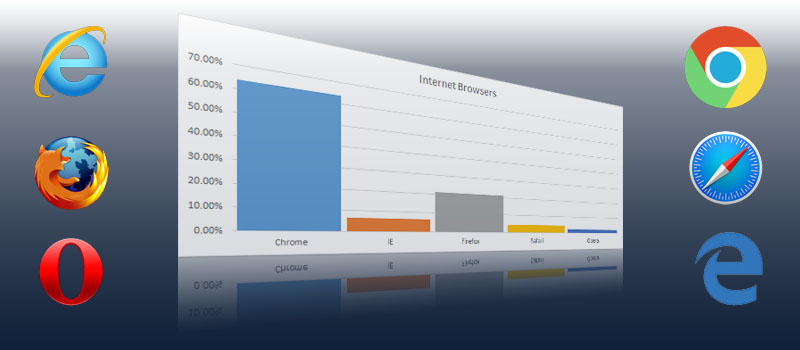
W3C has posted updated stats on their http://www.w3schools.com/ page. So let’s check it out and see how things are going with Windows 10 after free upgrade became available to the users. It was expected that Windows 10 will go up but we were surprised that it has done it so good. In a month Windows 10 has gained 10% of the users. Comparing […]
Windows 7: Small taskbar secret

Windows 7: Small taskbar secret

Everybody is probably aware about the task bar and its functions. In Windows 7 you can pin different icons there in order have possibility quickly find and run any application. Also it groups all windows of the same application in to stacks there. When you are working with multiple applications at the same moment, switching between the […]
How to opt out from Windows 10 upgrade

How to opt out from Windows 10 upgrade

Hi guys! If you do not wish to upgrade your Windows version to Win10 here are steps to take to remove annoying Windows 10 upgrade notifications. Click Start (or press Windows key + S for Windows 8.1 users) Type: view installed updates Hit Enter on your keyboard Look through the list for the KB3035583 and KB2976978 update. Right-click each update and click Uninstall.