
Tons of information are shared over the internet every second. Some people share information for marketing and advertising purposes, some to make the team work on a document easier, some do that for self entertainment or just to help friends. Well, there are many different ways and reasons to make a post on Facebook, Twitter, write promotion e-mail or skype a YouTube link to a friend. There is only one common thing here – the easiest and fastest mean to share information is the URL. And here comes the inconvenience, in order to secure privacy, many shareable links to services, like Google Docs or Youtube for example, are very long and hard to remember. Today we would like to share how to quickly transform that monstrous link to short and handy URL that will not consume half of you screen while writing an e-mail, sending an instant message or sharing info in any other way.
There is not a single service created for shortening links, I will show some of the easiest and most convenient of them (this is a personal opinion) – Goo.gl and TinyURL.
Just copy your long shareable link and paste into one of these services to shorten. I personally use Goo.gl because it has a browser extension making the process a lot faster and TinyURL if I need to customize my link in some way – not so fast but provides customizable result.
Now some details on how to use the Goo.gl extension. I personally use Chrome, so the steps below will touch upon installing Chrome extension, though there is one for FireFox as well.
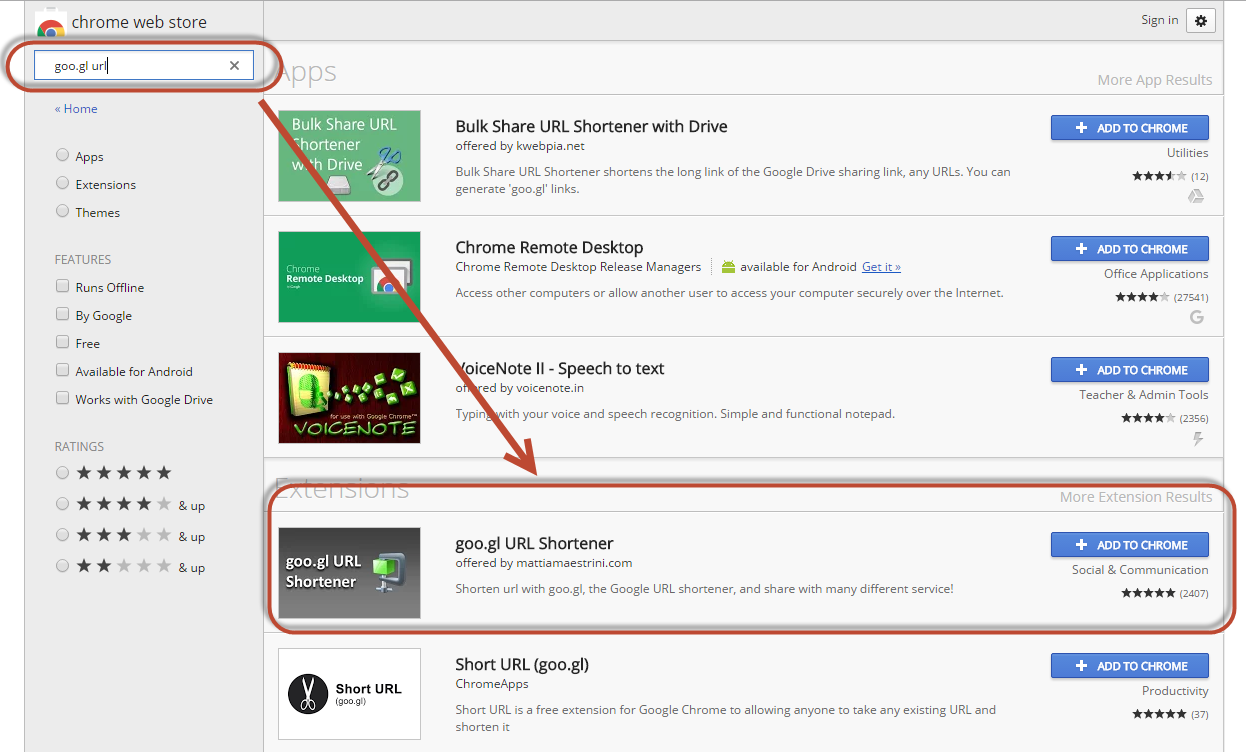
To install Goo.gl chrome extension navigate to Chrome market, type in “goo.gl url” into search field and hit enter. When the search results come up, click on “Add to Chrome” button for the “goo.gl URL Shortener” extension as shown on the screenshot below.
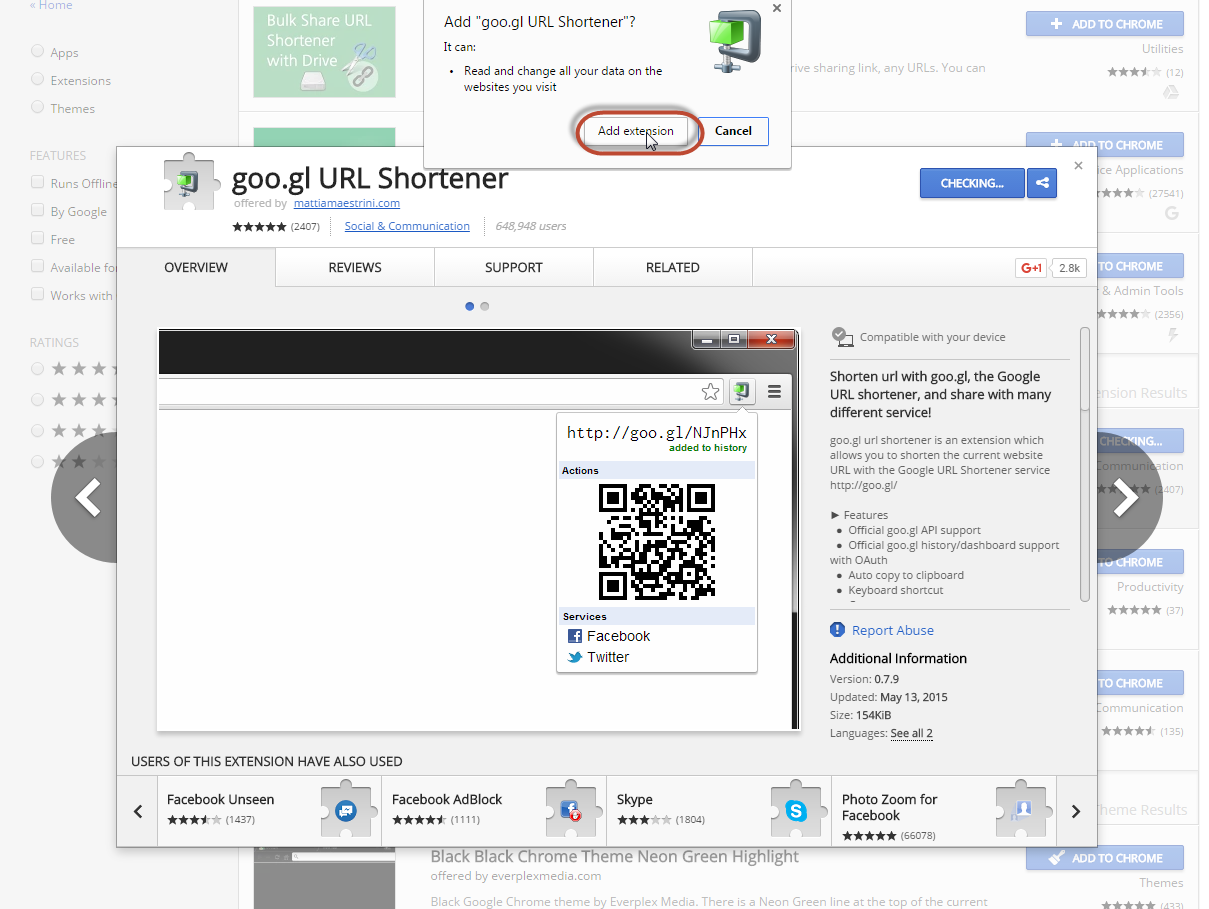
Then confirm your choice and notice a new extension icon is added to the browser.
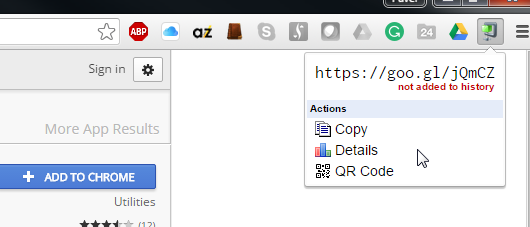
You will find the extension at the upper right corner of your Chrome browser. To get the shortened link, just navigate to the page you want to share and click on the extension icon, it will automatically generate the short variant for you to use giving you also options to copy the link, or generate a QR code.
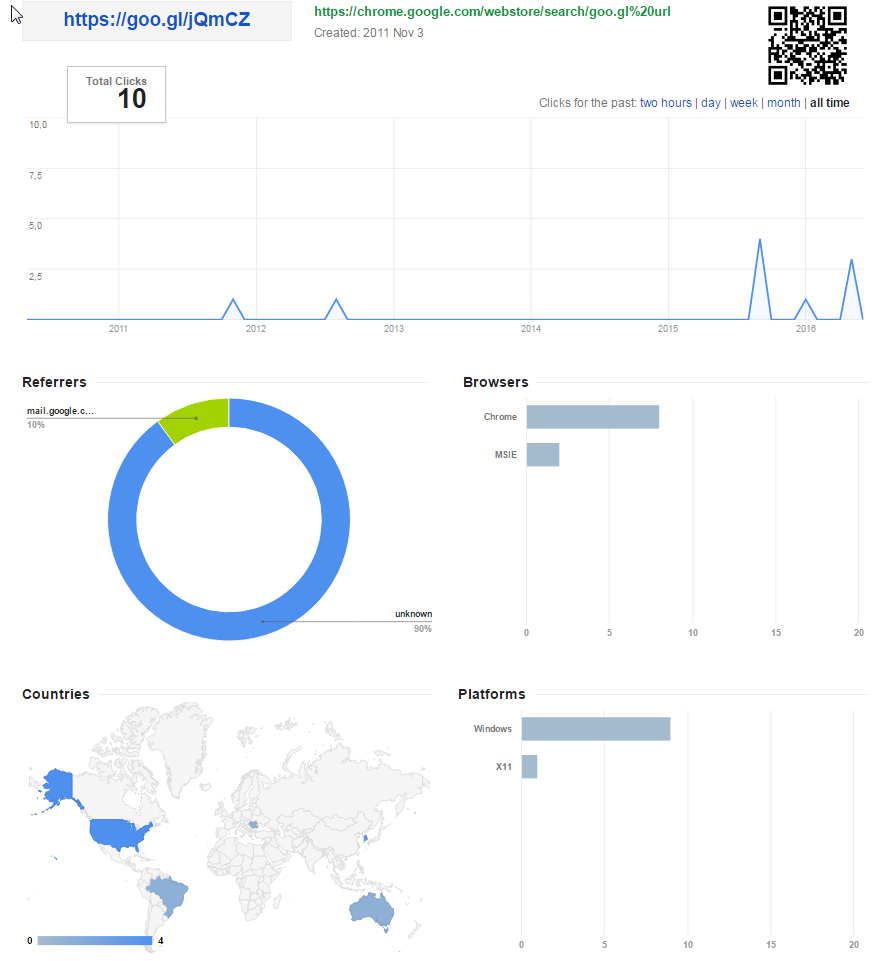
Google also can show you the stats and graphs about the link if you click on “Details”. That appears more than useful for marketing purposes.
Short links will save the Internet=) Lets save it together with our HiTech team.