There are many ways to personalize Windows OS so that it looks best for you, but still there are some small but desired tweaks that cannot be made by default Windows tools, only by means of third party software or registry changes. So if you decided to customize your shortcut arrows, just know that this is the very kind of tweak. We do not like installing third party programs, so we will describe how to remove overlapping shortcut arrows using Windows registry.
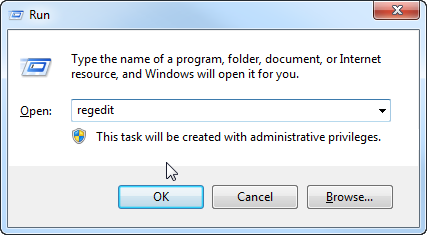
Windows registry is a very sensitive tool, so be careful to follow all the steps correctly. To access the registry, press the combination of Windows + R on the keyboard, type in regedit and hit OK.
Now you should see Registry Editor tool in front of you. Using the navigation tree on the left, go down the path like follows – HKEY_LOCAL_MACHINE / SOFTWARE / Microsoft / Windows / CurrentVersion / Explorer / Shell Icons.
It may happen so that you do not have Shell Icons key created, so go ahead and create one if this is your case. Right click on Explorer key and choose New => Key like on the screenshot below.
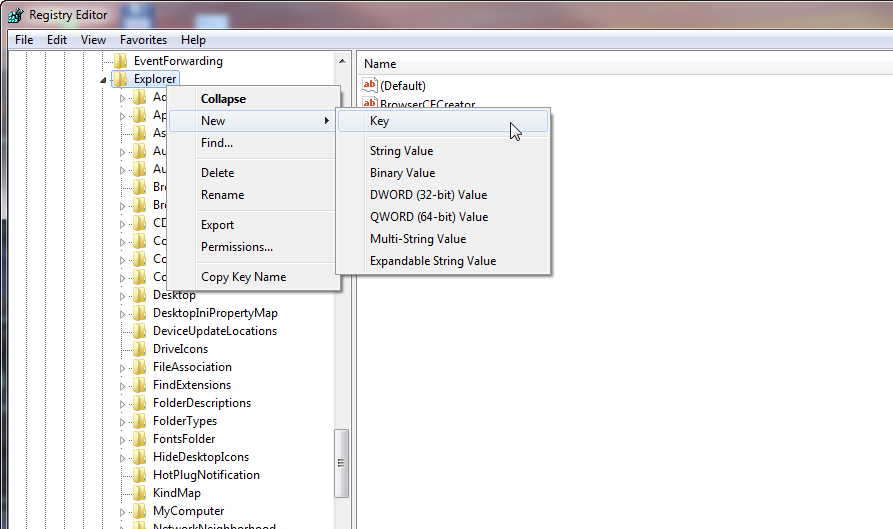
Name the new key like Shell Icons. When done, click on the newly created key, then right click on blank space on the right and choose New => String Value.
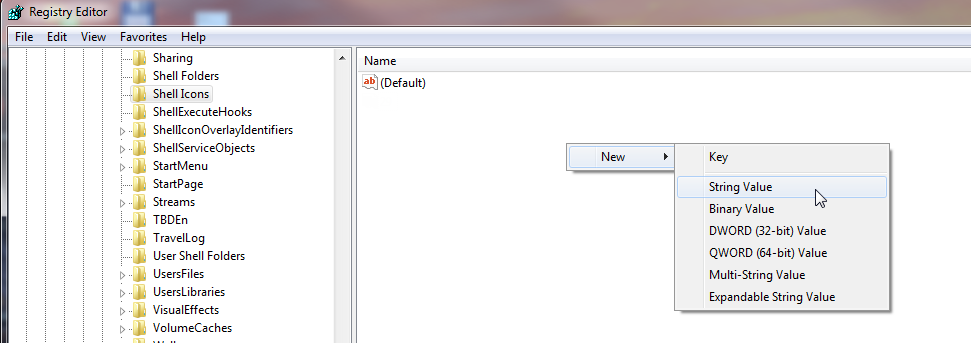
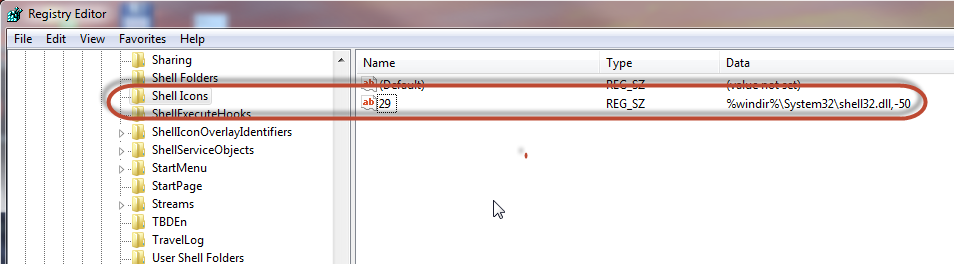
Change the name of the string value to 29, double click on it, paste or type %windir%\System32\shell32.dll,-50 into Value data string and hit OK. It should look like on the screenshot below.
The last thing left is to restart your computer. That’s It, the arrows on your icons are gone!