Those who enjoy Windows tablets and laptops with touchscreen may have noticed that sometimes Internet Explorer all of a sudden refuses to open links or launch itself in Metro UI, opening in Desktop mode only.
The solution here is simple, but tricky to detect. Thing is that Microsoft, in its desire to push up Internet Explorer or for some other reason, made Metro UI available for Internet Explorer only when it is set as default browser. And there is no other way to make it work in Metro mode other than promoting IE to default, as simple as that.
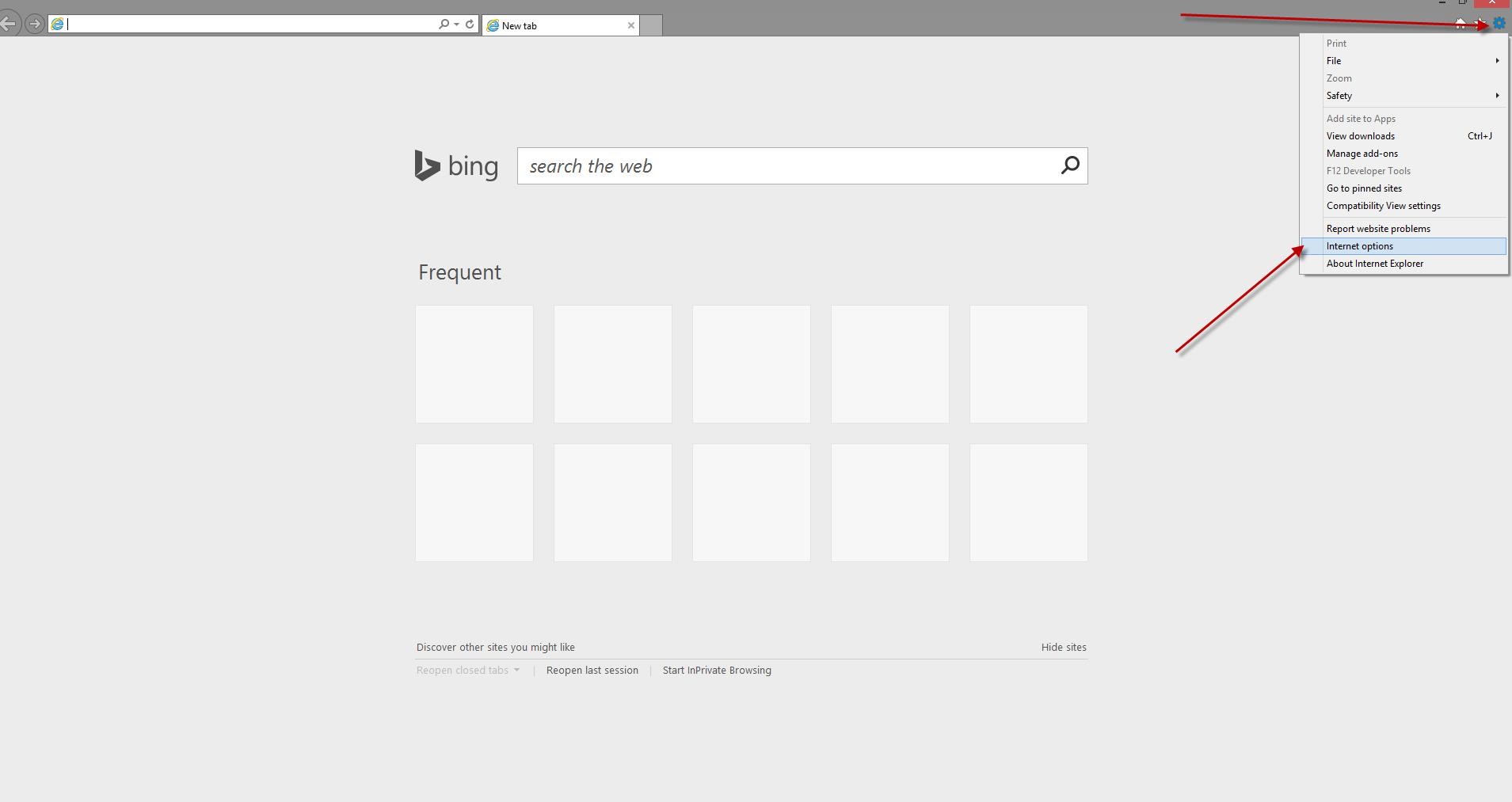
To set your Internet Explorer as Default go to Tools => Internet Options.
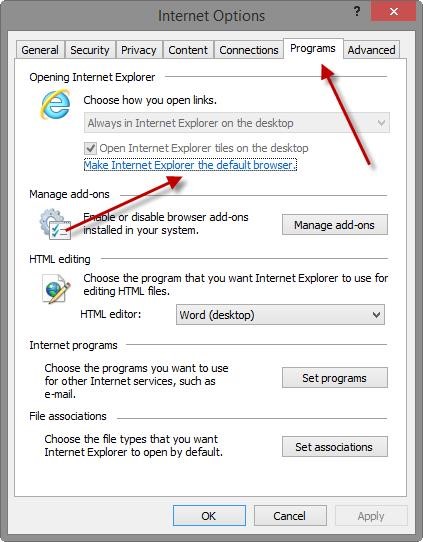
Then navigate to Programs tab and click on the link saying “Make Internet Explorer the default browser”.
This will open the tool that sets default actions for the installed applications. Find and select Internet Explorer in the list on the left. Then click the option saying “Set this program as default”, just as on the screenshot below.

That’s it! Now your Internet Explorer will again work in Metro UI.