Have any questions? +1 646.844.5712 (US)

  • Facebook
  • LinkedIn
  • Twitter
HiTech ServiceHiTech Service
  • Home
  • About
  • Services
    • Software Development
    • Customer Support
    • Quality Assurance
    • Managed Services
    • Compliance Audit
    • GDPR Compliance
    • Competency Center
    • Emergency IT Support
    • Software as medical device
    • Local AI Agent Development
  • Projects
  • GDPR
  • Articles
  • Case Studies
  • Contact
Menu
  • Home
  • About
  • Services
    • Software Development
    • Customer Support
    • Quality Assurance
    • Managed Services
    • Compliance Audit
    • GDPR Compliance
    • Competency Center
    • Emergency IT Support
    • Software as medical device
    • Local AI Agent Development
  • Projects
  • GDPR
  • Articles
  • Case Studies
  • Contact
How to Hide Recovery Partition in Windows 10

How to Hide Recovery Partition in Windows 10

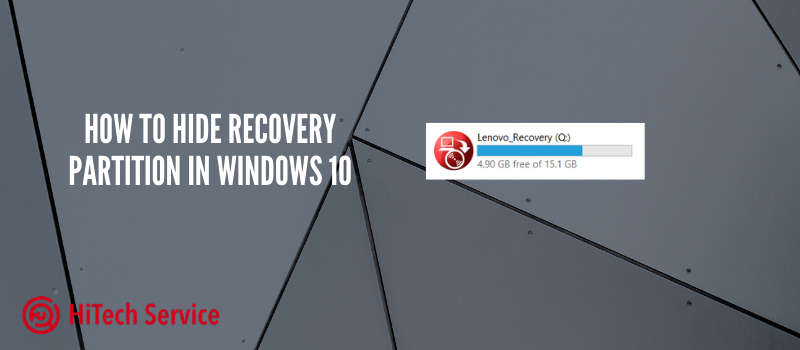
When you get the new laptop or PC, it may contain recovery disk space for the files that your system will need later. Also, this partition may appear after you get your system repaired. Some people do not like when it appears on the menu. We will tell you how to easily hide it. 

Why do you need to hide it? As we have said before, you may not like that the Recovery partition appears in the list of all disks since it is devoted only to recovery files. Furthermore, we suggest that you should not use this memory for the installation of any software, games, or just storing files. Thus, it would be better to hide it so you do not touch it by mistake.

How to remove the “Recovery” disk using Command Prompt (hiding the system recovery partition)

  1. Go to “Disk Management”, for this, press the Win + R keys on the keyboard and enter diskmgmt.msc
  2. In the Disk Management window, look at which disk has a recovery partition, we need the disk number (for example, Disk 0). The letter of the recovery partition in disk management is not always displayed, but it can be determined by the size and the inscription “Recovery partition”.
L MnWfjO 0FJiBCaiU2Sr1KS4Sfhims2VGPJrcKDZ9qLSY0FVjB5UMXVDASVoMnc75SYLITTD8 RrYzE0Mwok yIdGDs E Fpxw7eHKBSAEkz4LoRfJQXFVwzvmtLDxjJD0 avn — How to Hide Recovery Partition in Windows 10
  1. Run the command line as administrator. In Windows 10, you can type “cmd” in the search taskbar, then right-click on the result and select “Run as administrator”.
  2. At a command prompt, type the commands in the following order, pressing Enter after each:
  • diskpart
  • select disk N (replace N with the disk number from step 2)
  • list partition (the list of partitions on the disk is displayed, we need the number of the Recovery partition, then M).
  1. select partition M (M – your letter you chose before)
  2. remove letter= M (M – the letter you chose before).

At this point, the procedure will be completed and the recovery section will be successfully hidden.

NOTE: If the recovery section appeared in File Explorer after transferring Windows 10 to another disk or several of them appeared, then you may also see a section on the disk, which is no longer one of the system ones and is not needed. If you wish, you can delete it, provided that you know what you are doing.

How to hide Recovery partition using the Disk Management utility

Another way is to use the “Disk Management” utility built into Windows, but it does not always work in certain situations:

  1. Press Win + R, type diskmgmt.msc and press Enter.
  2. Right-click on the recovery section and select “Change drive letters or path” from the menu.
  3. Select a drive letter and click “Delete”, then – OK and confirm the removal of the drive letter.

Conclusion

Here is the short and useful instruction on how to hide the Recovery partition from the Disk Explorer. The procedure takes 5 minutes but saves you from possible corruption of the disk due to viruses or any other issues. Or you just do not like that this disk is available and you cannot use it. 

  • On July 13, 2020
  • 0 Comment

Leave Reply Cancel reply

Your email address will not be published. Required fields are marked *

Recent Posts
  • How AI and Automation Are Changing IT Service Delivery
  • Managed IT Services vs. In-House IT: What Should You Choose?
  • When the Model Is the Vendor: What Happens to Compliance When You Don’t Own the Weights
  • The Edge Device Is the Perimeter: Why the Box You Bought to Keep Them Out Is How They Get In
  • The Password Memo Was Honest. The Checklist Wasn’t.
Categories
  • ai (10)
  • android (18)
  • apple (36)
  • chart (18)
  • cloud (1)
  • fix (42)
  • games (11)
  • google (31)
  • hardware (73)
  • healthcare (3)
  • how to (231)
  • internet (92)
  • ios (23)
  • macos (3)
  • microsoft (82)
  • mobile (36)
  • news (74)
  • optimization (17)
  • osx (4)
  • outsourcing (9)
  • qa (3)
  • regulation (8)
  • review (120)
  • security (41)
  • software (160)
  • windows (150)
Archives
  • September 2026
  • August 2026
  • July 2026
  • June 2026
  • May 2026
  • August 2025
  • March 2025
  • February 2025
  • April 2023
  • March 2023
  • February 2023
  • January 2023
  • March 2022
  • January 2022
  • December 2021
  • November 2021
  • October 2021
  • September 2021
  • August 2021
  • July 2021
  • June 2021
  • May 2021
  • April 2021
  • March 2021
  • February 2021
  • January 2021
  • December 2020
  • November 2020
  • October 2020
  • September 2020
  • August 2020
  • July 2020
  • June 2020
  • May 2020
  • April 2020
  • March 2020
  • February 2020
  • January 2020
  • December 2019
  • November 2019
  • October 2019
  • September 2019
  • August 2019
  • April 2019
  • March 2019
  • February 2019
  • January 2019
  • December 2018
  • November 2018
  • October 2018
  • September 2018
  • June 2018
  • May 2018
  • April 2018
  • February 2018
  • January 2018
  • December 2017
  • November 2017
  • October 2017
  • June 2017
  • May 2017
  • April 2017
  • March 2017
  • February 2017
  • January 2017
  • December 2016
  • November 2016
  • October 2016
  • September 2016
  • August 2016
  • July 2016
  • June 2016
  • May 2016
  • April 2016
  • March 2016
  • February 2016
  • January 2016
  • December 2015
  • November 2015
  • October 2015
  • September 2015
  • July 2015
  • January 2015
Archives
  • September 2026
  • August 2026
  • July 2026
  • June 2026
  • May 2026
  • August 2025
  • March 2025
  • February 2025
  • April 2023
  • March 2023
  • February 2023
  • January 2023
  • March 2022
  • January 2022
  • December 2021
  • November 2021
  • October 2021
  • September 2021
  • August 2021
  • July 2021
  • June 2021
  • May 2021
  • April 2021
  • March 2021
  • February 2021
  • January 2021
  • December 2020
  • November 2020
  • October 2020
  • September 2020
  • August 2020
  • July 2020
  • June 2020
  • May 2020
  • April 2020
  • March 2020
  • February 2020
  • January 2020
  • December 2019
  • November 2019
  • October 2019
  • September 2019
  • August 2019
  • April 2019
  • March 2019
  • February 2019
  • January 2019
  • December 2018
  • November 2018
  • October 2018
  • September 2018
  • June 2018
  • May 2018
  • April 2018
  • February 2018
  • January 2018
  • December 2017
  • November 2017
  • October 2017
  • June 2017
  • May 2017
  • April 2017
  • March 2017
  • February 2017
  • January 2017
  • December 2016
  • November 2016
  • October 2016
  • September 2016
  • August 2016
  • July 2016
  • June 2016
  • May 2016
  • April 2016
  • March 2016
  • February 2016
  • January 2016
  • December 2015
  • November 2015
  • October 2015
  • September 2015
  • July 2015
  • January 2015

How to fix Error 0xc000000f when loading Windows OS

Previous thumb

How to connect DualShock 4 to PC or laptop

Next thumb
Scroll

Services

  • Software Development
  • Quality Assurance
  • Customer Support
  • Managed Services
  • 24/7 Emergency IT Support
  • Competency Center
  • Local AI Agent Development
  • Software as a Medical Device

Compliance

  • Compliance Audit
  • GDPR Compliance
  • What is GDPR
  • ISO 9001:2015 Certification

Company

  • About Us
  • All Services
  • Projects
  • Case Studies
  • Articles
  • Contact
About HiTech Service

With 10 year experience of working together, we have reached tangible synergetic effect in performance and productivity, which results in highest quality services and satisfied clients.

Privacy Policy   Cookie Policy


  • Facebook
  • X
  • LinkedIn
CONTACT INFO
  • 900 Foulk Rd, Suite 201, Wilmington, DE, USA, 19803
  • Kudryavs’kyi descent 5b, Kyiv, Ukraine, 04053
  • +1 646.844.5712 (US)
ISO 9001:2015 certificate issued to HiTech Service LLC by Veritas
RIPE Atlas logo, the network measurement community HiTech Service takes part in
BrainBasket Foundation logo, IT education initiative HiTech Service supports
HiTech Service LLC membership badge of the Hi-Tech Office Ukraine association Dun & Bradstreet verified business badge for HiTech Service LLC
YouTeam partner badge for HiTech Service LLC
Hitech Service LLC

Copyright 2026