Have any questions? +1 646.844.5712 (US)

  • Facebook
  • LinkedIn
  • Twitter
HiTech ServiceHiTech Service
  • Home
  • About
  • Services
    • Software Development
    • Customer Support
    • Quality Assurance
    • Managed Services
    • Compliance Audit
    • GDPR Compliance
    • Competency Center
    • Emergency IT Support
    • Software as medical device
    • Local AI Agent Development
  • Projects
  • GDPR
  • Articles
  • Case Studies
  • Contact
Menu
  • Home
  • About
  • Services
    • Software Development
    • Customer Support
    • Quality Assurance
    • Managed Services
    • Compliance Audit
    • GDPR Compliance
    • Competency Center
    • Emergency IT Support
    • Software as medical device
    • Local AI Agent Development
  • Projects
  • GDPR
  • Articles
  • Case Studies
  • Contact
windows phone

How to upgrade phone to Windows 10?

Recently I decided to try upgrading my phone from Windows 8.1 to Windows 10. So let’s see how the process went and find out if it is worth doing.


First of all Windows 10 for phones is still in some kind of beta phase, so whatever you do is at your own risk.

At this point Windows 10 is supported only by some of the phones, so please check the table below if your phone model is in the list.

HTC One (M8) for Windows

LG Lancet

Lumia 430

Lumia 435

Lumia 520

Lumia 521

Lumia 525

Lumia 526

Lumia 530

Lumia 620

Lumia 625

Lumia 630

Lumia 635

Lumia 636

Lumia 638

Lumia 532

Lumia 535

Lumia 540

Lumia 550

Lumia 640

Lumia 640 XL

Lumia 720

Lumia 730

Lumia 735

Lumia 810

Lumia 820

Lumia 822

Lumia 830

Lumia 920

Lumia 925

Lumia 928

Lumia 930

Lumia 950

Lumia 950 XL

Lumia 1020

Lumia 1320

Lumia 1520

Lumia Icon

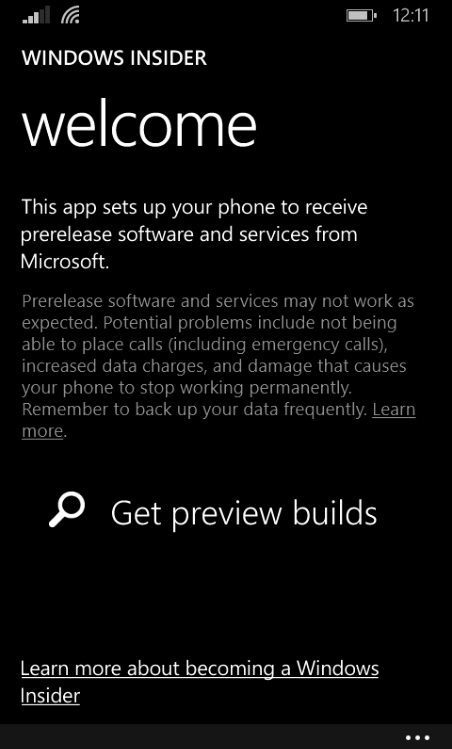
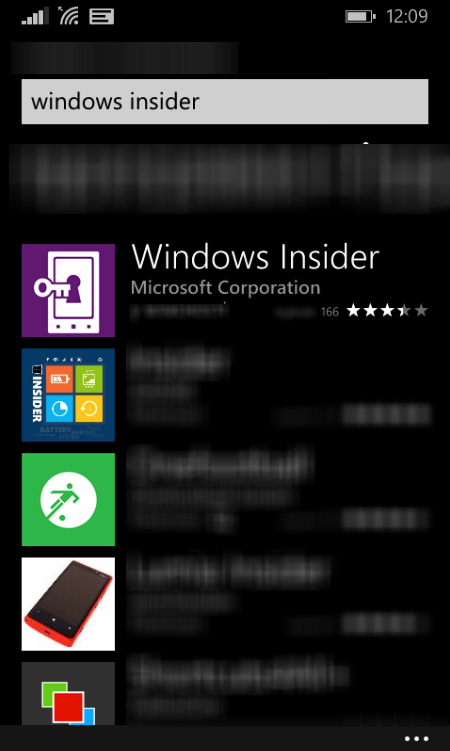
You will not be able to get Windows 10 just simply checking for updates. First of all you need to install Windows Insider app on your WIndows 8.1. You can easily find it in Windows store.
Upgrading phone to windows 10 2 — How to upgrade phone to Windows 10?

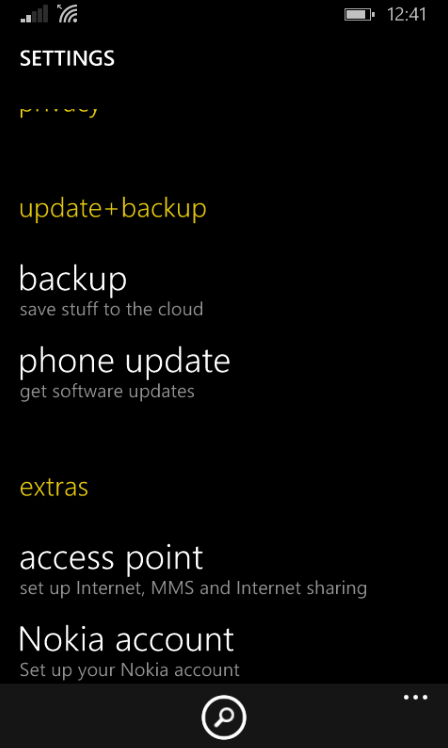
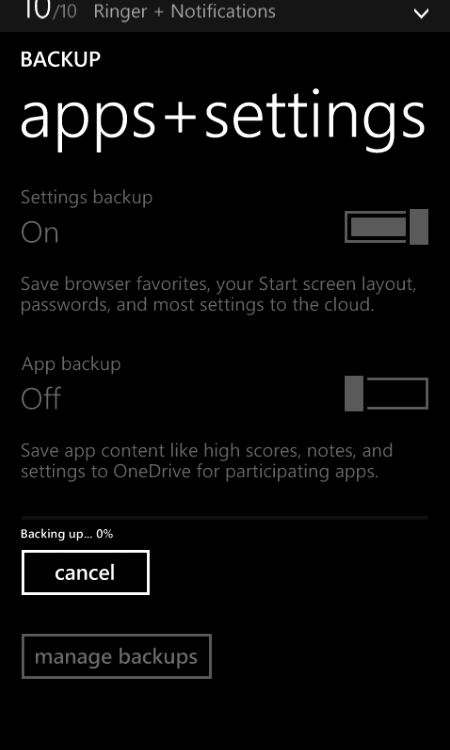
Before running Windows Insider and proceeding with upgrade I would recommend to check your backup settings. Make sure that everything you would like to save and transfer to the phone after the upgrade is included to the backup. Just in case run backup itself to be sure that nothing is lost.
Upgrading phone to windows 10 3 — How to upgrade phone to Windows 10?Upgrading phone to windows 10 4 — How to upgrade phone to Windows 10?

After the backup is complete you can run Windows Insider.

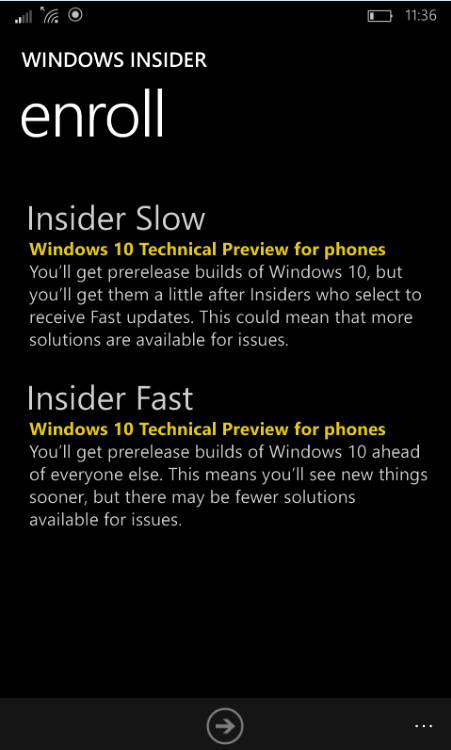
After confirming everything necessary for Microsoft you will get a choice between 2 options:

  1. Insider Slow
  2. Insider Fast

Upgrading phone to windows 10 5 — How to upgrade phone to Windows 10?Upgrading phone to windows 10 6 — How to upgrade phone to Windows 10?

Personally I selected Insider Fast, but still recommend selecting Insider Slow option. It seems to be safer and should not cause any issues.

Afterwards system will request and prepare updates for your device and you will get a notification soon.


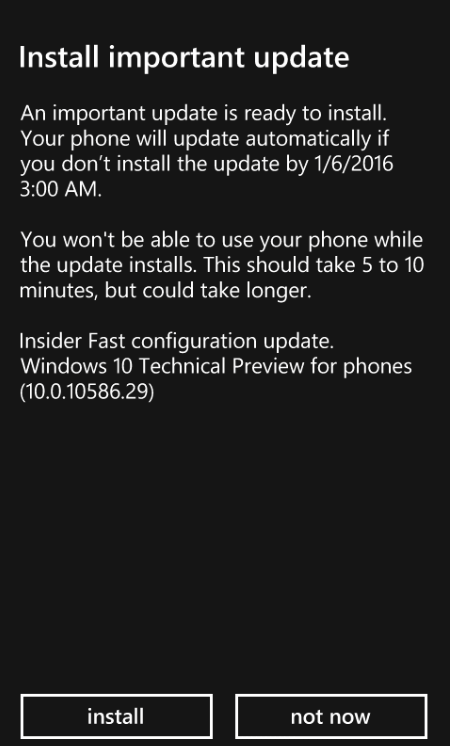
At this point system will start downloading an update.
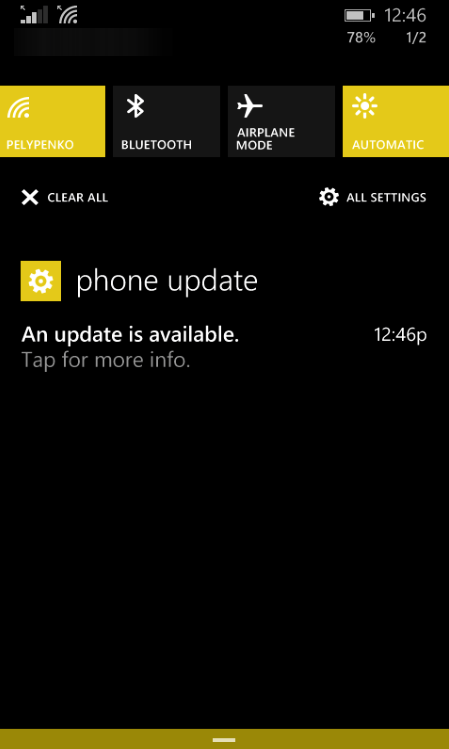
Upgrading phone to windows 10 7 2 — How to upgrade phone to Windows 10?Upgrading phone to windows 10 10 1 — How to upgrade phone to Windows 10?

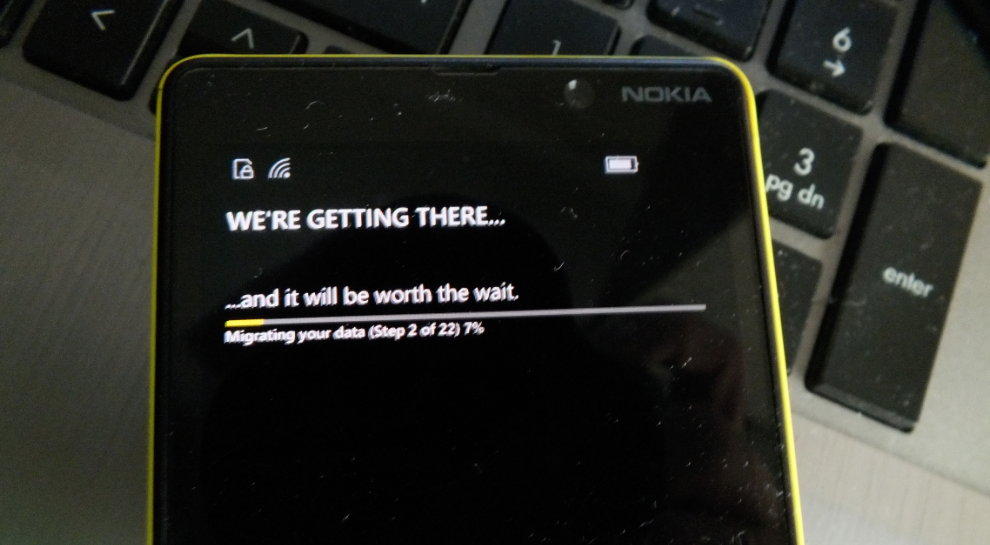
Although it says 5-10 minutes on the final confirmation screen, in my case it took several hours for some reason.
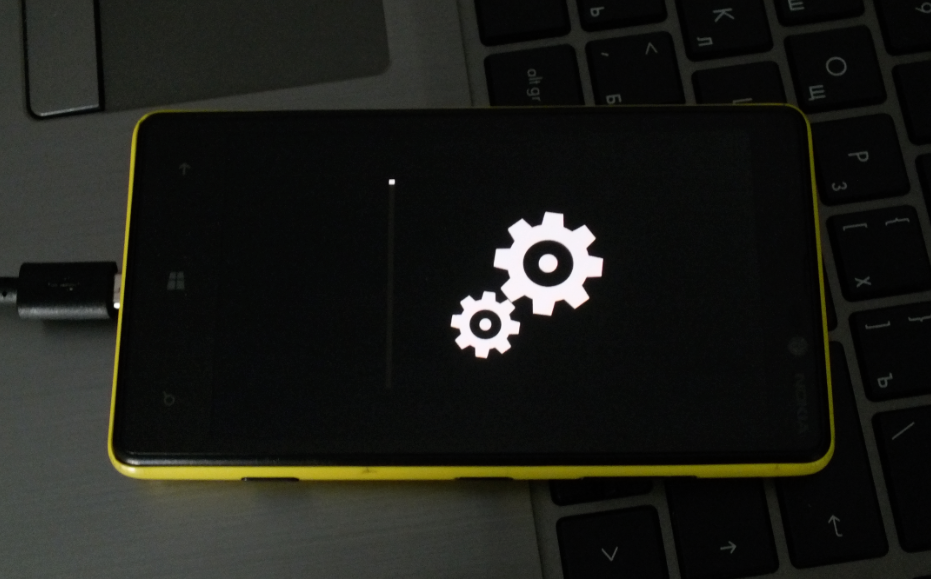
Upgrading phone to windows 10 11 — How to upgrade phone to Windows 10?

And it going and going …

Upgrading phone to windows 10 12 — How to upgrade phone to Windows 10?

… and going …

When the update finally finished a small surprise was waiting for me. Windows 10 that I got did not have:

  1. Internet Browser (even Edge);
  2. Configuration center;
  3. List of applications that were supposed to be restored from the backup;
  4. Could not take screenshot;
  5. Lots of programs could not start giving me an error that it needs to be installed first but when confirmed nothing happened…

..because:

  • Application store was missing.

and lot of other small and big issues.

Clearly something went wrong during the upgrade so I had to do something. So my quick decision was to move back to Windows 8.1 by restoring to factory settings.

Unfortunately as mentioned previously Settings screen was not installed so there was no way I could do it via interface.

After 3 minutes in google I did a hard reset.  To perform hard reset on Windows phone you will need to:

  1. Turn the phone off;
  2. Press volume down button and click and release hold button. Volume down should still be pressed.
  3. After phone starts and shows exclamation mark perform following:
  4. Volume up
  5. Volume down
  6. Power
  7. Volume down

After this system will initiate a restore. Surprisingly restore was complete and I did not downgrade to Windows 8 or 8.1. I got fully functional Windows 10 with all features and applications that I was missing after the upgrade.

Most likely I was lucky enough to experience all issues that were possible with the upgrade process and the system I got.

At this point Windows 10 is performing well on the phone and I am discovering changes and new features of the system. In few days I will be able to make a conclusion whether it was worth switching phone to Windows 10 or not.


  • On January 4, 2016
  • 0 Comment

Leave Reply Cancel reply

Your email address will not be published. Required fields are marked *

Recent Posts
  • As Is: How Software Became the Only Product You Could Legally Sell Broken
  • The Production Incident Class Your Postmortem Template Doesn’t Have
  • Why Load Test Numbers Lie
  • When Config Became Executable: The Twenty-Year Pattern Behind Supply Chain Attacks
  • How Software Became a Medical Device
Categories
  • ai (8)
  • android (18)
  • apple (36)
  • chart (18)
  • cloud (1)
  • fix (42)
  • games (11)
  • google (31)
  • hardware (73)
  • healthcare (3)
  • how to (231)
  • internet (92)
  • ios (23)
  • macos (3)
  • microsoft (82)
  • mobile (36)
  • news (74)
  • optimization (17)
  • osx (4)
  • outsourcing (8)
  • qa (3)
  • regulation (7)
  • review (120)
  • security (39)
  • software (160)
  • windows (150)
Archives
  • August 2026
  • July 2026
  • June 2026
  • May 2026
  • August 2025
  • March 2025
  • February 2025
  • April 2023
  • March 2023
  • February 2023
  • January 2023
  • March 2022
  • January 2022
  • December 2021
  • November 2021
  • October 2021
  • September 2021
  • August 2021
  • July 2021
  • June 2021
  • May 2021
  • April 2021
  • March 2021
  • February 2021
  • January 2021
  • December 2020
  • November 2020
  • October 2020
  • September 2020
  • August 2020
  • July 2020
  • June 2020
  • May 2020
  • April 2020
  • March 2020
  • February 2020
  • January 2020
  • December 2019
  • November 2019
  • October 2019
  • September 2019
  • August 2019
  • April 2019
  • March 2019
  • February 2019
  • January 2019
  • December 2018
  • November 2018
  • October 2018
  • September 2018
  • June 2018
  • May 2018
  • April 2018
  • February 2018
  • January 2018
  • December 2017
  • November 2017
  • October 2017
  • June 2017
  • May 2017
  • April 2017
  • March 2017
  • February 2017
  • January 2017
  • December 2016
  • November 2016
  • October 2016
  • September 2016
  • August 2016
  • July 2016
  • June 2016
  • May 2016
  • April 2016
  • March 2016
  • February 2016
  • January 2016
  • December 2015
  • November 2015
  • October 2015
  • September 2015
  • July 2015
  • January 2015
Archives
  • August 2026
  • July 2026
  • June 2026
  • May 2026
  • August 2025
  • March 2025
  • February 2025
  • April 2023
  • March 2023
  • February 2023
  • January 2023
  • March 2022
  • January 2022
  • December 2021
  • November 2021
  • October 2021
  • September 2021
  • August 2021
  • July 2021
  • June 2021
  • May 2021
  • April 2021
  • March 2021
  • February 2021
  • January 2021
  • December 2020
  • November 2020
  • October 2020
  • September 2020
  • August 2020
  • July 2020
  • June 2020
  • May 2020
  • April 2020
  • March 2020
  • February 2020
  • January 2020
  • December 2019
  • November 2019
  • October 2019
  • September 2019
  • August 2019
  • April 2019
  • March 2019
  • February 2019
  • January 2019
  • December 2018
  • November 2018
  • October 2018
  • September 2018
  • June 2018
  • May 2018
  • April 2018
  • February 2018
  • January 2018
  • December 2017
  • November 2017
  • October 2017
  • June 2017
  • May 2017
  • April 2017
  • March 2017
  • February 2017
  • January 2017
  • December 2016
  • November 2016
  • October 2016
  • September 2016
  • August 2016
  • July 2016
  • June 2016
  • May 2016
  • April 2016
  • March 2016
  • February 2016
  • January 2016
  • December 2015
  • November 2015
  • October 2015
  • September 2015
  • July 2015
  • January 2015

How to export data from facebook

Previous thumb

How to turn off Windows wake ups?

Next thumb
Scroll

Services

  • Software Development
  • Quality Assurance
  • Customer Support
  • Managed Services
  • 24/7 Emergency IT Support
  • Competency Center
  • Local AI Agent Development
  • Software as a Medical Device

Compliance

  • Compliance Audit
  • GDPR Compliance
  • What is GDPR
  • ISO 9001:2015 Certification

Company

  • About Us
  • All Services
  • Projects
  • Case Studies
  • Articles
  • Contact
About HiTech Service

With 10 year experience of working together, we have reached tangible synergetic effect in performance and productivity, which results in highest quality services and satisfied clients.

Privacy Policy   Cookie Policy


  • Facebook
  • X
  • LinkedIn
CONTACT INFO
  • 900 Foulk Rd, Suite 201, Wilmington, DE, USA, 19803
  • Kudryavs’kyi descent 5b, Kyiv, Ukraine, 04053
  • +1 646.844.5712 (US)
ISO 9001:2015 certificate issued to HiTech Service LLC by Veritas
RIPE Atlas logo, the network measurement community HiTech Service takes part in
BrainBasket Foundation logo, IT education initiative HiTech Service supports
HiTech Service LLC membership badge of the Hi-Tech Office Ukraine association Dun & Bradstreet verified business badge for HiTech Service LLC
YouTeam partner badge for HiTech Service LLC
Hitech Service LLC

Copyright 2026