Have any questions? +1 646.844.5712 (US)

  • Facebook
  • LinkedIn
  • Twitter
HiTech ServiceHiTech Service
  • Home
  • About
  • Services
    • Software Development
    • Customer Support
    • Quality Assurance
    • Managed Services
    • Compliance Audit
    • GDPR Compliance
    • Competency Center
    • Emergency IT Support
    • Software as medical device
    • Local AI Agent Development
  • Projects
  • GDPR
  • Articles
  • Case Studies
  • Contact
Menu
  • Home
  • About
  • Services
    • Software Development
    • Customer Support
    • Quality Assurance
    • Managed Services
    • Compliance Audit
    • GDPR Compliance
    • Competency Center
    • Emergency IT Support
    • Software as medical device
    • Local AI Agent Development
  • Projects
  • GDPR
  • Articles
  • Case Studies
  • Contact
Private (incognito) browsing mode uses (besides porn)

Private (incognito) browsing mode uses (besides porn)

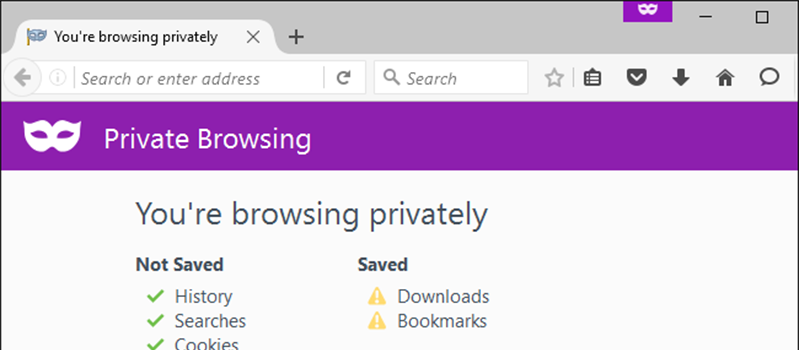
People speculate about private browsing mode, but let me assure you it isn’t just for pornography. In fact it’s not even for private browsing! It has so many other uses. It goes by many names: Incognito Mode in Chrome, Private Browsing in Firefox and Safari, InPrivate Browsing in Microsoft Edge, but it’s essentially the same feature in all these browsers.

This article covers multiple uses for private browsing mode.

How does private browsing mode work?

It gives you a temporary browser session that doesn’t share cookies with your main browser, and all newly acquired data including new cookies is automatically erased when you close the private browsing window.

Sign in to the same webpage with multiple accounts at once
Private browsing mode uses 02 — Private (incognito) browsing mode uses (besides porn)

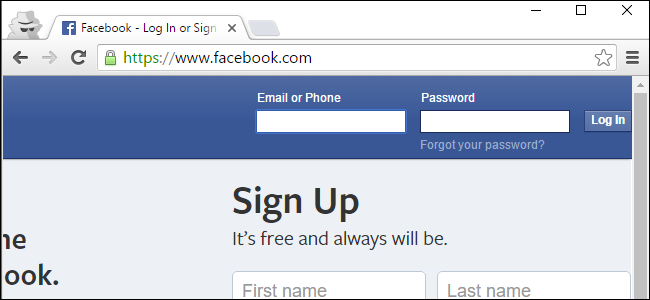
One the most rewarding benefit of incognito browsing is the ability to log in to, let’s say Google, using multiple accounts at once. Most websites do not allow you to sign in with more than one account at a time. But private browsing mode offers a solution. Instead of signing out and signing in with another account you can simply open an incognito window separate from your main browser window and use it alongside. Signing in to another account in an incognito window will keep two or more sessions alive at once.

This is due to the fact that cookies (thus your login state) are not shared between two sessions. You can easily use incognito to quickly login to your account on a friend’s computer without having to go through the trouble of signing out your friend. The beauty is that when you close incognito window, its cookies will be wiped out and your account will be signed out.

Bypassing Article Reading Limits
Private browsing mode uses 03 — Private (incognito) browsing mode uses (besides porn)

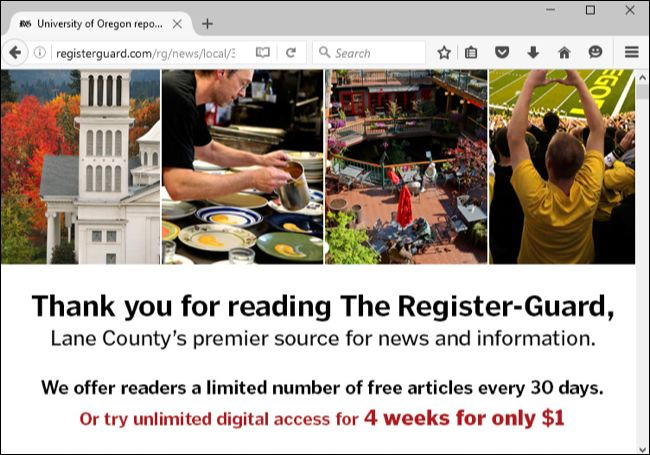
Most newspaper and magazine websites will limit you to a certain number of articles or pages you can view for free per day or per month. After this threshold they will demand you to pay for a subscription before reading more.

The count of how many articles you’ve already browsed is in fact stored as cookies in your browser. Simply launch the website in incognito mode and read to your heart’s content. When hitting another threshold simply relaunch incognito mode for more joy.

Sure, if you really depend on a publication, you may want to consider paying for the subscription. It’s less hassle in the long run, too. But this trick allows you to view a few more articles without paying.

Bypass search engine filtering to see how websites look to the public
Private browsing mode uses 04 — Private (incognito) browsing mode uses (besides porn)

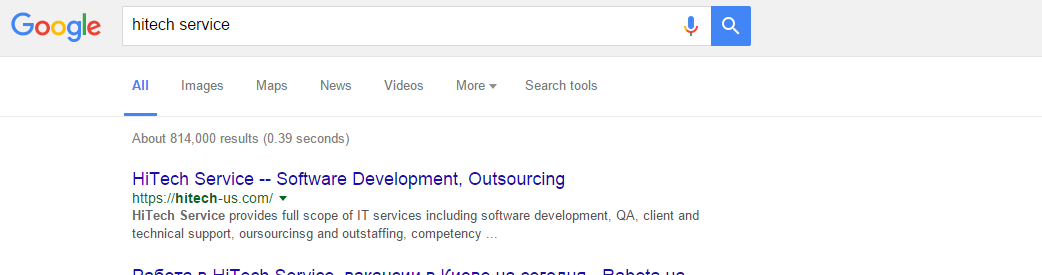
Google uses your search history and the other information it knows about you to show you customized search results. This is normally useful, but sometimes you might want to see how Google search results appear to everyone else. For example, you may be Googling your own name or the name of your business. If you’re signed in, Google might show results about you higher in the search results. But you may want to know how you rank in other people’s search results.

To escape this filtering, just open a private browsing window and perform your search on Google. You’ll be signed out in the private browsing window, so you’ll see the “pure,” unfiltered Google search results. The private browsing window will also have a fresh set of cookies, so Google can’t tailor the results based on your previous searches.

The above tip isn’t just about search engines. Private browsing mode lets you see how any web page appears to the public. This can be useful on Facebook, Google+, and other social-networking websites. Rather than signing out and signing back in afterwards, you can use a private browsing window to see how signed-out people see your social media profile.

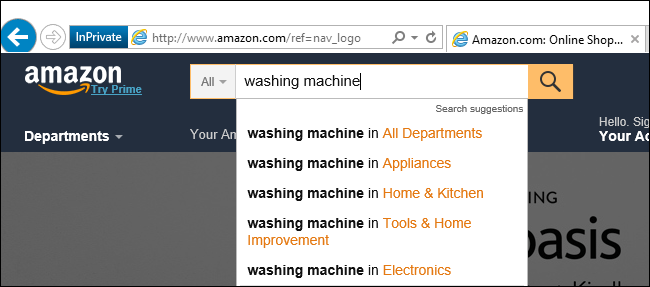
Prevent products from appearing in browsing and shopping histories, reset ads.
Private browsing mode uses 05 — Private (incognito) browsing mode uses (besides porn)

Sometimes you may want to keep certain searches private not even from your computer and users using it, but from online websites themselves.

For example, let’s say you’re researching a type of product you want to buy online, or even specific product. If you start searching for it on Amazon, Amazon will remember you were looking at that type of product. You’ll start seeing ads for the product on Amazon itself. You’ll even see ads asking you to buy that product on Amazon or on other websites you visit, as Amazon’s advertisements chase you around the web.

If you don’t want this to happen, use a private browsing window and that activity won’t be associated with your Amazon account or browsing session. This method isn’t just for Amazon, but works on other online shopping websites that do the same thing.

These are just a few uses for private browsing mode, of course one may come up with more!

Hope this helped you! Stay tuned for more tips and tricks from HiTech Service in our articles section.

  • On June 22, 2016
  • 0 Comment

Leave Reply Cancel reply

Your email address will not be published. Required fields are marked *

Recent Posts
  • Managed IT Services vs. In-House IT: What Should You Choose?
  • When the Model Is the Vendor: What Happens to Compliance When You Don’t Own the Weights
  • The Edge Device Is the Perimeter: Why the Box You Bought to Keep Them Out Is How They Get In
  • The Password Memo Was Honest. The Checklist Wasn’t.
  • As Is: How Software Became the Only Product You Could Legally Sell Broken
Categories
  • ai (9)
  • android (18)
  • apple (36)
  • chart (18)
  • cloud (1)
  • fix (42)
  • games (11)
  • google (31)
  • hardware (73)
  • healthcare (3)
  • how to (231)
  • internet (92)
  • ios (23)
  • macos (3)
  • microsoft (82)
  • mobile (36)
  • news (74)
  • optimization (17)
  • osx (4)
  • outsourcing (9)
  • qa (3)
  • regulation (8)
  • review (120)
  • security (41)
  • software (160)
  • windows (150)
Archives
  • September 2026
  • August 2026
  • July 2026
  • June 2026
  • May 2026
  • August 2025
  • March 2025
  • February 2025
  • April 2023
  • March 2023
  • February 2023
  • January 2023
  • March 2022
  • January 2022
  • December 2021
  • November 2021
  • October 2021
  • September 2021
  • August 2021
  • July 2021
  • June 2021
  • May 2021
  • April 2021
  • March 2021
  • February 2021
  • January 2021
  • December 2020
  • November 2020
  • October 2020
  • September 2020
  • August 2020
  • July 2020
  • June 2020
  • May 2020
  • April 2020
  • March 2020
  • February 2020
  • January 2020
  • December 2019
  • November 2019
  • October 2019
  • September 2019
  • August 2019
  • April 2019
  • March 2019
  • February 2019
  • January 2019
  • December 2018
  • November 2018
  • October 2018
  • September 2018
  • June 2018
  • May 2018
  • April 2018
  • February 2018
  • January 2018
  • December 2017
  • November 2017
  • October 2017
  • June 2017
  • May 2017
  • April 2017
  • March 2017
  • February 2017
  • January 2017
  • December 2016
  • November 2016
  • October 2016
  • September 2016
  • August 2016
  • July 2016
  • June 2016
  • May 2016
  • April 2016
  • March 2016
  • February 2016
  • January 2016
  • December 2015
  • November 2015
  • October 2015
  • September 2015
  • July 2015
  • January 2015
Archives
  • September 2026
  • August 2026
  • July 2026
  • June 2026
  • May 2026
  • August 2025
  • March 2025
  • February 2025
  • April 2023
  • March 2023
  • February 2023
  • January 2023
  • March 2022
  • January 2022
  • December 2021
  • November 2021
  • October 2021
  • September 2021
  • August 2021
  • July 2021
  • June 2021
  • May 2021
  • April 2021
  • March 2021
  • February 2021
  • January 2021
  • December 2020
  • November 2020
  • October 2020
  • September 2020
  • August 2020
  • July 2020
  • June 2020
  • May 2020
  • April 2020
  • March 2020
  • February 2020
  • January 2020
  • December 2019
  • November 2019
  • October 2019
  • September 2019
  • August 2019
  • April 2019
  • March 2019
  • February 2019
  • January 2019
  • December 2018
  • November 2018
  • October 2018
  • September 2018
  • June 2018
  • May 2018
  • April 2018
  • February 2018
  • January 2018
  • December 2017
  • November 2017
  • October 2017
  • June 2017
  • May 2017
  • April 2017
  • March 2017
  • February 2017
  • January 2017
  • December 2016
  • November 2016
  • October 2016
  • September 2016
  • August 2016
  • July 2016
  • June 2016
  • May 2016
  • April 2016
  • March 2016
  • February 2016
  • January 2016
  • December 2015
  • November 2015
  • October 2015
  • September 2015
  • July 2015
  • January 2015

How to change WiFI channel?

Previous thumb

How to search by date in Window?

Next thumb
Scroll

Services

  • Software Development
  • Quality Assurance
  • Customer Support
  • Managed Services
  • 24/7 Emergency IT Support
  • Competency Center
  • Local AI Agent Development
  • Software as a Medical Device

Compliance

  • Compliance Audit
  • GDPR Compliance
  • What is GDPR
  • ISO 9001:2015 Certification

Company

  • About Us
  • All Services
  • Projects
  • Case Studies
  • Articles
  • Contact
About HiTech Service

With 10 year experience of working together, we have reached tangible synergetic effect in performance and productivity, which results in highest quality services and satisfied clients.

Privacy Policy   Cookie Policy


  • Facebook
  • X
  • LinkedIn
CONTACT INFO
  • 900 Foulk Rd, Suite 201, Wilmington, DE, USA, 19803
  • Kudryavs’kyi descent 5b, Kyiv, Ukraine, 04053
  • +1 646.844.5712 (US)
ISO 9001:2015 certificate issued to HiTech Service LLC by Veritas
RIPE Atlas logo, the network measurement community HiTech Service takes part in
BrainBasket Foundation logo, IT education initiative HiTech Service supports
HiTech Service LLC membership badge of the Hi-Tech Office Ukraine association Dun & Bradstreet verified business badge for HiTech Service LLC
YouTeam partner badge for HiTech Service LLC
Hitech Service LLC

Copyright 2026