
Let’s say you have a list of web sites or portals that you open as soon as you start your computer or list of the sites you will open in order to perform some specific task at work. Or the list of pages you check every morning as soon as you wake up: email, news portal, Facebook or maps to check for traffic status.
Google Chrome allows to save such combination of the sites as bookmarks in bundles and open them all together when you need it.
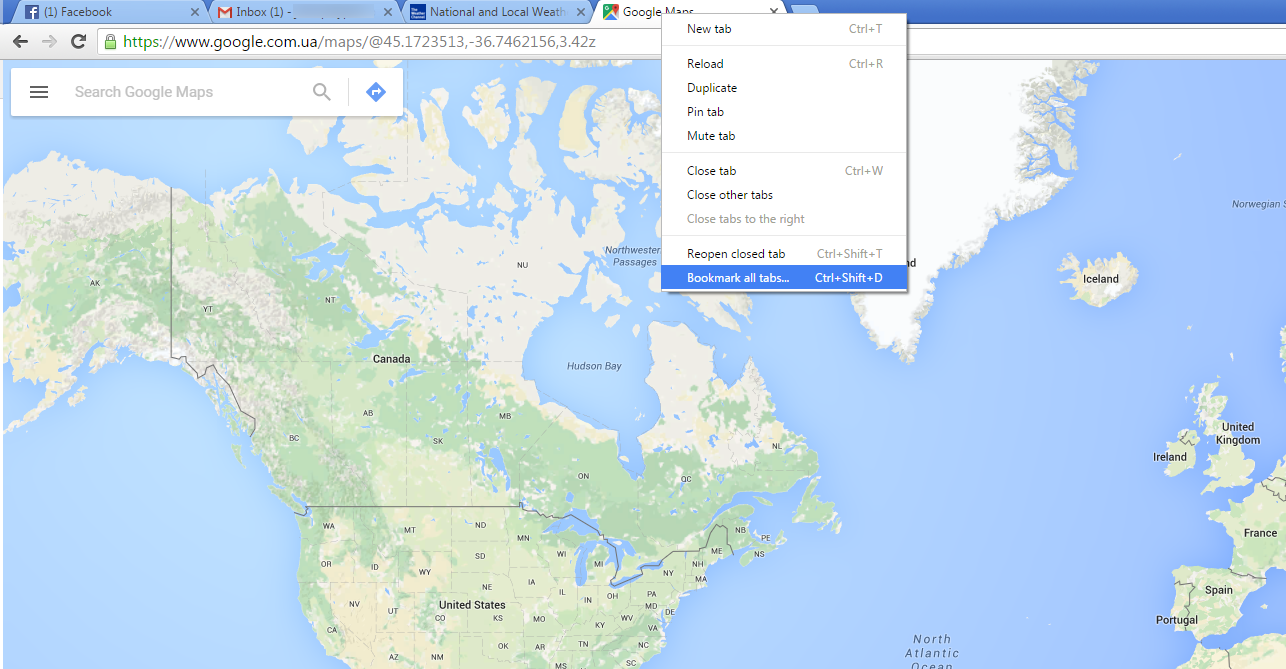
Open all pages that you want to save in bundle in one Chrome window. Right click on any of the tabs and select Bookmark all tabs…
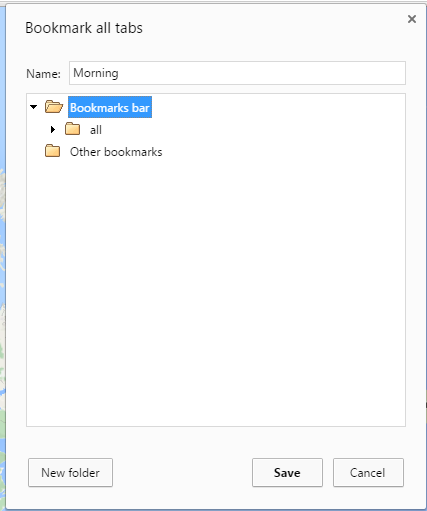
Name the folder (bookmarks bundle) and make sure that you place it on Bookmarks bar. Hit Savewhen ready.
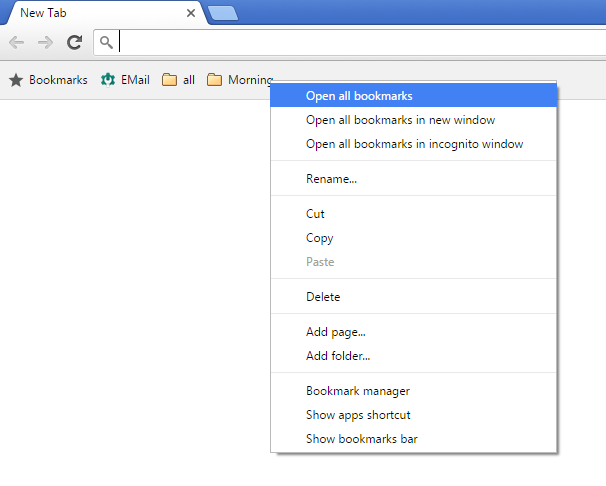
This combination of the sites will appear as a small folder on your bookmarks panel.
Simply right click on it and select Open all bookmarks and Chrome will open all set of the pages.
We are sure this should make every day routine much easier and faster.