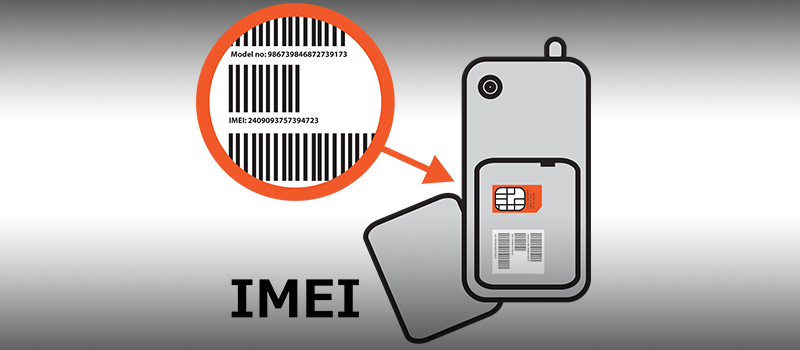
The International Mobile Station Equipment Identity or IMEI – is a number (usually unique) used by a GSM network to identify valid devices and therefore can be used for stopping a stolen phone from accessing that network. For example, if a mobile phone is stolen, the owner can call his or her network provider and instruct them to “blacklist” the phone using its IMEI number. This renders the phone useless on that network and sometimes other networks too, whether or not the phone’s SIM is changed.
Let see how you can detect IMEI on different phone systems.
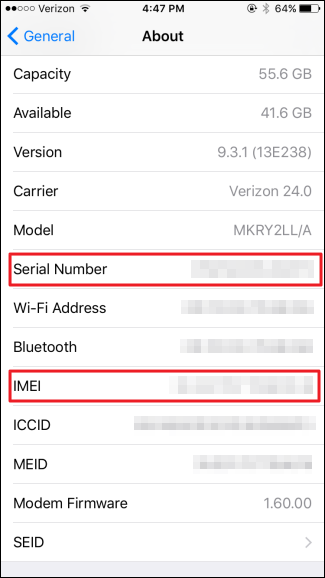
IOS
Go to settings and tap on General section. Than navigate to About.

Scroll down a bit and there you will find IMEI and other identification numbers.
Android
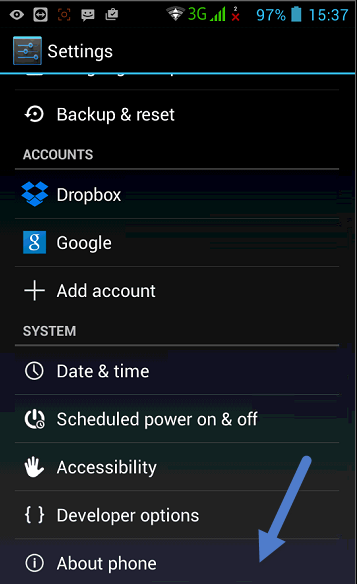
It may vary from phone to phone but in general case navigate to Settings. Than scroll down and tap on About Phone
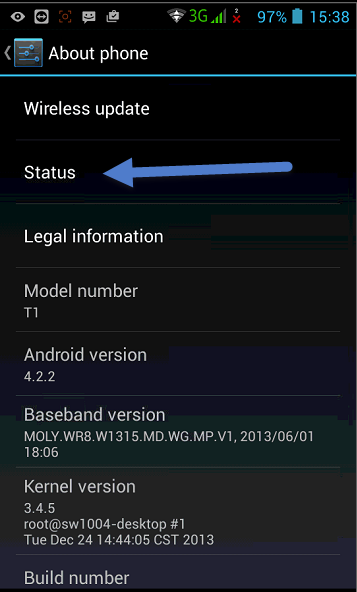
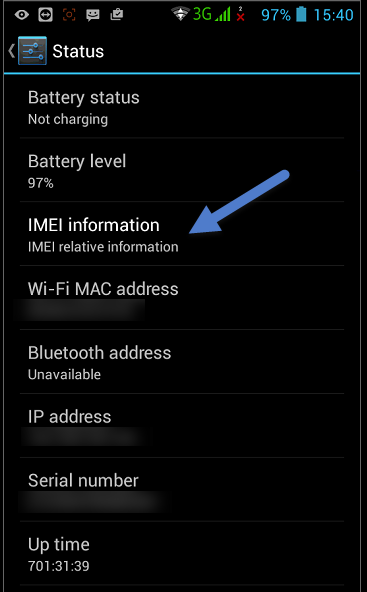
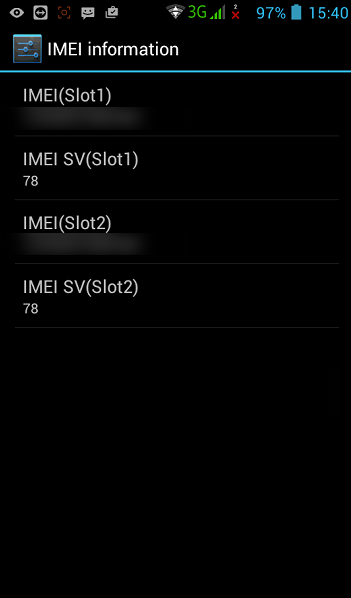
Next go to Status and finally access IMEI information screen to get necessary info.
Windows
Simply go to All Settings. Scroll down and tap on About.
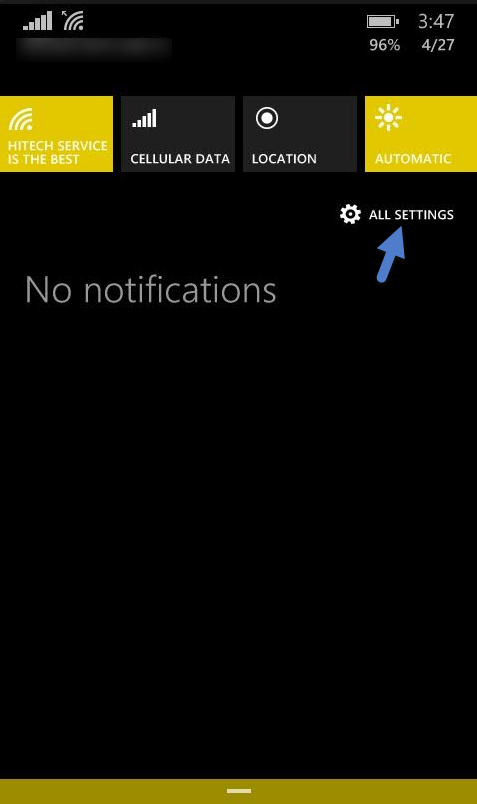
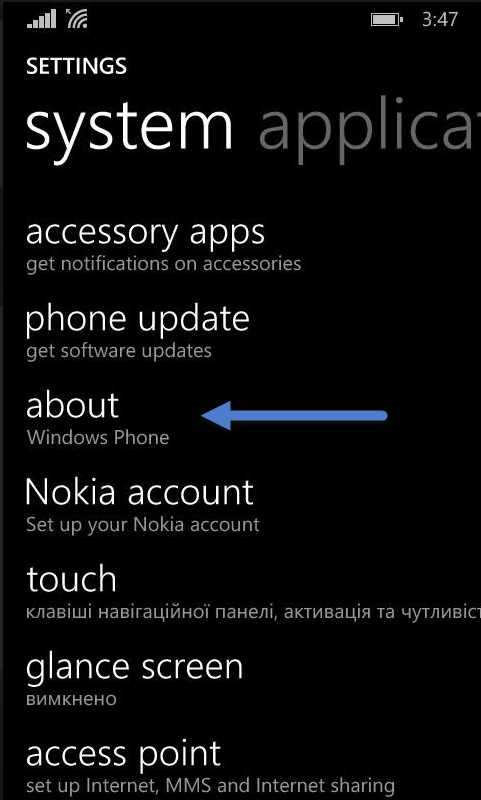
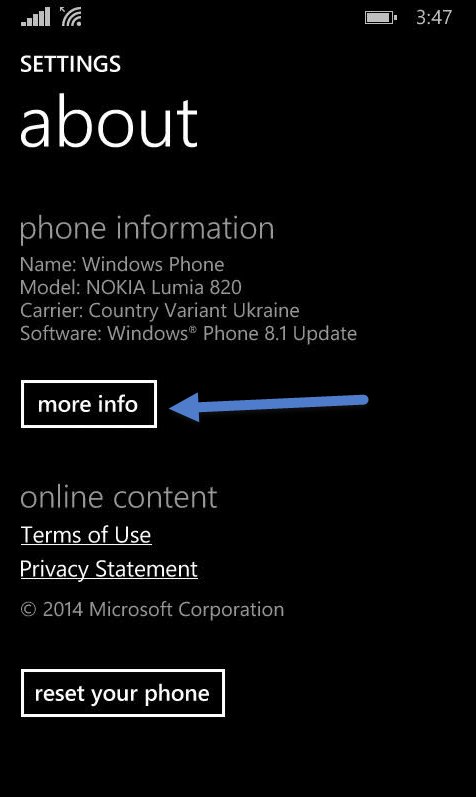
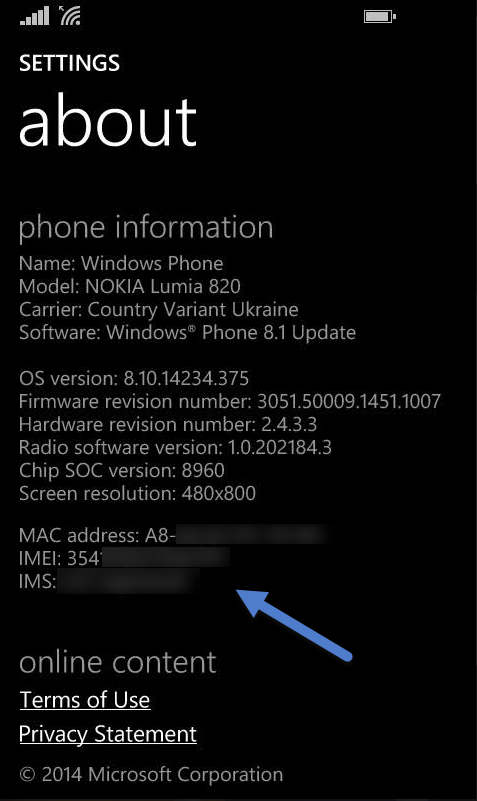
Within about menu find more info option. Next screen will provide the IMEI and other details.
P.S
For most of the phone including feature phone you can simply dial #*06# and phone will automatically display IMEI on the screen.