Some users find it difficult to locate where to change the default web browser and email client in Mac OS. This article will cover just that!
Changing default web browser on Mac
To change your default web browser on Mac (so that all you links clicked open in specific preset app, instead of default Safari) you’ll need to access System Preferences.
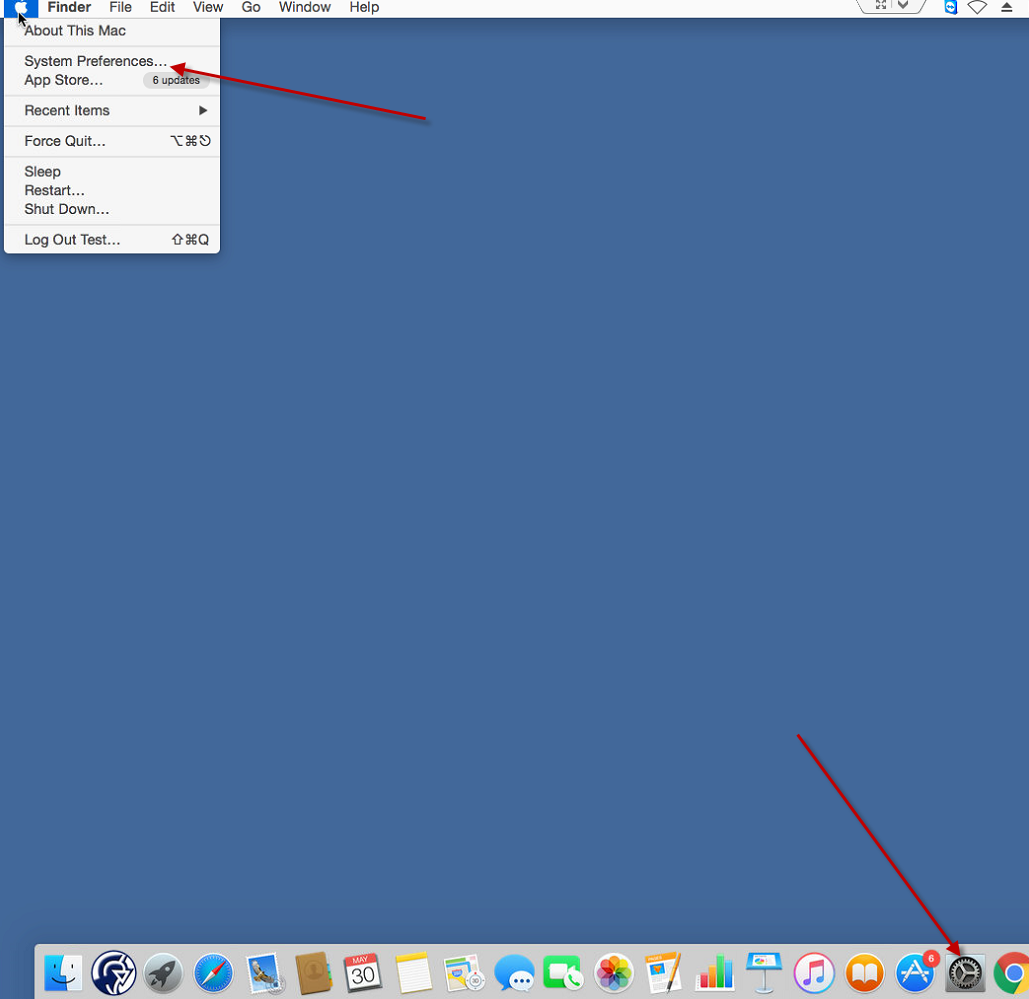
Go to General in System Preferences.

Locate Default web browser drop down menu and choose your desired default browser.
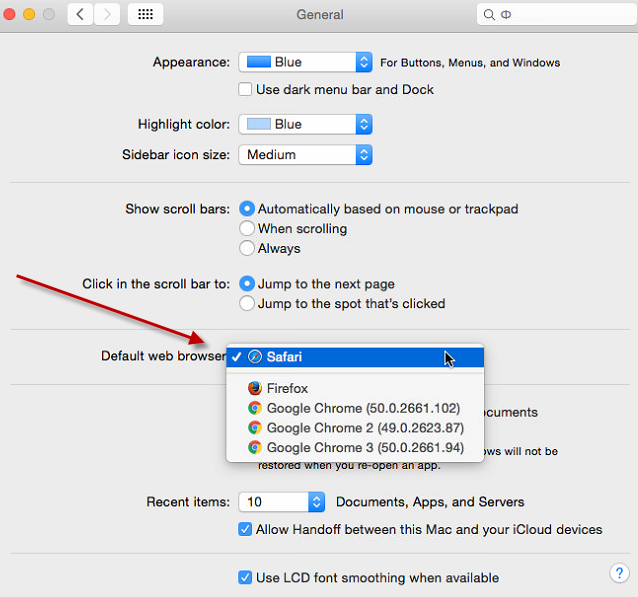
If you don’t see a “Default Web Browser” option here, you’re likely using an older version of Mac OS X. On OS X Mavericks and earlier, the option to change your default web browser is located in Safari’s preferences. Launch the Safari browser and click Safari > Preferences. Click the “Default Web Browser” option under the General tab and select your preferred web browser.

Changing default email client on Mac
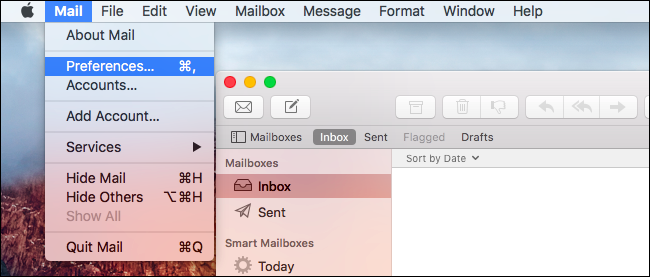
Open your default mail app that comes with Mac.
Click on Mail -> Preferences in Mail app.
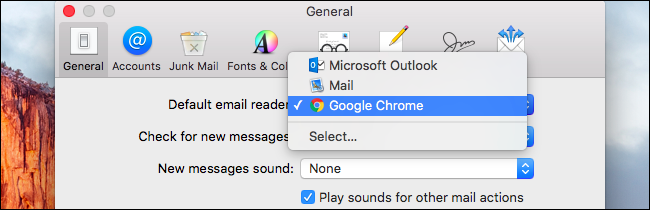
Click the Default email reader option on the General tab and select your preferred email application.
Stay tuned to articles section of our website for more tips and tricks!