Have any questions? +1 646.844.5712 (US)

  • Facebook
  • LinkedIn
  • Twitter
HiTech ServiceHiTech Service
  • Home
  • About
  • Services
    • Software Development
    • Customer Support
    • Quality Assurance
    • Managed Services
    • Compliance Audit
    • GDPR Compliance
    • Competency Center
    • Emergency IT Support
    • Software as medical device
    • Local AI Agent Development
  • Projects
  • GDPR
  • Articles
  • Case Studies
  • Contact
Menu
  • Home
  • About
  • Services
    • Software Development
    • Customer Support
    • Quality Assurance
    • Managed Services
    • Compliance Audit
    • GDPR Compliance
    • Competency Center
    • Emergency IT Support
    • Software as medical device
    • Local AI Agent Development
  • Projects
  • GDPR
  • Articles
  • Case Studies
  • Contact
SSD vanished from the list of drives? How to diagnose

SSD vanished from the list of drives? How to diagnose

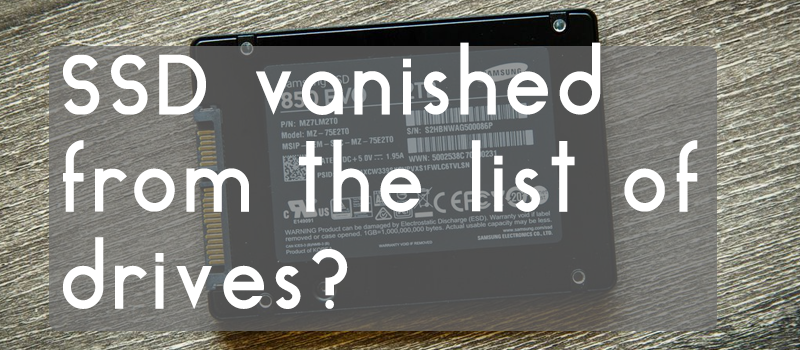
It’s very unfortunate to find out one day that your disk drive, either SSD or HDD, stopped working and is no longer available in the list of devices. It’s not only the price for the new PC part that matters here, this is gigs of valuable information that disappeared at a glance. So what should be done if you start your PC one day and see that you HDD or SSD are no longer available for you? First thing you do is trying to remember if all critical information is backed up on a cloud. After you recognise the loss or get a relief, you should try to diagnose the root cause.


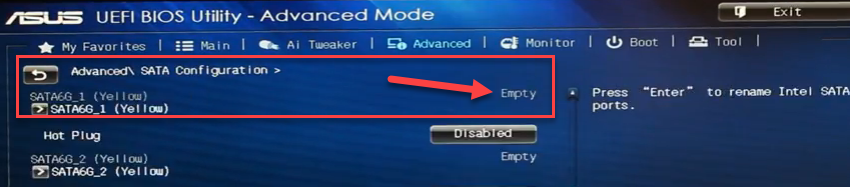
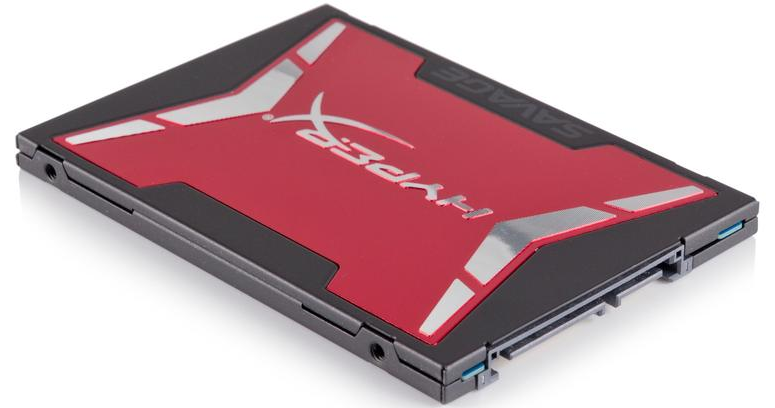
In our case the Kingston HyperX SSD with the operating system on it just refused to start on boot all of a sudden after three and a half years of operation – BIOS just stopped seeing it in the list of available drives.
SSD vanished from the list of drives? How to diagnose — illustration 1

The root cause here can be versatile – the bad data or power cable, data port on the motherboard or the SSD itself. Let’s spend some time on each of the possible reasons to find out what happened.
SSD vanished from the list of drives? How to diagnose — illustration 2

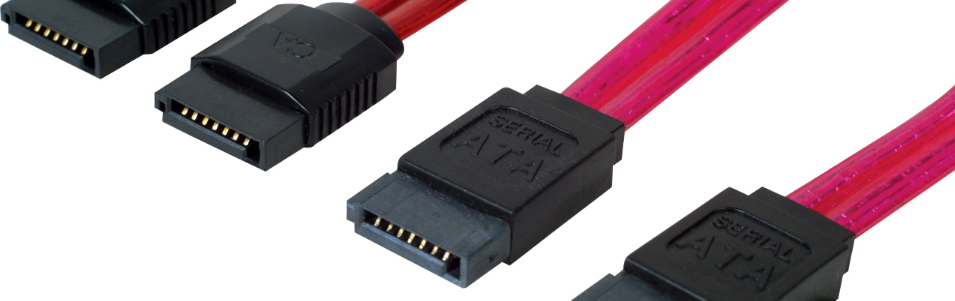
Bad connection of the data cable is the most optimistic scenario. It may happen that you’ve recently updated your PC hardware and was not careful enough and made your SATA (or IDE if you have this old-school type of drive interface) cable loose on connection to the motherboard on one end or to the SSD on the other. So just open your PC box and check the connectors to fit properly. I would also recommend to take a SATA cable from a working device and replace it on your SSD to be 100% sure that the cable is not our problem. If your drive boots up after all these cable management activities, you are a happy man!

SSD vanished from the list of drives? How to diagnose — illustration 3

It could happen that the problem is not in a drive or cable, it may be the motherboard fault. Problem with SATA ports degrading on P67 and H67 motherboards was once widely discussed throughout the community. So if this is your case, switch your problem drive to another SATA port on the motherboard, I would advise to temporarily plug the SATA cable from the problem SSD/HDD on place of any other working SATA device. If your drive started working after SATA port change, it means that you have your information back (that is good), but need to consider buying a new motherboard or taking the existing one for replacement (not good).

Power Cable

SSD vanished from the list of drives? How to diagnose — illustration 4

The problem with power cable is much similar to our first case. Open your PC and check if the power cable fits properly to your drive or even switch to a similar working power cable to be sure it’s not our case.

HDD / SSD Drive
SSD vanished from the list of drives? How to diagnose — illustration 5

In case you tried all the above with no luck, then the very last variant remaining is the problem with the SSD itself. In our case the drive disappeared all of a sudden without any signs of the coming disaster, so the most probable cause here is the drive controller that got wasted. High chances here that the information can be restored if you take this device to service. Still the way out here would be replacing the problem SSD or buying a new one and then restoring your backups to a new drive (hope you have your data backed up).


  • On March 15, 2017
  • 0 Comment

Leave Reply Cancel reply

Your email address will not be published. Required fields are marked *

Recent Posts
  • How AI and Automation Are Changing IT Service Delivery
  • Managed IT Services vs. In-House IT: What Should You Choose?
  • When the Model Is the Vendor: What Happens to Compliance When You Don’t Own the Weights
  • The Edge Device Is the Perimeter: Why the Box You Bought to Keep Them Out Is How They Get In
  • The Password Memo Was Honest. The Checklist Wasn’t.
Categories
  • ai (10)
  • android (18)
  • apple (36)
  • chart (18)
  • cloud (1)
  • fix (42)
  • games (11)
  • google (31)
  • hardware (73)
  • healthcare (3)
  • how to (231)
  • internet (92)
  • ios (23)
  • macos (3)
  • microsoft (82)
  • mobile (36)
  • news (74)
  • optimization (17)
  • osx (4)
  • outsourcing (9)
  • qa (3)
  • regulation (8)
  • review (120)
  • security (41)
  • software (160)
  • windows (150)
Archives
  • September 2026
  • August 2026
  • July 2026
  • June 2026
  • May 2026
  • August 2025
  • March 2025
  • February 2025
  • April 2023
  • March 2023
  • February 2023
  • January 2023
  • March 2022
  • January 2022
  • December 2021
  • November 2021
  • October 2021
  • September 2021
  • August 2021
  • July 2021
  • June 2021
  • May 2021
  • April 2021
  • March 2021
  • February 2021
  • January 2021
  • December 2020
  • November 2020
  • October 2020
  • September 2020
  • August 2020
  • July 2020
  • June 2020
  • May 2020
  • April 2020
  • March 2020
  • February 2020
  • January 2020
  • December 2019
  • November 2019
  • October 2019
  • September 2019
  • August 2019
  • April 2019
  • March 2019
  • February 2019
  • January 2019
  • December 2018
  • November 2018
  • October 2018
  • September 2018
  • June 2018
  • May 2018
  • April 2018
  • February 2018
  • January 2018
  • December 2017
  • November 2017
  • October 2017
  • June 2017
  • May 2017
  • April 2017
  • March 2017
  • February 2017
  • January 2017
  • December 2016
  • November 2016
  • October 2016
  • September 2016
  • August 2016
  • July 2016
  • June 2016
  • May 2016
  • April 2016
  • March 2016
  • February 2016
  • January 2016
  • December 2015
  • November 2015
  • October 2015
  • September 2015
  • July 2015
  • January 2015
Archives
  • September 2026
  • August 2026
  • July 2026
  • June 2026
  • May 2026
  • August 2025
  • March 2025
  • February 2025
  • April 2023
  • March 2023
  • February 2023
  • January 2023
  • March 2022
  • January 2022
  • December 2021
  • November 2021
  • October 2021
  • September 2021
  • August 2021
  • July 2021
  • June 2021
  • May 2021
  • April 2021
  • March 2021
  • February 2021
  • January 2021
  • December 2020
  • November 2020
  • October 2020
  • September 2020
  • August 2020
  • July 2020
  • June 2020
  • May 2020
  • April 2020
  • March 2020
  • February 2020
  • January 2020
  • December 2019
  • November 2019
  • October 2019
  • September 2019
  • August 2019
  • April 2019
  • March 2019
  • February 2019
  • January 2019
  • December 2018
  • November 2018
  • October 2018
  • September 2018
  • June 2018
  • May 2018
  • April 2018
  • February 2018
  • January 2018
  • December 2017
  • November 2017
  • October 2017
  • June 2017
  • May 2017
  • April 2017
  • March 2017
  • February 2017
  • January 2017
  • December 2016
  • November 2016
  • October 2016
  • September 2016
  • August 2016
  • July 2016
  • June 2016
  • May 2016
  • April 2016
  • March 2016
  • February 2016
  • January 2016
  • December 2015
  • November 2015
  • October 2015
  • September 2015
  • July 2015
  • January 2015

Ghost Recon Wildlands: High CPU usage and low FPS

Previous thumb

How to run plugins on FireFox 52?

Next thumb
Scroll

Services

  • Software Development
  • Quality Assurance
  • Customer Support
  • Managed Services
  • 24/7 Emergency IT Support
  • Competency Center
  • Local AI Agent Development
  • Software as a Medical Device

Compliance

  • Compliance Audit
  • GDPR Compliance
  • What is GDPR
  • ISO 9001:2015 Certification

Company

  • About Us
  • All Services
  • Projects
  • Case Studies
  • Articles
  • Contact
About HiTech Service

With 10 year experience of working together, we have reached tangible synergetic effect in performance and productivity, which results in highest quality services and satisfied clients.

Privacy Policy   Cookie Policy


  • Facebook
  • X
  • LinkedIn
CONTACT INFO
  • 900 Foulk Rd, Suite 201, Wilmington, DE, USA, 19803
  • Kudryavs’kyi descent 5b, Kyiv, Ukraine, 04053
  • +1 646.844.5712 (US)
ISO 9001:2015 certificate issued to HiTech Service LLC by Veritas
RIPE Atlas logo, the network measurement community HiTech Service takes part in
BrainBasket Foundation logo, IT education initiative HiTech Service supports
HiTech Service LLC membership badge of the Hi-Tech Office Ukraine association Dun & Bradstreet verified business badge for HiTech Service LLC
YouTeam partner badge for HiTech Service LLC
Hitech Service LLC

Copyright 2026