
Have any questions? +1 646.844.5712 (US)

  • Facebook
  • LinkedIn
  • Twitter
HiTech ServiceHiTech Service
  • Home
  • About
  • Services
    • Software Development
    • Customer Support
    • Quality Assurance
    • Managed Services
    • Compliance Audit
    • GDPR Compliance
    • Competency Center
    • Emergency IT Support
    • Software as medical device
    • Local AI Agent Development
  • Projects
  • GDPR
  • Articles
  • Case Studies
  • Contact
Menu
  • Home
  • About
  • Services
    • Software Development
    • Customer Support
    • Quality Assurance
    • Managed Services
    • Compliance Audit
    • GDPR Compliance
    • Competency Center
    • Emergency IT Support
    • Software as medical device
    • Local AI Agent Development
  • Projects
  • GDPR
  • Articles
  • Case Studies
  • Contact
How to make Google Chrome Secure. Best extensions!

How to make Google Chrome Secure. Best extensions!

Internet identity theft nowadays is a very concerning problem. Really, it is not that hard to find out about incidents connected to the misuse of people’s personal information. You do not even need to go far away to get an example – the recent updates on Cambridge Analytica scandal are more than enough. Just to remind you: the voter-profiling company is accused of stealing personal data of 50 million Facebook users. Logically, there emerges a question: is it possible to protect your personal data at least somehow? Let’s go on with the simplest steps and check some Google Chrome extensions that can come in handy.


1. VPNs

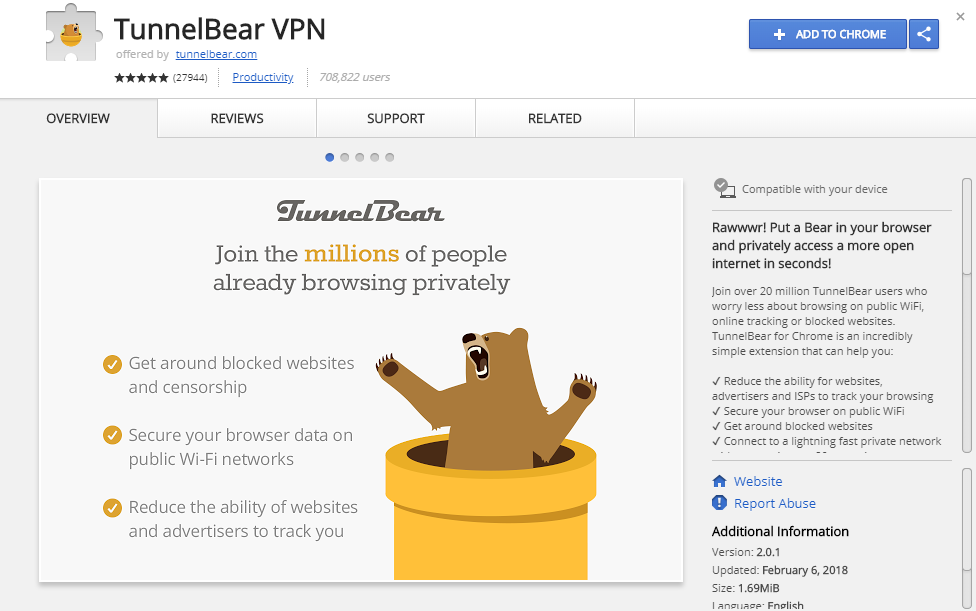
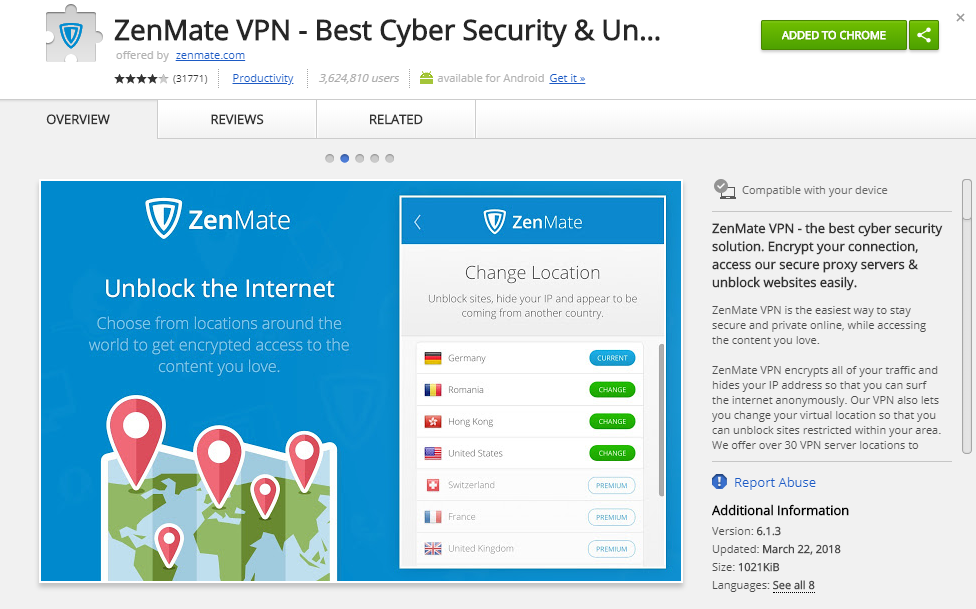
It is true that Chrome has one serious drawback in comparison with Opera – the latter has a built-in VPN service which is absent in Google product. Yet, the problem is not that big: there are numerous VPN applications in the Chrome Store, I would even say far too many to try and test them all. My personal preferences are TunnelBear and ZenMate.

TunnelBear is already a brand – it has several extensions such as RememBear for passwords, TunnelBear blocker that gained trust of thousands of users. The design is simple and neat, browsing speed is never lost, and the extension does its job extremely well.
Best google chrome extensions 01 — How to make Google Chrome Secure. Best extensions!

ZenMate is the first VPN extension I have ever used. I liked it a lot because it was very effective, simple, and fast. Sometimes minimalism and efficiency of work are the only things you really need.
Best google chrome extensions 02 — How to make Google Chrome Secure. Best extensions!

2. AdBlock

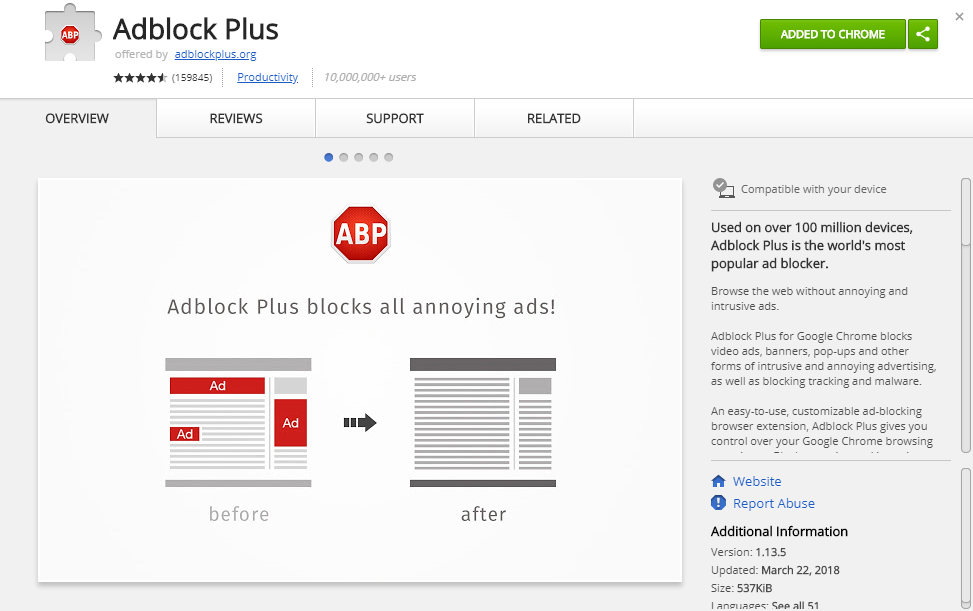
Probably the most often used extension. Not only does it block annoying ads and pop-ups, but also prevents various malware from messing up your PC. It protects your privacy, not letting websites track what you are browsing; this way, you do not see the advertisements, including those that you are most likely to be interested in, and etc.
Best google chrome extensions 03 — How to make Google Chrome Secure. Best extensions!

3. Click and clean

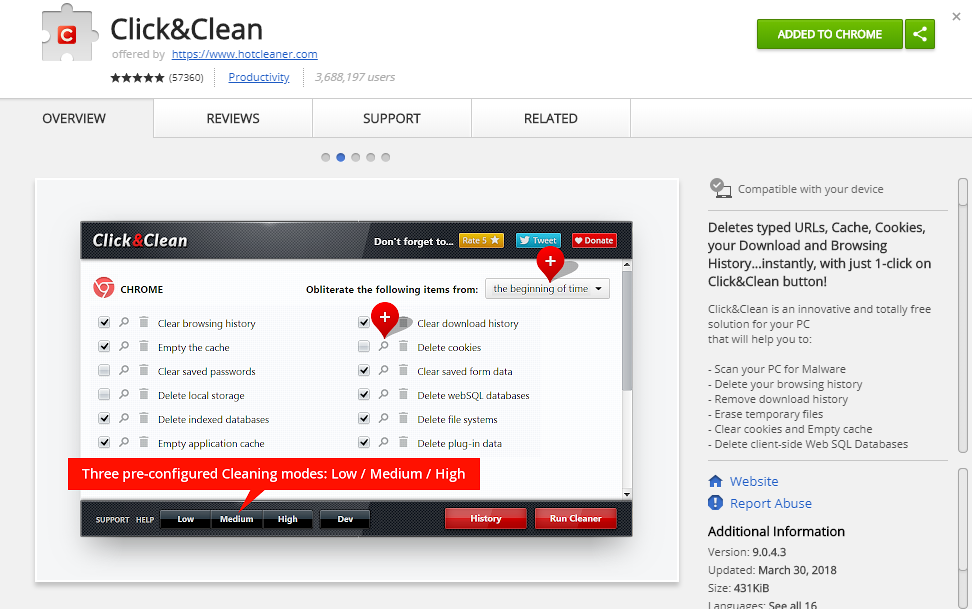
Absolutely great extension that helps you to erase all your browsing information in several clicks. It has lots of different functions which you can configure in any way you like. Click&Clean can clear all the cache, history of downloads, and temporary files even in Incognito Mode. To add it props, the extension is extremely easy to use and has a nice user-friendly design.
Best google chrome extensions 04 — How to make Google Chrome Secure. Best extensions!

4. HTTPS Everywhere

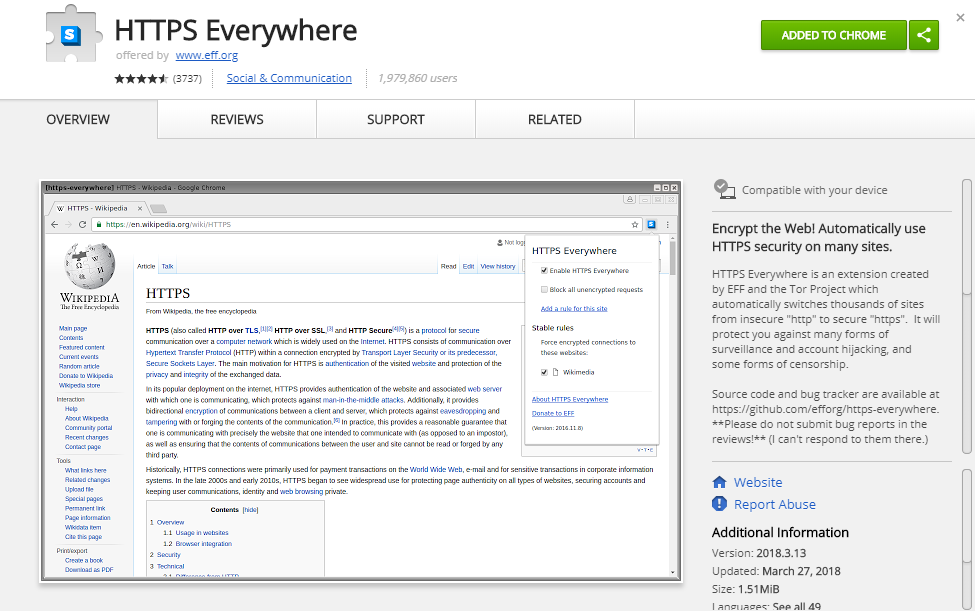
To put it simply, HTTPS (or Hypertext Transfer Protocol Secure) is a safer version of a usual HTTP website. Almost all webpages have their HTTPS versions, but because of their connection configuration, they connect you to HTTP. To know on which version you are currently, you should check the address bar. If it starts with http://, that is where the extension comes in handy: it switches the website to its secure version automatically. Yet, sometimes you may see an error message; it means that you have to disable HTTPS Everywhere to visit the site. Usually, it happens to small webpages … or to pages with malicious content.


Best google chrome extensions 05 — How to make Google Chrome Secure. Best extensions!

5. LastPass

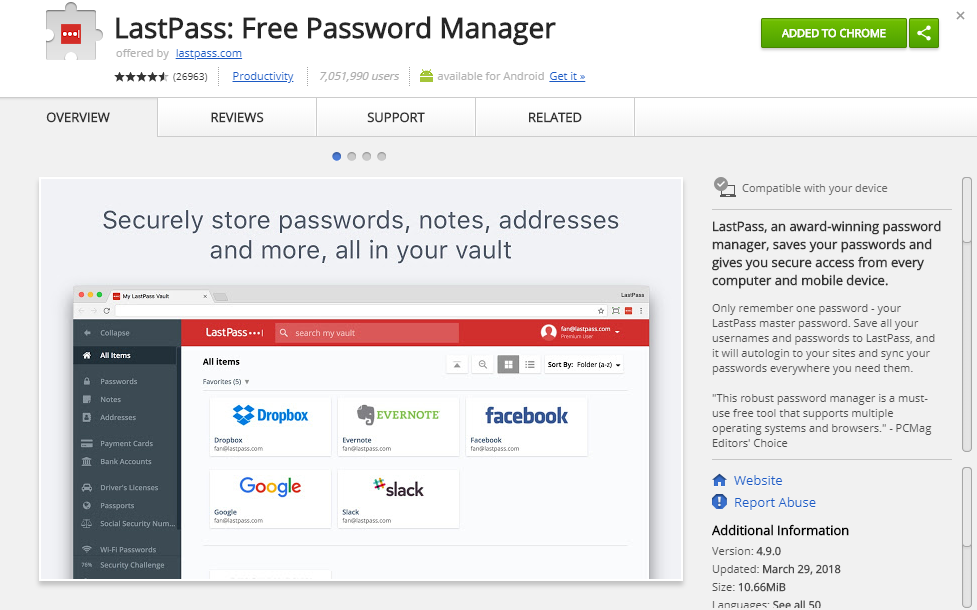
I mentioned RememBear above, but here is another great password manager. It had some problems with hackers, yet it is absolutely natural for such a popular extension. It is very easy to set up and use: all you need to do is to remember one password from your personal vault. Technically, it is not even a password: it is a personal decryption key which lets you decipher your passwords and logins to autofill them on a webpage.
 

Best google chrome extensions 06 — How to make Google Chrome Secure. Best extensions!

6. Ghostery

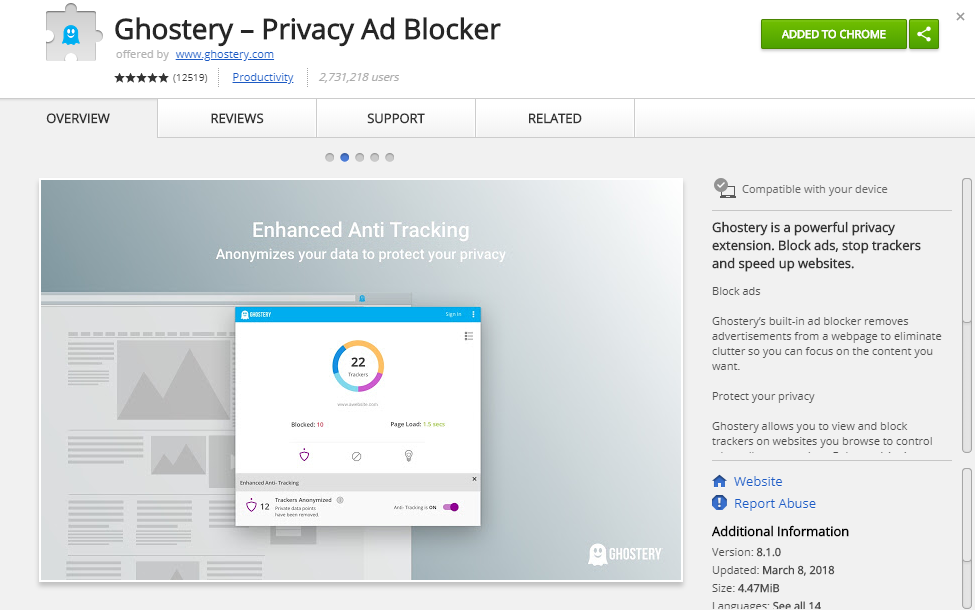
A very good one when it comes to getting rid of trackers. It also includes trackers’ classification into categories like social media, ads, etc. You can block or unblock each tracker separately, which greatly extends the control over your browsing speed.
Best google chrome extensions 07 — How to make Google Chrome Secure. Best extensions!

7. Secure Mail for Gmail (by Streak)

Extremely useful extension if you have to communicate a lot via Gmail and want to keep your correspondence safe. It allows encrypting any letter with a password so that no one (even Google or extension developers) could read it. The only way to open it is to have the password. Its simplicity may seem as a benefit and a flaw at the same time, but yet it is fast and pretty secure.

So, it was our list of handy Google Chrome extensions for a security of your private information. Are there any other great extensions we missed? What are your personal preferences? Let us know in the comments below.



 

  • On May 16, 2018
  • 0 Comment

Leave Reply Cancel reply

Your email address will not be published. Required fields are marked *

Recent Posts
  • As Is: How Software Became the Only Product You Could Legally Sell Broken
  • The Production Incident Class Your Postmortem Template Doesn’t Have
  • Why Load Test Numbers Lie
  • When Config Became Executable: The Twenty-Year Pattern Behind Supply Chain Attacks
  • How Software Became a Medical Device
Categories
  • ai (8)
  • android (18)
  • apple (36)
  • chart (18)
  • cloud (1)
  • fix (42)
  • games (11)
  • google (31)
  • hardware (73)
  • healthcare (3)
  • how to (231)
  • internet (92)
  • ios (23)
  • macos (3)
  • microsoft (82)
  • mobile (36)
  • news (74)
  • optimization (17)
  • osx (4)
  • outsourcing (8)
  • qa (3)
  • regulation (7)
  • review (120)
  • security (39)
  • software (160)
  • windows (150)
Archives
  • August 2026
  • July 2026
  • June 2026
  • May 2026
  • August 2025
  • March 2025
  • February 2025
  • April 2023
  • March 2023
  • February 2023
  • January 2023
  • March 2022
  • January 2022
  • December 2021
  • November 2021
  • October 2021
  • September 2021
  • August 2021
  • July 2021
  • June 2021
  • May 2021
  • April 2021
  • March 2021
  • February 2021
  • January 2021
  • December 2020
  • November 2020
  • October 2020
  • September 2020
  • August 2020
  • July 2020
  • June 2020
  • May 2020
  • April 2020
  • March 2020
  • February 2020
  • January 2020
  • December 2019
  • November 2019
  • October 2019
  • September 2019
  • August 2019
  • April 2019
  • March 2019
  • February 2019
  • January 2019
  • December 2018
  • November 2018
  • October 2018
  • September 2018
  • June 2018
  • May 2018
  • April 2018
  • February 2018
  • January 2018
  • December 2017
  • November 2017
  • October 2017
  • June 2017
  • May 2017
  • April 2017
  • March 2017
  • February 2017
  • January 2017
  • December 2016
  • November 2016
  • October 2016
  • September 2016
  • August 2016
  • July 2016
  • June 2016
  • May 2016
  • April 2016
  • March 2016
  • February 2016
  • January 2016
  • December 2015
  • November 2015
  • October 2015
  • September 2015
  • July 2015
  • January 2015
Archives
  • August 2026
  • July 2026
  • June 2026
  • May 2026
  • August 2025
  • March 2025
  • February 2025
  • April 2023
  • March 2023
  • February 2023
  • January 2023
  • March 2022
  • January 2022
  • December 2021
  • November 2021
  • October 2021
  • September 2021
  • August 2021
  • July 2021
  • June 2021
  • May 2021
  • April 2021
  • March 2021
  • February 2021
  • January 2021
  • December 2020
  • November 2020
  • October 2020
  • September 2020
  • August 2020
  • July 2020
  • June 2020
  • May 2020
  • April 2020
  • March 2020
  • February 2020
  • January 2020
  • December 2019
  • November 2019
  • October 2019
  • September 2019
  • August 2019
  • April 2019
  • March 2019
  • February 2019
  • January 2019
  • December 2018
  • November 2018
  • October 2018
  • September 2018
  • June 2018
  • May 2018
  • April 2018
  • February 2018
  • January 2018
  • December 2017
  • November 2017
  • October 2017
  • June 2017
  • May 2017
  • April 2017
  • March 2017
  • February 2017
  • January 2017
  • December 2016
  • November 2016
  • October 2016
  • September 2016
  • August 2016
  • July 2016
  • June 2016
  • May 2016
  • April 2016
  • March 2016
  • February 2016
  • January 2016
  • December 2015
  • November 2015
  • October 2015
  • September 2015
  • July 2015
  • January 2015

How to speed up your android phone or tablet

Previous thumb

MS Word features and tips you probably did not know about! Part 2

Next thumb
Scroll

Services

  • Software Development
  • Quality Assurance
  • Customer Support
  • Managed Services
  • 24/7 Emergency IT Support
  • Competency Center
  • Local AI Agent Development
  • Software as a Medical Device

Compliance

  • Compliance Audit
  • GDPR Compliance
  • What is GDPR
  • ISO 9001:2015 Certification

Company

  • About Us
  • All Services
  • Projects
  • Case Studies
  • Articles
  • Contact
About HiTech Service

With 10 year experience of working together, we have reached tangible synergetic effect in performance and productivity, which results in highest quality services and satisfied clients.

Privacy Policy   Cookie Policy


  • Facebook
  • X
  • LinkedIn
CONTACT INFO
  • 900 Foulk Rd, Suite 201, Wilmington, DE, USA, 19803
  • Kudryavs’kyi descent 5b, Kyiv, Ukraine, 04053
  • +1 646.844.5712 (US)
ISO 9001:2015 certificate issued to HiTech Service LLC by Veritas
RIPE Atlas logo, the network measurement community HiTech Service takes part in
BrainBasket Foundation logo, IT education initiative HiTech Service supports
HiTech Service LLC membership badge of the Hi-Tech Office Ukraine association Dun & Bradstreet verified business badge for HiTech Service LLC
YouTeam partner badge for HiTech Service LLC
Hitech Service LLC

Copyright 2026