After nearly six years, Microsoft designed the next generation of (probably) the most popular and widespread OS in the world. Windows 11 will replace a well-known Windows 10, although not for everyone. But let’s get quickly a look at what Microsoft prepared for us.
First and foremost, design has changed. Even though we couldn’t catch a good look at every detail since it was just a presentation, but we can surely see the progress. The Start menu, for instance, is more straightforward. The edges are more rounded, and the colors are soft, which meets the standards of today’s design policies. The window background is more transparent but a little blurred. Unfortunately, the live tiles will be gone, and the apps are displayed in the recent files section. In short, the desktop is now more up-to-date and is really pleasant to the eye.
Multi-Window
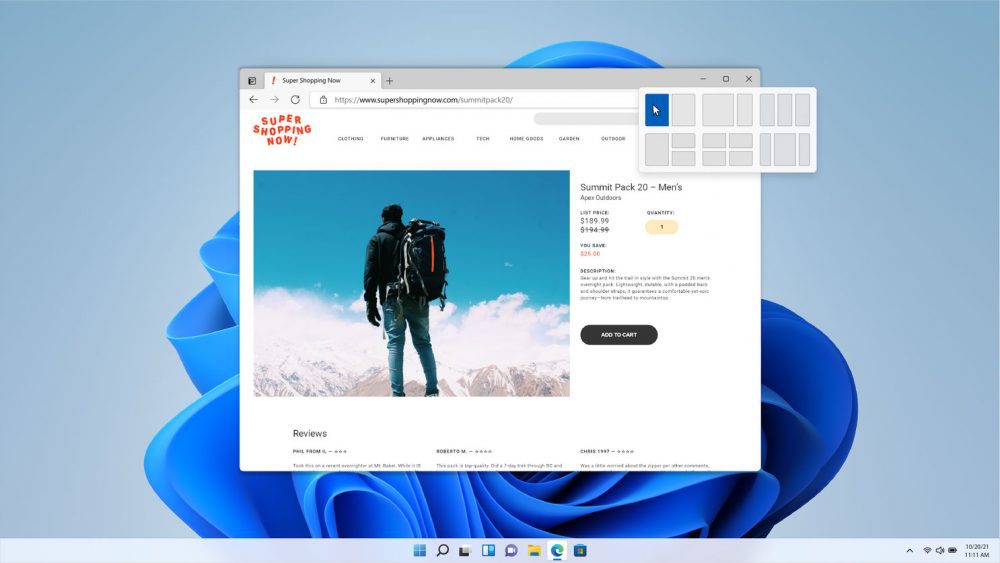
(Image from Microsoft Inc.)
Ironically, Windows 11 is now more “Windows-friendly.” If you want to leave several windows open, then you can click on it and choose the layout that suits you best. But that’s not the end. New Windows aims to have better compatibility for work with multiple monitors. It will work faster, smoother, and smarter.
Microsoft says that after disconnecting one of the monitors, the working screen will not overload with the windows of the disconnected screen, which is excellent. But more importantly, the screen itself will save the information at the same place where you left it before disconnecting, and you can continue your work later. If it is put into practice properly, it will make work way more manageable than before.
Widgets
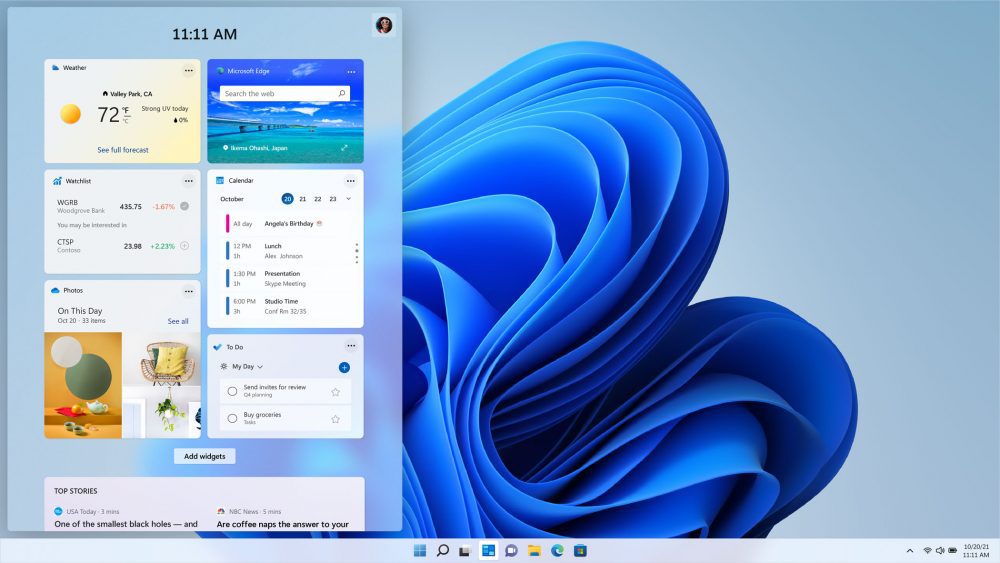
(Image from Microsoft Inc.)
Widgets are now a thing. At least Windows 11 will finally allow you to create them. This is a long-waited update for me, as there is a slight feeling that Windows 10 was not integrating enough. I know that some of the Microsoft Store apps offer widgets for Windows 10, but they are still apps.
Microsoft Store
(Image from Microsoft Inc.)
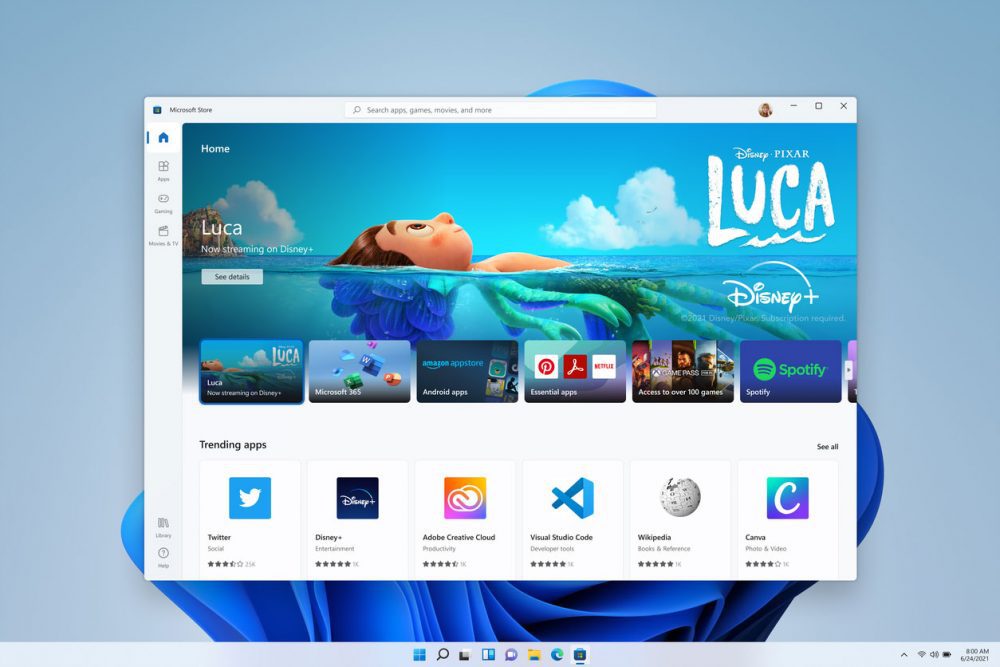
Talking about Microsoft Store, it is also one of the main focuses for the company. Microsoft decides to develop their idea because, frankly speaking, its need was somewhat questionable. The current version is rarely used by most users and is not very dependable, but thisa might change.
In fact, Microsoft was far from happy with how its store worked itself. For this reason, they want to “unlock greater economic opportunity for developers and creators. Developers will be able to submit their applications without packaging them, and they could use their own content delivery network (CDN). This method means Microsoft does not necessarily have to distribute them personally, and the apps will be accessible right from the store. .”
Android apps
(Image from Microsoft Inc.)
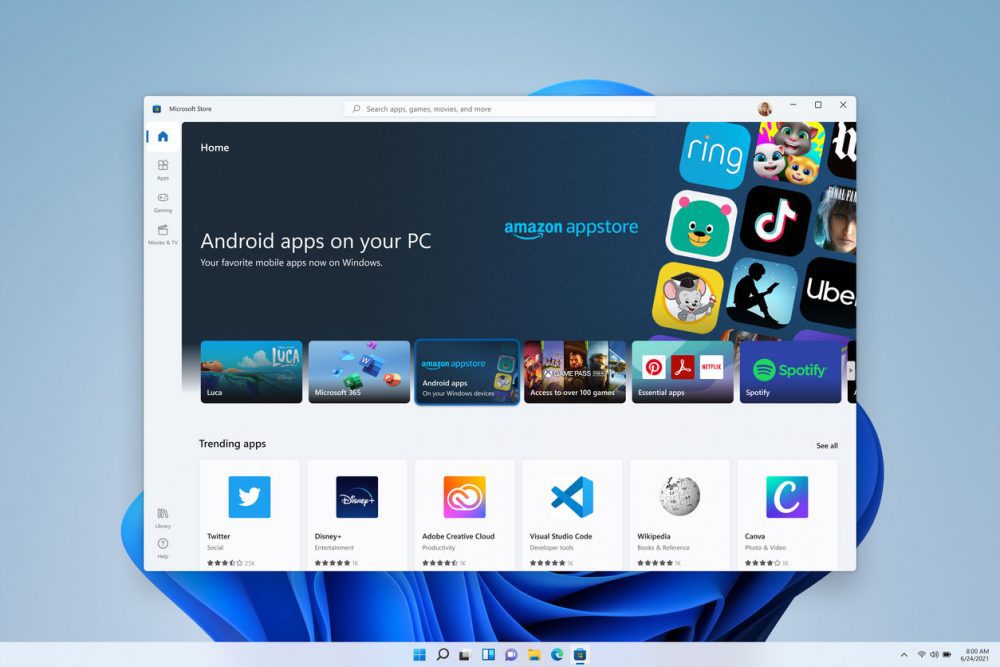
Another significant feature that is coming with new Windows is compatibility with new Android apps via computer. This is another feature that many users waited for, including me. Currently, if you really want to use any Android app on your PC, you need to download an emulator first. This workaround gives you access to the apps, but if you ever used one, you know how much RAM it consumes (spoiler, Chrome can hold a beer) and how unstable they can be. Nice move, Microsoft.
Gaming Experience
(Image from Microsoft Inc.)
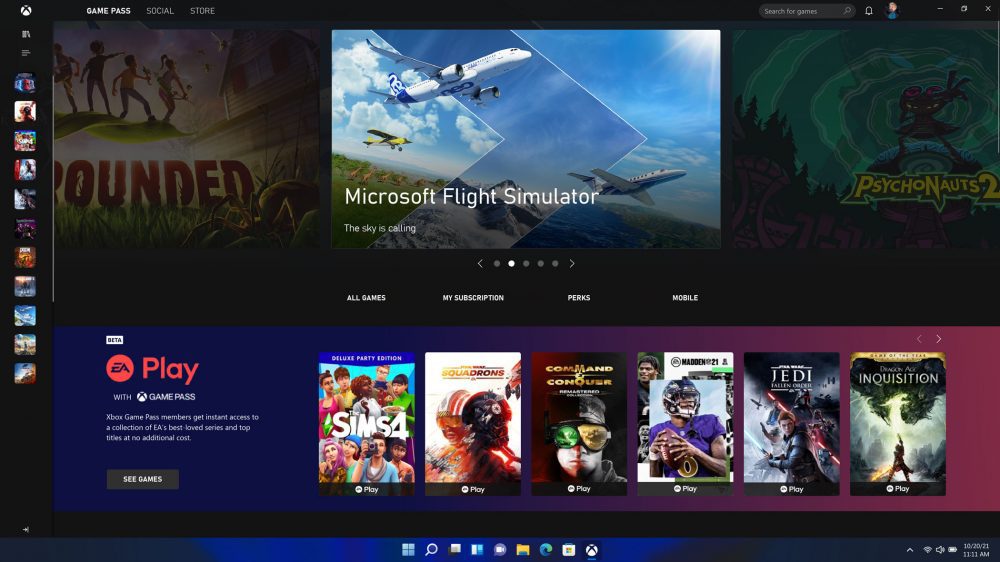
Gaming has also been a major part of promoting new Windows. Like there was any other option. That should not come as a surprise because Windows is an unbeatable leading distributor for PC gaming for its whole existence. Since around 76% of users have Windows installed on their desktops and laptops, Microsoft has responsibility for PC gaming development. Thus, the company has established auto-HDR included in Xbox Series X, and S. HDR will be applied to all the games played on PC, even those of older generations.
Another feature that was added to Windows also from the console is DirectStorage. For this, you will need a DirectStorage PC and a special SSD that has Xbox Velocity Architecture, but it is worth it because your PC will run it on its best performance.
Finally, Microsoft will build in Xbox Cloud Gaming to Windows 11, and it will be a part of the Xbox app.
Requirements
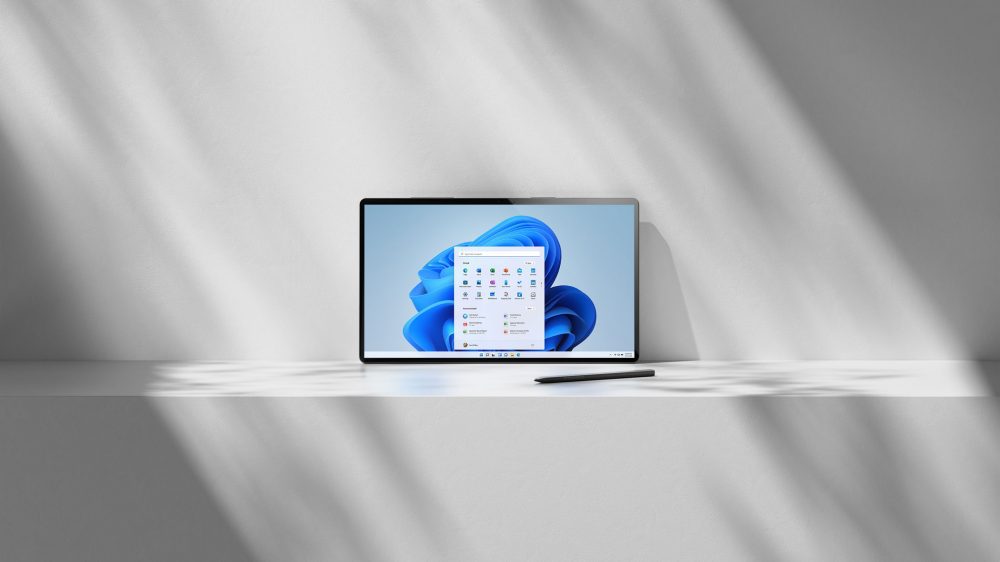
Microsoft has already set minimum hardware requirements for computers:
- Processor: 1 gigahertz (GHz) or faster with two or more cores on a compatible 64-bit processor or system on a chip (SoC).
- RAM: 4 gigabytes (GB) or greater.
- Storage: 64 GB* or greater available storage is required to install Windows 11.
- Additional storage space: might be required to download updates and enable specific features.
- Graphics card: should be compatible with DirectX 12 or later, with a WDDM 2.0 driver.
- System firmware: UEFI, Secure Boot capable.
- TPM: Trusted Platform Module (TPM) version 2.0.
- Display: High definition (720p) display, 9″ or greater monitor, 8 bits per color channel.
- Internet connection: Internet connectivity is necessary to perform updates and to download and use some features.
- Windows 11 Home edition requires an Internet connection and a Microsoft Account to complete device setup on first use.
(Image from Microsoft Inc.)
Worth noting that some features have requirements beyond the requirements that are not listed above:
- 5G support: requires 5G capable modem.
- Auto HDR requires an HDR monitor.
- BitLocker to Go: requires a USB flash drive. This feature is available in Windows Pro and above editions.
- Client Hyper-V: requires a processor with second-level address translation (SLAT) capabilities. This feature is available in Windows Pro editions and above.
- Cortana: requires a microphone and speaker and is currently available on Windows 11 for Australia, Brazil, Canada, China, France, Germany, India, Italy, Japan, Mexico, Spain, United Kingdom, and the United States.
- DirectStorage: requires an NVMe SSD to store and run games that use the Standard NVM Express Controller driver and a DirectX12 GPU with Shader Model 6.0 support.
- DirectX 12 Ultimate: should be available with supported games and graphics chips.
- Presence: requires a sensor that can detect human distance from the device or intent to interact with the device.
- Intelligent Video Conferencing: requires a video camera, microphone, and speaker (audio output)
- Multiple Voice Assistant: requires a microphone and speaker.
- Snap: three-column layouts require a screen that is 1920 effective pixels or greater in width.
- Mute and unmute: Taskbar requires a video camera, microphone, and speaker (audio output). The app must be compatible with features to enable global mute/unmute.
- Spatial Sound: requires supporting hardware and software.
- Microsoft Teams: requires a video camera, microphone, and speaker (audio output).
- Touch: requires a screen or monitor that supports multi-touch.
- Two-factor authentication: requires a PIN, biometric (fingerprint reader or illuminated infrared camera), or a phone with Wi-Fi or Bluetooth capabilities.
- Voice Typing: requires a PC with a microphone.
- Wake on Voice: requires a Modern Standby power model and microphone.
- Wi-Fi 6E: requires new WLAN IHV hardware and driver and a Wi-Fi 6E capable AP/router.
- Windows Hello: requires a camera configured for near-infrared (IR) imaging or fingerprint reader for biometric authentication. Devices without biometric sensors can use Windows Hello with a PIN or a portable Microsoft compatible security key. For more information, see IT tools to support Windows 10, version 21H1.
- Windows Projection: requires a display adapter that supports Windows Display Driver Model (WDDM) 2.0 and a Wi-Fi adapter that supports Wi-Fi Direct.
- Xbox app: requires an Xbox Live account, which is not available in all regions. Please go to the Xbox Live Countries and Regions page for the most up-to-date information on availability. Some features in the Xbox app will require an active Xbox Game Pass subscription.
Release Date
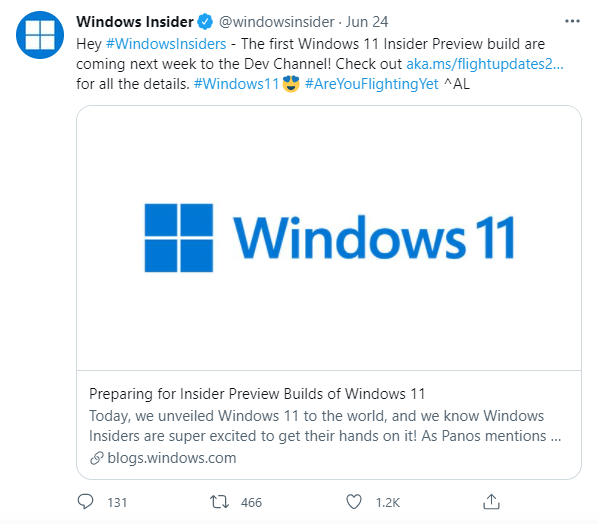
Windows 11 is not yet ready for a global release, and it will come later this year. However, from 28 June 2021, Microsoft will start Insider Preview builds for Windows 11. You can join Microsoft Windows Insider Program and get it. It is free anyway.
Can I update my Windows 10 to Windows 11?
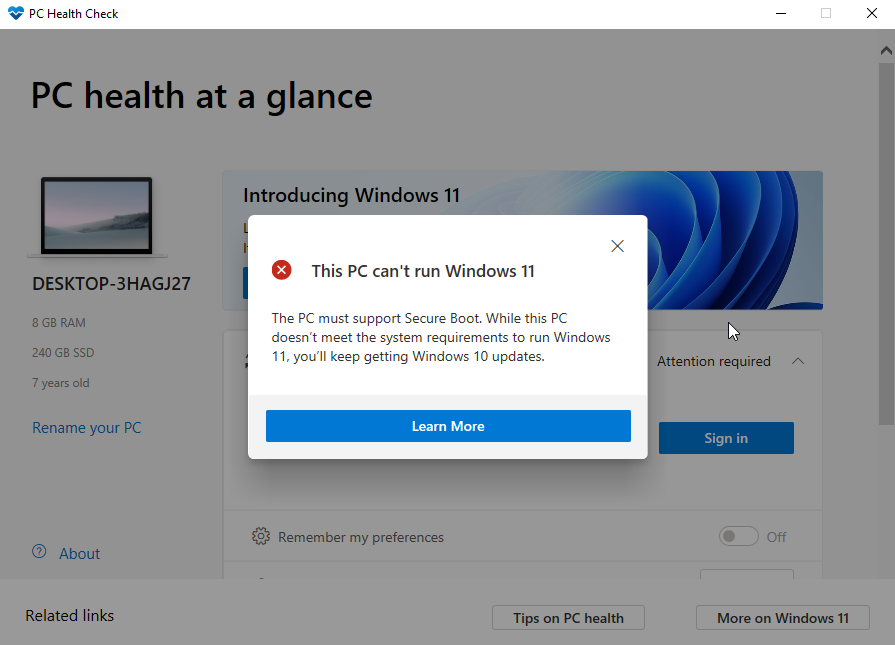
It is not yet clear whether Windows users will be able to update to Windows 11 for free, as it was in the case of Windows 10. Also, we are not sure if all the users will be able to get a new OS because of the requirements listed above. Microsoft created a checker to see if your computer can handle new Windows. You can download the PC Health Check app and run it to see the result.
As you see, my computer is too old for a new Microsoft OS 🙁
We can indeed say that this is an extensive redesign of what Microsoft has on the market today. We can hardly call such changes “innovations that we have been waiting for six years”, although it is a step ahead in the right direction. See you on the release date!