
If you ever find that your Google Chrome browser is taking too long to load there is no need to be frustrated. I have just the solution for you. Actually two solutions.
Solution #1: Disable or remove unused Chrome Extensions
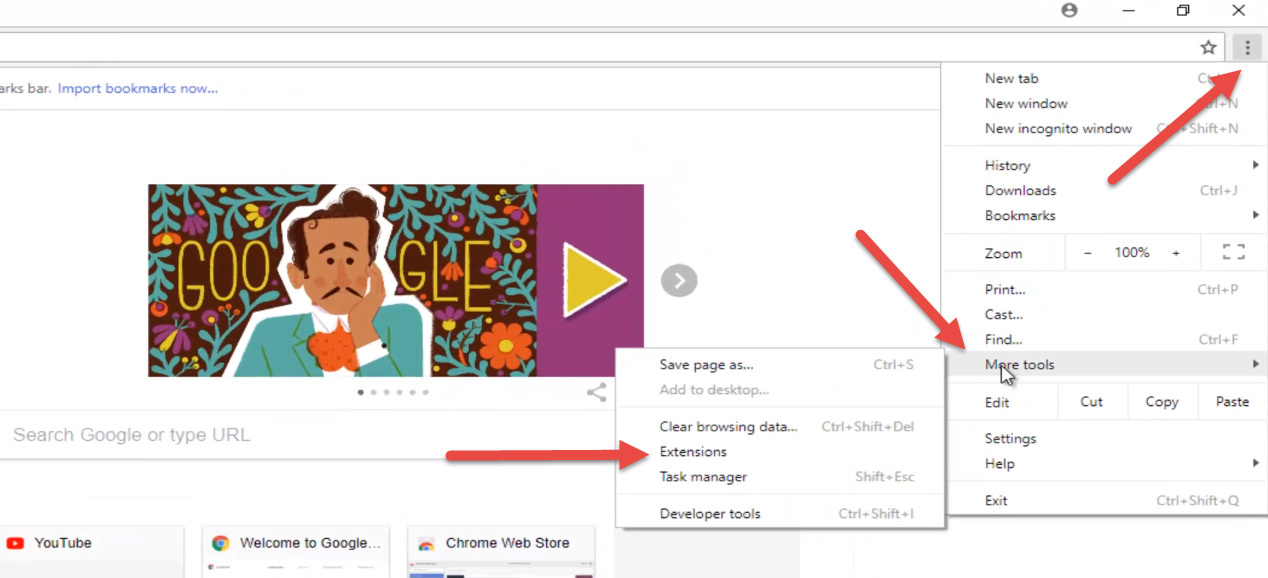
To do that just open your Chrome browser and navigate to the menu icon in the top right corner, go to More Tools -> Extensions.
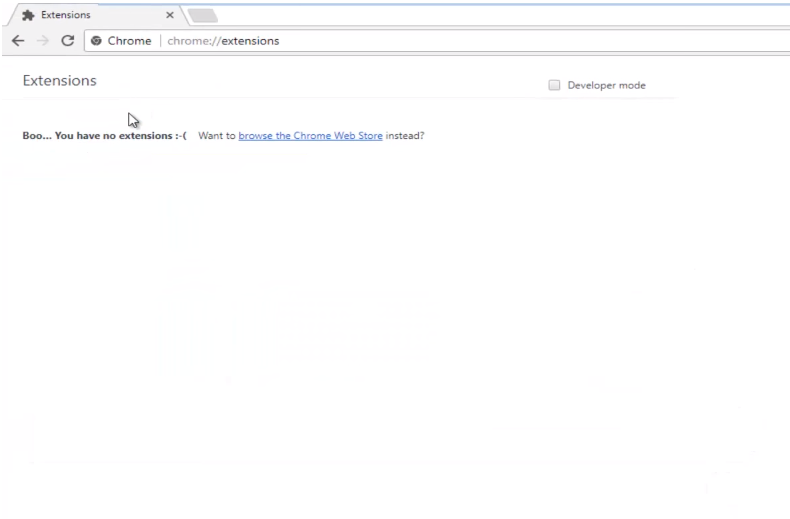
If you have any extensions listed in here, then they are obviously will contribute to Chrome’s slowness. If you are unaware of any extensions, or if you have no interest in them any longer, you are more than welcome to remove them from your Google Chrome web browser. I have noticed that extensions will definitely slow down your browsing experience, as well as affect
Chrome’s startup time in the first place. So disabling or removing extension is something that I definitely recommend trying first.
Solution #2: Flush DNS data and reset netsh winsock
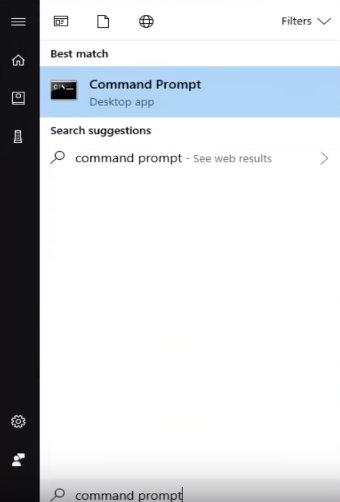
If the first solution doesn’t really suit your needs or doesn’t really help, I do recommend to flush your DNS history in Windows. Most of the times it speeds up your internet browser experience. So to do this let’s open up the Start menu in Windows and search for Command Prompt.
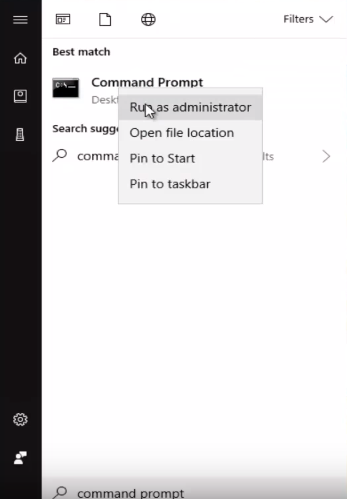
Right click on it and Run as Administrator:
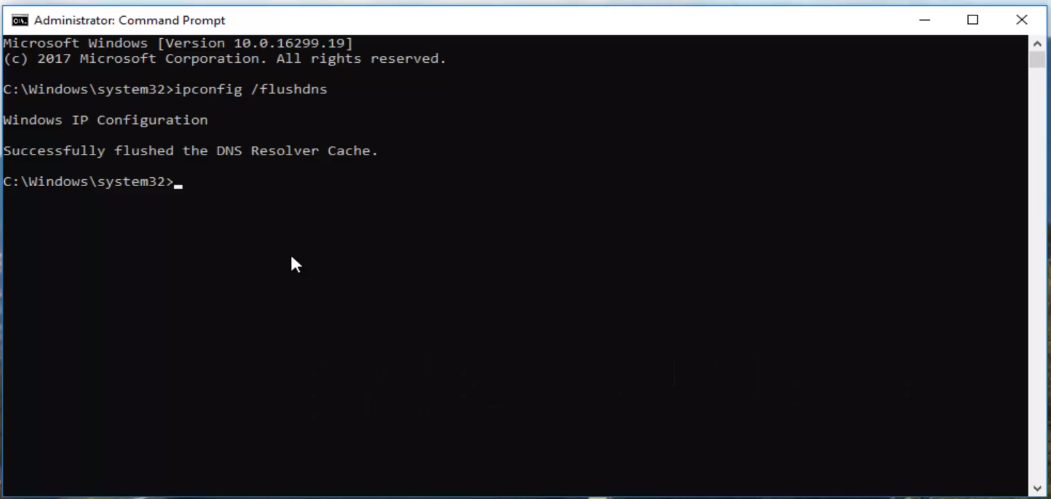
Now you want to type ‘’ipconfig /flushdns’’ command and hit enter.
Command Prompt will get back to you saying that it has successfully flushed DNS Resolver Cache
Now you want to type in ‘’netsh winsock reset’’ command and hit enter
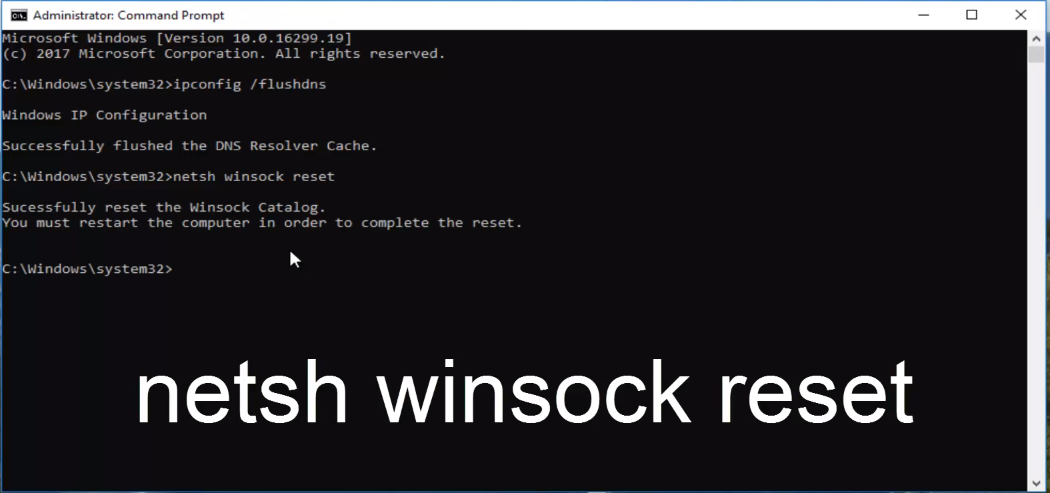
Command Prompt will say that it has successfully reset Winsock Catalog. It will also prompt you to restart your computer, so I recommend that you listen to that advice.
So, restart your computer and hopefully your issue has been resolved!