
Have any questions? +1 646.844.5712 (US)

  • Facebook
  • LinkedIn
  • Twitter
HiTech ServiceHiTech Service
  • Home
  • About
  • Services
    • Software Development
    • Customer Support
    • Quality Assurance
    • Managed Services
    • Compliance Audit
    • GDPR Compliance
    • Competency Center
    • Emergency IT Support
    • Software as medical device
    • Local AI Agent Development
  • Projects
  • GDPR
  • Articles
  • Case Studies
  • Contact
Menu
  • Home
  • About
  • Services
    • Software Development
    • Customer Support
    • Quality Assurance
    • Managed Services
    • Compliance Audit
    • GDPR Compliance
    • Competency Center
    • Emergency IT Support
    • Software as medical device
    • Local AI Agent Development
  • Projects
  • GDPR
  • Articles
  • Case Studies
  • Contact
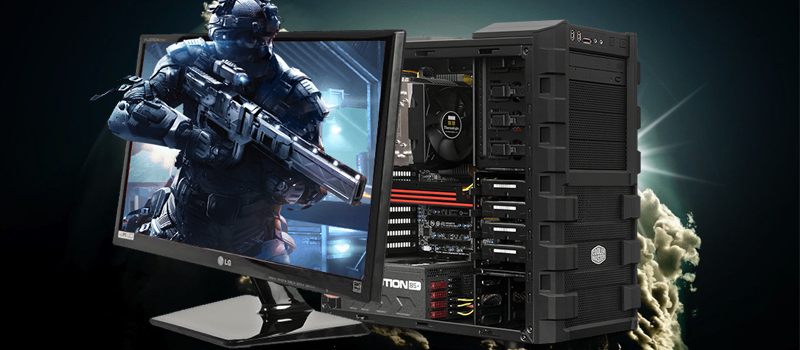
Gaming PC configuration. Fall 2016

Gaming PC configuration. Fall 2016

features and stories but also in graphics. Consequently, every game in the series is more demanding to computer requirements.


For example, here are minimum requirements of the last year Battlefield Hardline

  1. Operating System: Windows Vista SP2 64-BIT (with KB971512 Update)
  2. Processor: Intel Core i3/i5 2.4GHz or Athlon II/Phenom II 2.8 GHz.
  3. RAM: 4 GB.
  4. Graphics Cards: NVIDIA GTX 260 896MB or ATI 5770 1GB.
  5. Hard Drive: 60 GB.
  6. DirectX: 11.0.

Now let’s compare them with minimum requirements of this year Battlefield 1:

  1. OS: 64-bit Windows 7, Windows 8.1 and Windows 10.
  2. Processor (AMD): AMD FX-6350.
  3. Processor (Intel): Core i5 6600K.
  4. Memory: 8GB RAM.
  5. Graphics card (AMD): AMD Radeon HD 7850 2GB.
  6. Graphics card (NVIDIA): NVIDIA GeForce GTX 660 2GB.
  7. DirectX: 11.0 Compatible video card or equivalent.

As you can see, to play the game you need 2GBs more RAM and a graphic card of 4(!!!!) generations later.

However, these are just minimum requirements and if you want to get smooth gaming experience and enjoy the modern graphics of the game you need a much more powerful computer to play the game.

The recommended requirements would be :

  1. OS: 64-bit Windows 10 or later
  2. Processor (AMD): AMD FX 8350 Wraith
  3. Processor (Intel): Intel Core i7 4790 or equivalent
  4. Memory: 16GB RAM
  5. Graphics card (AMD): AMD Radeon™ RX 480 4GB
  6. Graphics card (NVIDIA): NVIDIA GeForce® GTX 1060 3GB
  7. DirectX: 11.1 Compatible video card or equivalent
  8. Available Disk Space: 50GB

Well, action games have always been demanding to your computer configuration, but even Civilization VI, released this year, cannot be ran on my current computer smoothly since it requires:

  1. OS: Windows 7 64bit / 8.1 64bit / 10 64bit
  2. PROCESSOR: Fourth generation Intel Core i5 2.5 Ghz or AMD FX8350 4.0 Ghz or greater
  3. MEMORY: 8 GB RAM
  4. HARD DRIVE: 12 GB or more
  5. VIDEO CARD: 2 GB DirectX 11 Video Card (AMD 7970 or nVidia 770 or greater)

That’s why I need a new gaming PC and I want to share my choice with you.

The Configuration:

Buying a new gaming computer, I never save on graphic card and processor, which allows me to play the latest games for a few years without upgrading the computer each fall (Traditionally the best games are being released at the end of the year). At the same time, I don’t like branded computers like Alienware AREA-51 since they are too expensive.

So here’s the configuration I chose for myself:

Processor:

Core i5 – 6600K  is powerfull enough to cope with all the games. (My old Core i5 3470 still works good after all these years, but it won’t cope with a modern powerful graphic card). $236 sounds fair enough, taking into consideration that I’m planning to use this processor for at least 3 years.

Motherboard:

What I need is Intel Z170 based motherboard and I choose ASUS Z170-A (because I like ASUS and has been using their motherboards for 16 years) with the price of $149. (Our previous choice was H170 based processor).

RAM:

If you see that the recommended requirement is 16GB, make sure you need more RAM on your computer, since you have lots of programs running in the background while you’re playing.

My choice is Kingston Technology HyperX FURY Black 32GB kit  with the price of $143. 16GBs would cost you only $70, but again, I’m not planning to upgrade my computer for years.


HDD+SSD

If you don’t want to wait forever while your game is loading you better install it on a fast SSD drive, while HDD is good for storing your photos and video files. Modern games might take up to 100GBs plus you need a space for your Windows system, so for me a 256GBs SSD is the minimum requirement.

I stick with Hyper X 480GB drive  together with any 2TBs HDD at a price around $70.

Graphic card:

This is a core of my gaming PC and here I have 2 options. If you think I’m going to choose between NVIDIA and AMD – you are wrong. The choice is GTX1070 or GTX1080, all other cards are not even in the consideration list. My current GTX660 has been working for more than 4 years now and I still manage to get 70 FPS in some of this year games (not the lowest requirements), so paying for the latest generation graphic card I expect it to work the same 4 years. GTX1070 by MSI  costs around $400, while more powerful GTX1080 starts from $650. This is decision to make, and I stick to GTX1070.

The last thing we need is a power supply for 600W-650W. Telling the truth, I don’t need one, since the one I bought 4 years ago is still working fine.

Now, assemble the PC – put all the components into the case you like – and start your hardcore gaming season.

The total is less than $1200. You might say that’s a lot for a computer, but taking into consideration that this PC would cope with the games for (at least) the next 3 years that would be $400 per year. Not bad, right?

I hope you find this information helpful while choosing a PC config for your needs and see you in the battlefield.


  • On November 3, 2016
  • 0 Comment

Leave Reply Cancel reply

Your email address will not be published. Required fields are marked *

Recent Posts
  • Managed IT Services vs. In-House IT: What Should You Choose?
  • When the Model Is the Vendor: What Happens to Compliance When You Don’t Own the Weights
  • The Edge Device Is the Perimeter: Why the Box You Bought to Keep Them Out Is How They Get In
  • The Password Memo Was Honest. The Checklist Wasn’t.
  • As Is: How Software Became the Only Product You Could Legally Sell Broken
Categories
  • ai (9)
  • android (18)
  • apple (36)
  • chart (18)
  • cloud (1)
  • fix (42)
  • games (11)
  • google (31)
  • hardware (73)
  • healthcare (3)
  • how to (231)
  • internet (92)
  • ios (23)
  • macos (3)
  • microsoft (82)
  • mobile (36)
  • news (74)
  • optimization (17)
  • osx (4)
  • outsourcing (9)
  • qa (3)
  • regulation (8)
  • review (120)
  • security (41)
  • software (160)
  • windows (150)
Archives
  • September 2026
  • August 2026
  • July 2026
  • June 2026
  • May 2026
  • August 2025
  • March 2025
  • February 2025
  • April 2023
  • March 2023
  • February 2023
  • January 2023
  • March 2022
  • January 2022
  • December 2021
  • November 2021
  • October 2021
  • September 2021
  • August 2021
  • July 2021
  • June 2021
  • May 2021
  • April 2021
  • March 2021
  • February 2021
  • January 2021
  • December 2020
  • November 2020
  • October 2020
  • September 2020
  • August 2020
  • July 2020
  • June 2020
  • May 2020
  • April 2020
  • March 2020
  • February 2020
  • January 2020
  • December 2019
  • November 2019
  • October 2019
  • September 2019
  • August 2019
  • April 2019
  • March 2019
  • February 2019
  • January 2019
  • December 2018
  • November 2018
  • October 2018
  • September 2018
  • June 2018
  • May 2018
  • April 2018
  • February 2018
  • January 2018
  • December 2017
  • November 2017
  • October 2017
  • June 2017
  • May 2017
  • April 2017
  • March 2017
  • February 2017
  • January 2017
  • December 2016
  • November 2016
  • October 2016
  • September 2016
  • August 2016
  • July 2016
  • June 2016
  • May 2016
  • April 2016
  • March 2016
  • February 2016
  • January 2016
  • December 2015
  • November 2015
  • October 2015
  • September 2015
  • July 2015
  • January 2015
Archives
  • September 2026
  • August 2026
  • July 2026
  • June 2026
  • May 2026
  • August 2025
  • March 2025
  • February 2025
  • April 2023
  • March 2023
  • February 2023
  • January 2023
  • March 2022
  • January 2022
  • December 2021
  • November 2021
  • October 2021
  • September 2021
  • August 2021
  • July 2021
  • June 2021
  • May 2021
  • April 2021
  • March 2021
  • February 2021
  • January 2021
  • December 2020
  • November 2020
  • October 2020
  • September 2020
  • August 2020
  • July 2020
  • June 2020
  • May 2020
  • April 2020
  • March 2020
  • February 2020
  • January 2020
  • December 2019
  • November 2019
  • October 2019
  • September 2019
  • August 2019
  • April 2019
  • March 2019
  • February 2019
  • January 2019
  • December 2018
  • November 2018
  • October 2018
  • September 2018
  • June 2018
  • May 2018
  • April 2018
  • February 2018
  • January 2018
  • December 2017
  • November 2017
  • October 2017
  • June 2017
  • May 2017
  • April 2017
  • March 2017
  • February 2017
  • January 2017
  • December 2016
  • November 2016
  • October 2016
  • September 2016
  • August 2016
  • July 2016
  • June 2016
  • May 2016
  • April 2016
  • March 2016
  • February 2016
  • January 2016
  • December 2015
  • November 2015
  • October 2015
  • September 2015
  • July 2015
  • January 2015

Ram Speed: Frequency and Timings

Previous thumb

What is DDOS attack?

Next thumb
Scroll

Services

  • Software Development
  • Quality Assurance
  • Customer Support
  • Managed Services
  • 24/7 Emergency IT Support
  • Competency Center
  • Local AI Agent Development
  • Software as a Medical Device

Compliance

  • Compliance Audit
  • GDPR Compliance
  • What is GDPR
  • ISO 9001:2015 Certification

Company

  • About Us
  • All Services
  • Projects
  • Case Studies
  • Articles
  • Contact
About HiTech Service

With 10 year experience of working together, we have reached tangible synergetic effect in performance and productivity, which results in highest quality services and satisfied clients.

Privacy Policy   Cookie Policy


  • Facebook
  • X
  • LinkedIn
CONTACT INFO
  • 900 Foulk Rd, Suite 201, Wilmington, DE, USA, 19803
  • Kudryavs’kyi descent 5b, Kyiv, Ukraine, 04053
  • +1 646.844.5712 (US)
ISO 9001:2015 certificate issued to HiTech Service LLC by Veritas
RIPE Atlas logo, the network measurement community HiTech Service takes part in
BrainBasket Foundation logo, IT education initiative HiTech Service supports
HiTech Service LLC membership badge of the Hi-Tech Office Ukraine association Dun & Bradstreet verified business badge for HiTech Service LLC
YouTeam partner badge for HiTech Service LLC
Hitech Service LLC

Copyright 2026