If you bought a book in Google Books or IBooks and in the middle of the most interesting chapter you need to go somewhere or you have a document sent to you and you need to read it while driving to work, there is a way to make your phone read it to you.
You don’t need to download any third party software, your Android or Iphone can read whatever you need while you walking or driving.
For Android users it’s very easy. Just open your Google Play Books on your phone or tablet and select a book you want to read from your library.
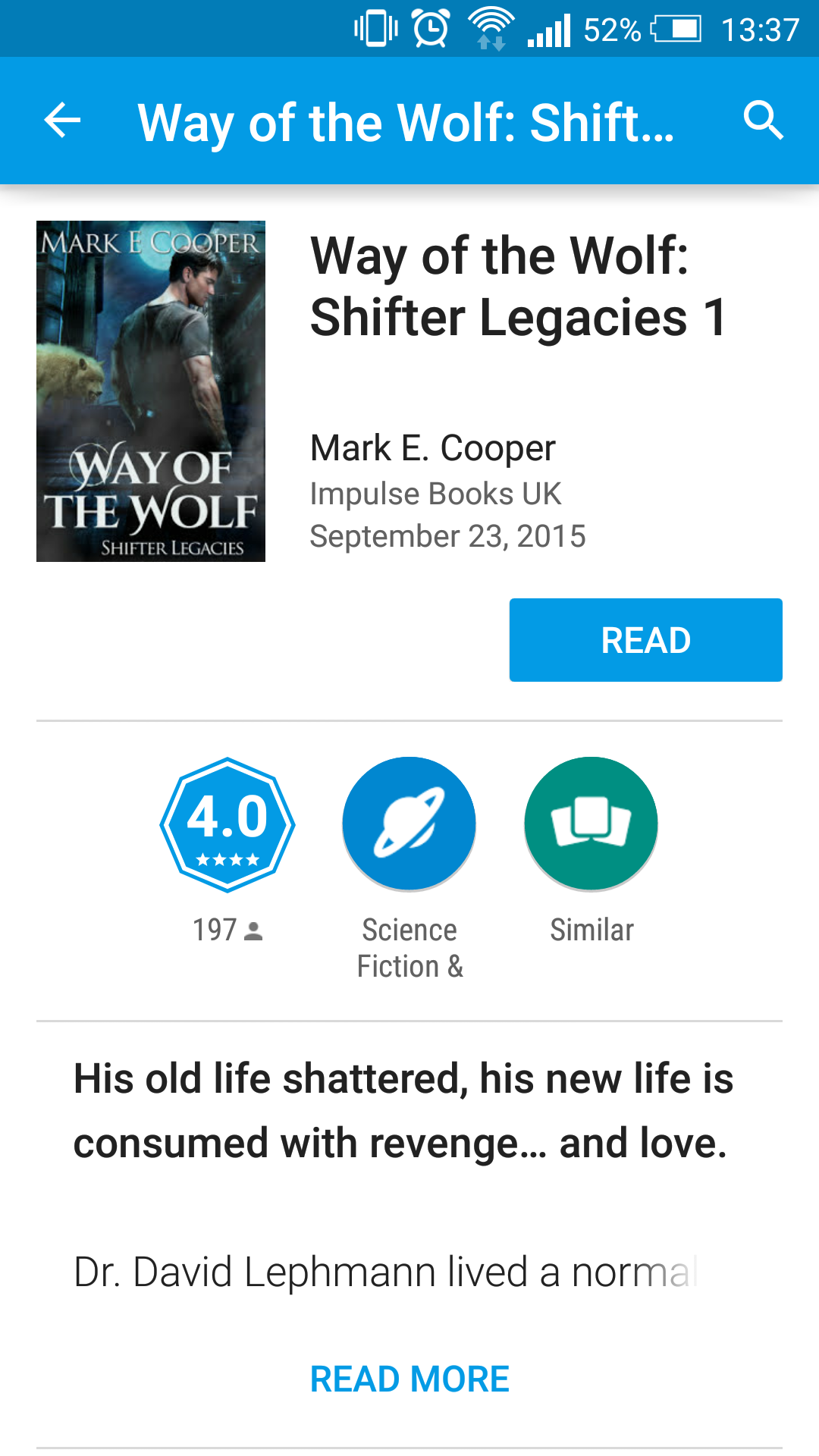
Once the book is opened, tap anywhere on the screen to see the menu and hit on options button in right upper corner.
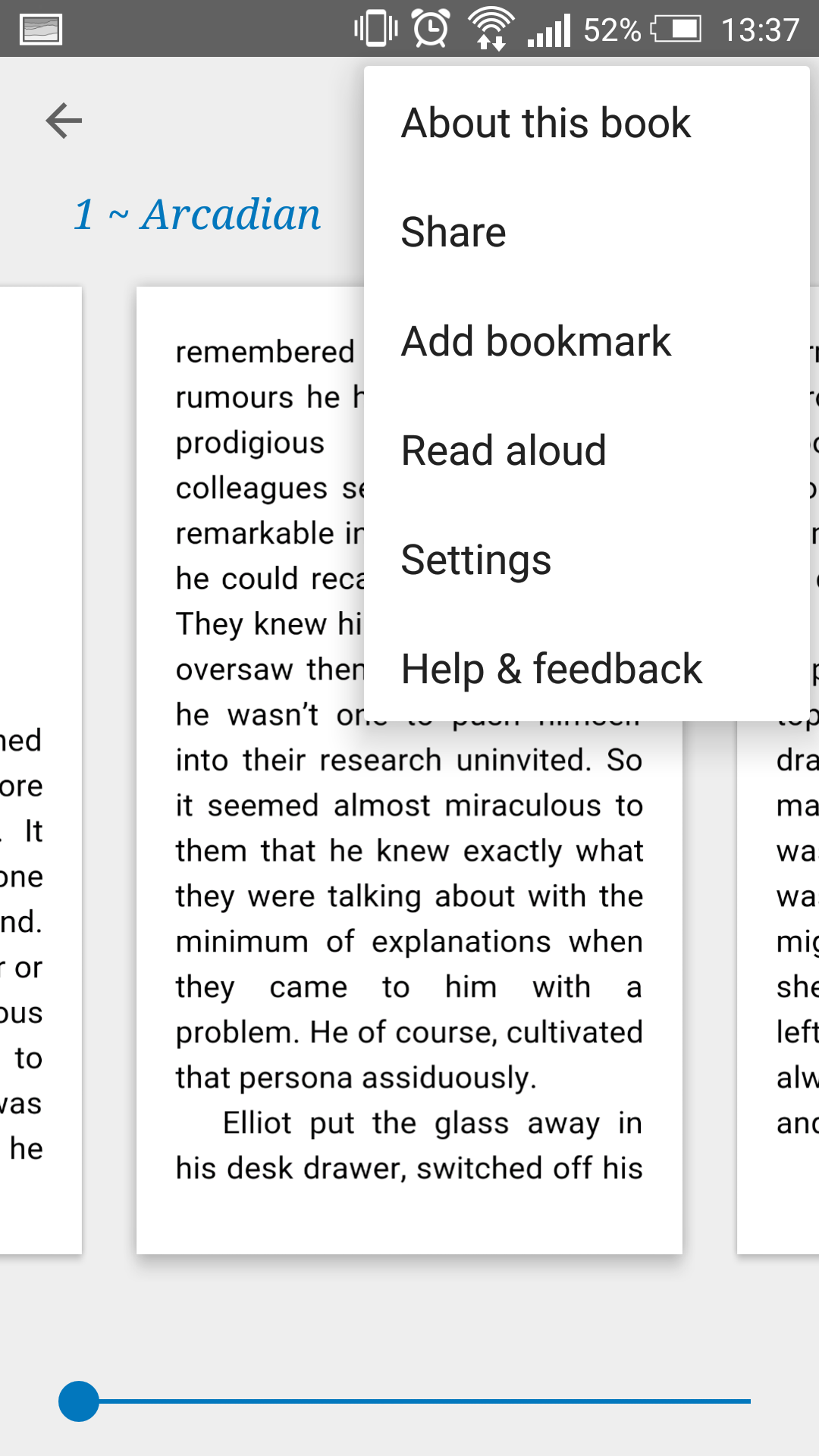
Now hit Read aloud button and enjoy your book.
For IPhone and Ipad users the situation is different and you will have to play with settings a bit before reading the book aloud. Of course you might use some reader like KyBook where there is a button to start reading like in Google, but in IBooks this functions is hidden for some reason.
If you decide to stick to IBooks, you will need to do the following.
Navigate to the settings and find General Tab.
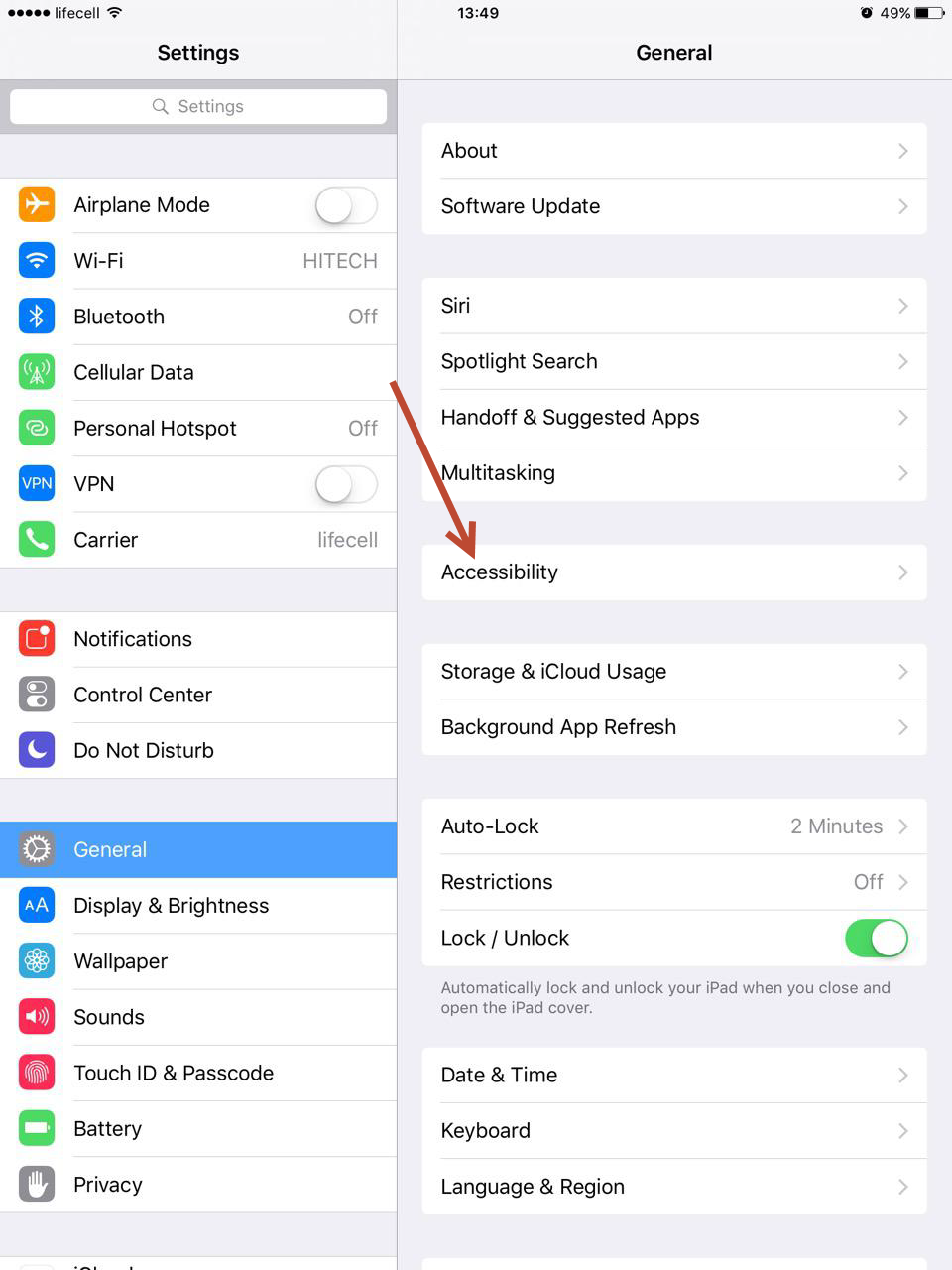
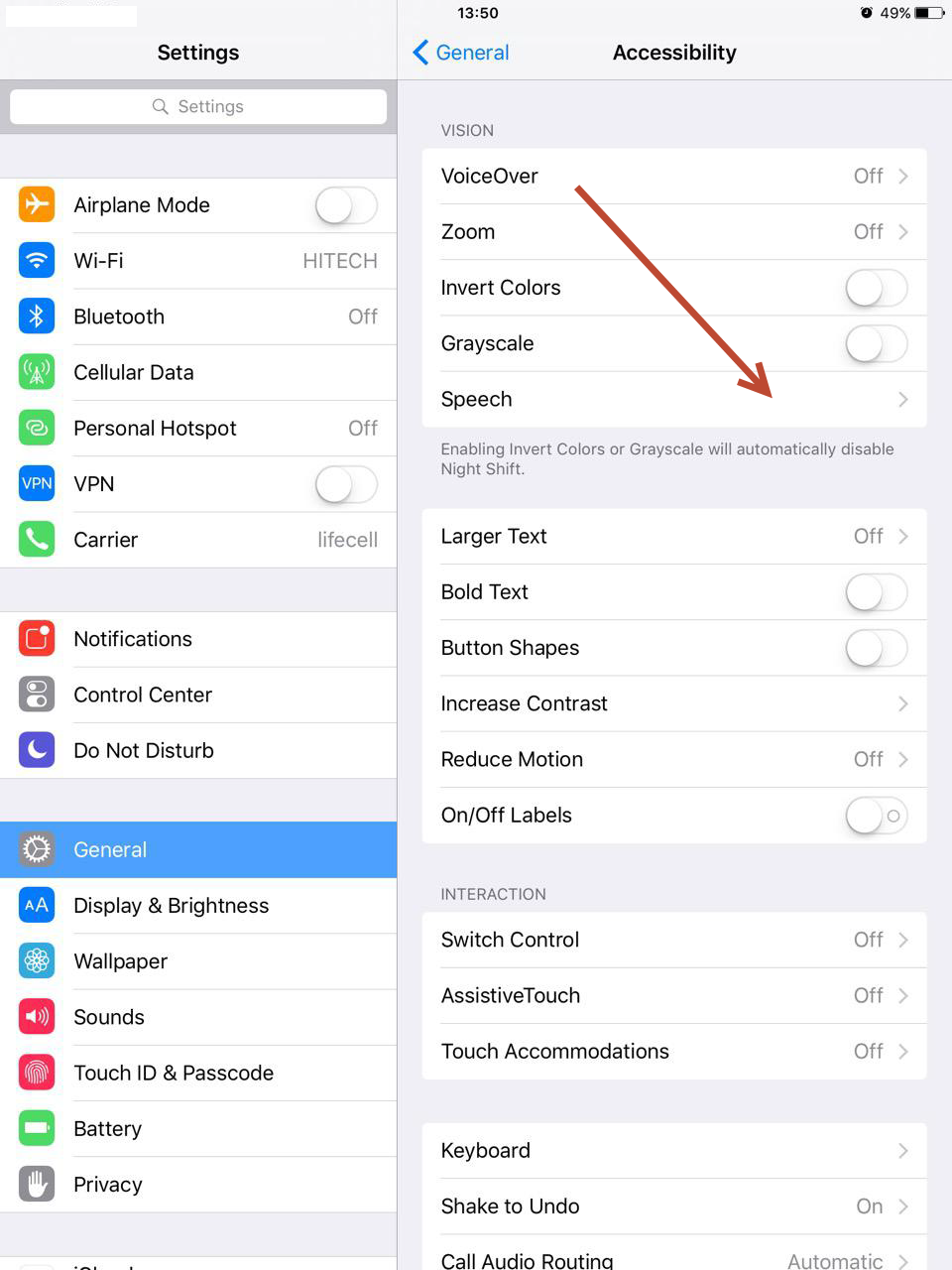
Select Accessibility. Find and select Speech menu.
Under Speech turn on Speak Screen options that is turned off by default.
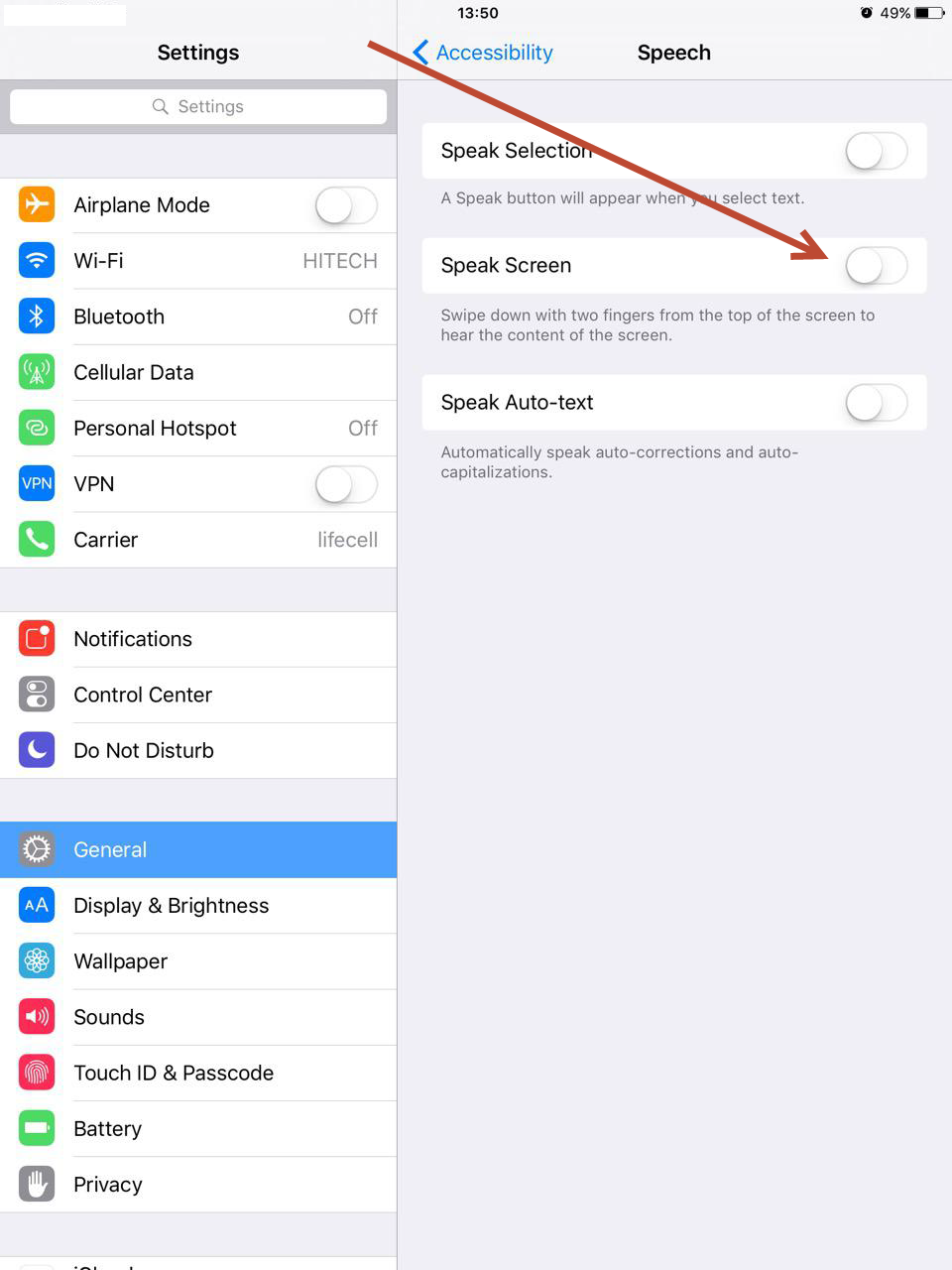
You will see the list of additional options, like reading speed, but you can disregard them for now, as you can change those while reading.
Now go to IBooks and open your book. Swipe from top of the screen with two fingers and you will hear a lady voice reading to you.