Windows 7 has lots of different features that you do not know about and some of them are really helpful or very interesting as the one that we are going to discuss now.
We are going to talk about Reliability Monitor – built in Windows tools that gather tons of information and statistics about any kinds of failures or critical system actions. This information can be really helpful for both regular and advanced users.
This tools allows go back in history to the very moment when Windows was installed and see what was going on with the system and application since then.
To run Reliability Monitor just go to:
Control Panel\All Control Panel Items\Action Center\Reliability Monitor
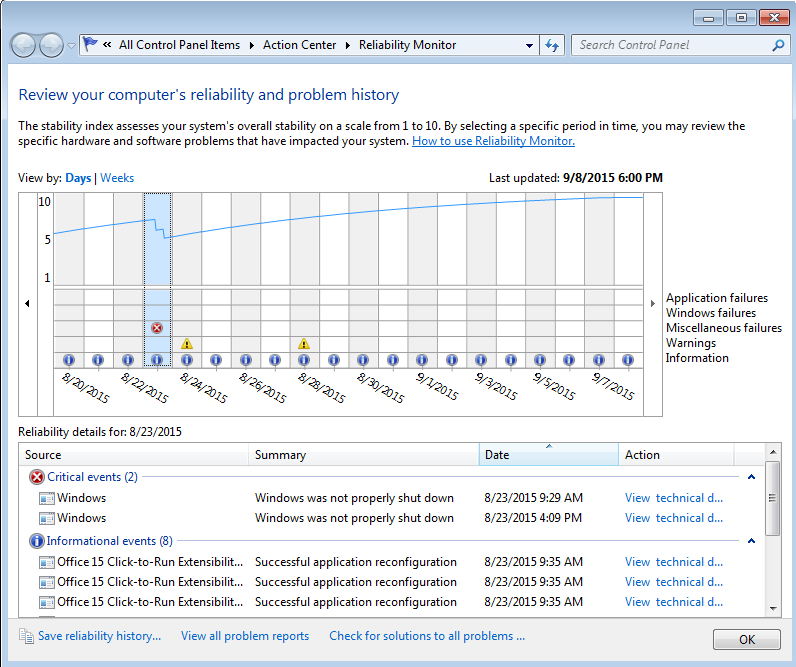
or simply hit Start button and type in Reliability Monitor. Windows search will return Reliability Monitor icon as a result.
You just skipped those ”smart” screenshots and bunch of scary text while reading the article.