
Nowadays Skype is one of the most popular services for calls and messages, but many Skype users find that it became overloaded with advertisements, especially after Microsoft divided their product into Free and Business versions. So here we will share with you how to remove ads from Skype without touching Skype files or blocking its other features.
The main secret here is that Skype uses several repositories to load ads from. We will make your PC redirect Skype ads to nowhere using generic Windows tools and features.
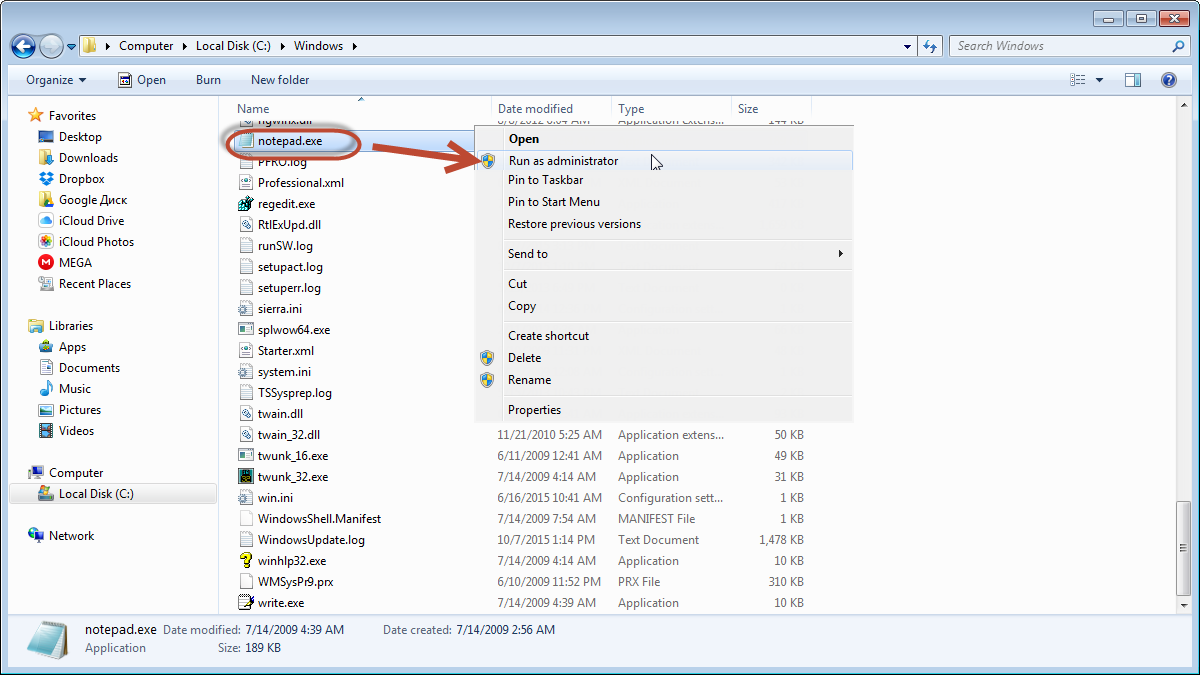
First of all, make sure that you are logged in to Windows as administrator. Then, using explorer, navigate to C:\Windows\ and find “notepad.exe” file. Right click on it and choose “Run as Administrator” option.
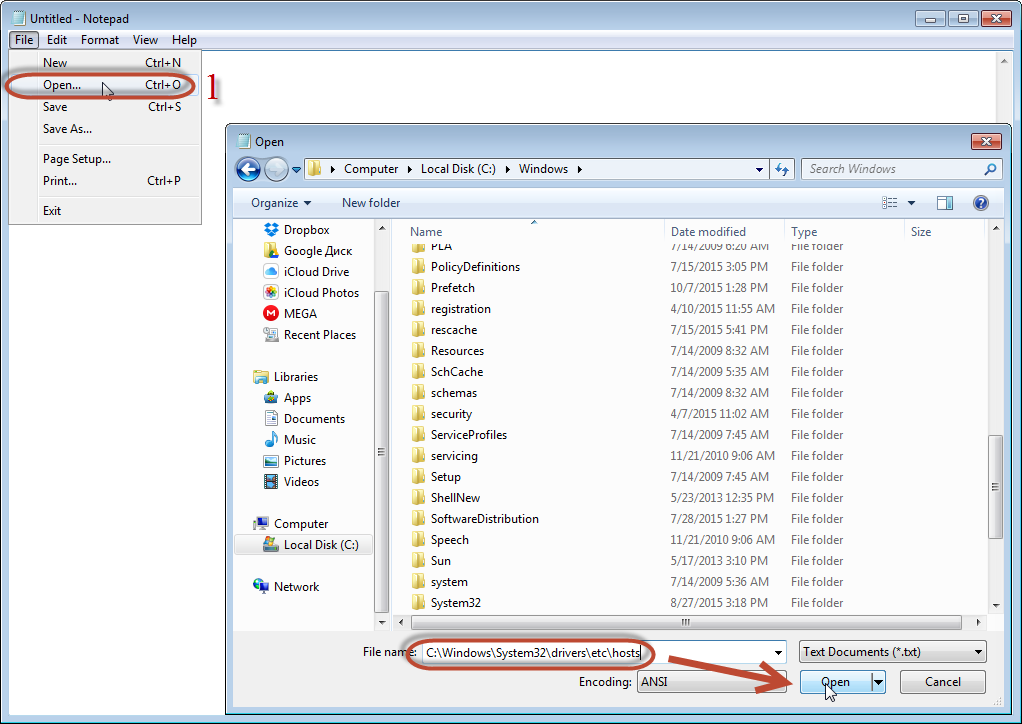
When the Notepad is open, click on File => Open. Then insert C:\Windows\System32\drivers\etc\hosts without quotes in File Name field of the displayed window and click open.
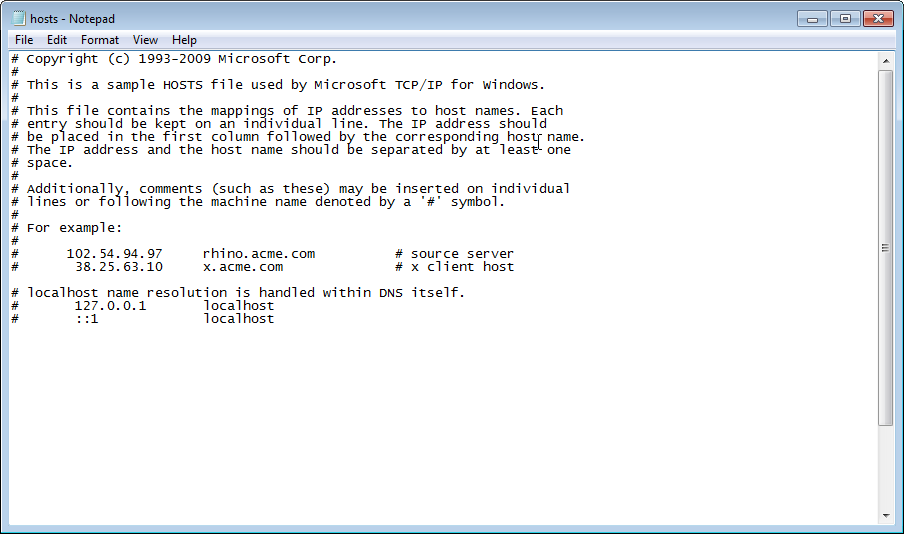
If everything is ok, you will see the content as on screenshot below.
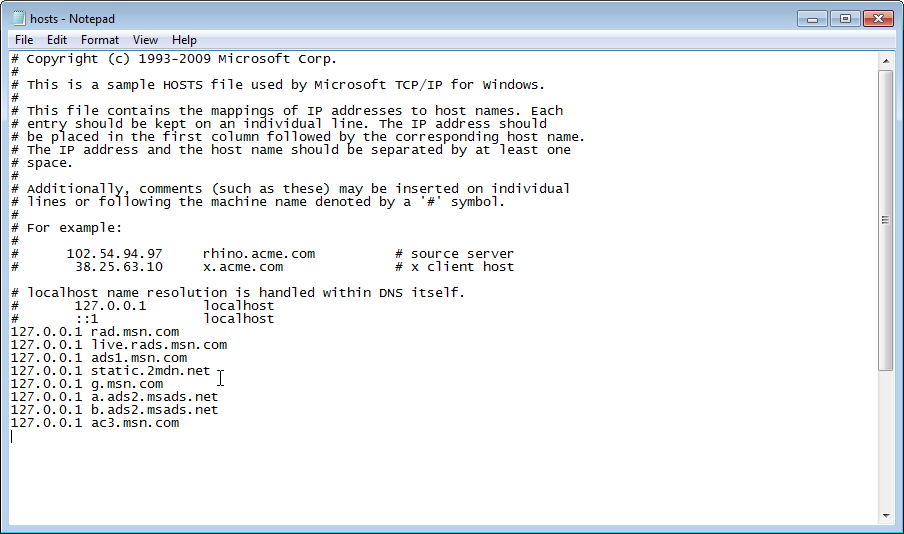
Now copy and paste below lines to the just below the last line and save the changes clicking on File => Save.
127.0.0.1 rad.msn.com
127.0.0.1 live.rads.msn.com
127.0.0.1 ads1.msn.com
127.0.0.1 static.2mdn.net
127.0.0.1 g.msn.com
127.0.0.1 a.ads2.msads.net
127.0.0.1 b.ads2.msads.net
127.0.0.1 ac3.msn.com
You should have the following view after the lines were added.
Now close the window, restart Skype and enjoy ad free messanger!
Now, let’s face it!
You just skipped those ”smart” screenshots and bunch of scary text while reading the article.