Hi there! How are you doing? If you are here, then you are trying to play some game, but this freaking Visual C++ does not allow you. Being a kid, I hated PCs for this amount of errors when installing a long-awaited game. And I just wanted to sit and play! Hopefully, I have found a quick way to resolve unspecified error 0x80240017. Let’s take a look!
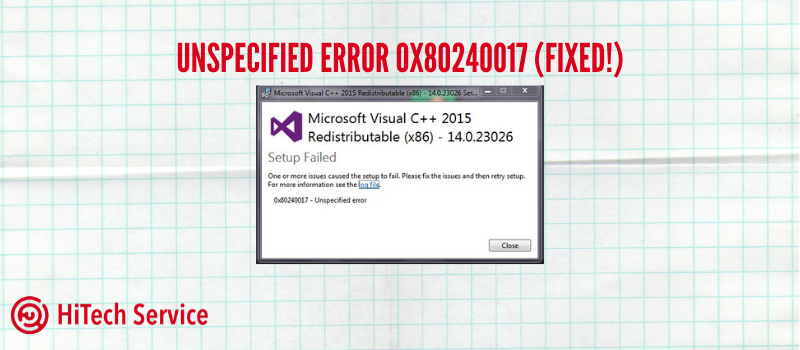
The very common problem when installing the Visual C ++ 2015 and 2017 Redistributable Package on Windows 7 and 8.1 is an unspecified error 0x80240017 after running the installation file vc_redist.x64.exe or vc_redist.x86.exe. When receiving the message “Setup Failed”, it may seem complicated to figure out what exactly you need to do and how to fix the situation.
Fixing the error 0x80240017 when installing Visual C ++ 2015 and 2017 components
Usually, the reason for the unspecified error 0x80240017 when installing the redistributable components of Visual C ++ 2015 (2017) is some problems with Windows Update Center.

If you somehow blocked or disabled Windows Update, used activators – all this can lead to our problem.
If none of the above was done, and a clean licensed Windows is installed on the computer, first try the following simple methods to solve the problem:
- If you have a third-party antivirus or firewall, temporarily disable it and retry the installation.
- Try using the built-in troubleshooting: Search – Troubleshoot settings – Windows Update. This item is located in the “Get up and running” section.

- Then, install the KB2999226 update for your system. If problems occur during the installation of the update, a possible solution will be described below. Download KB2999226 from the official website:
https://www.microsoft.com/en-US/download/details.aspx?id=49077 – Windows 7 x86 (32 bits)
https://www.microsoft.com/en-us/download/details.aspx?id=49093 – Windows 7 x64
https://www.microsoft.com/en-us/download/details.aspx?id=49071 – Windows 8.1 32-bit
https://www.microsoft.com/en-US/download/details.aspx?id=49081 – Windows 8.1 64-bit
If these actions did not help you, proceed to the next part.
Additional Ways to Fix 0x80240017
If during troubleshooting the Update Center errors were found, but they were not fixed, try the next: run the command prompt as administrator, and then enter the following commands in order, pressing Enter after each of them:
net stop wuauserv
net stop cryptSvc
net stop bits
net stop msiserver
ren C:\Windows\SoftwareDistribution SoftwareDistribution.old
ren C:\Windows\System32\catroot2 catroot2.old
net start wuauserv
net start cryptSvc
net start bits
net start msiserver
Then try installing the Visual C ++ components of the correct version again.
On some systems with Windows 7 and 8.1, you may receive a message stating that the KB2999226 update is not applicable to your computer. In this case, first try installing the “Windows 10 Universal C Runtime” components (do not pay attention to the name, the file itself is designed specifically for 7, 8 and 8.1) from the official site: https://www.microsoft.com/en-ru/download/details.aspx?id=48234, then restart the computer and try to install the update again.
Conclusion
And finally, if everything goes well, the update will be installed. Restart your computer and check if the unspecified error 0x80240017 appears during the installation of Visual C ++ 2015 (2017) this time. Hope it will help you!